KDE Plasma 6.7 Beta Brings Multi-Monitor Sanity and Smarter Window Management
The latest KDE Plasma 6.7 beta finally tackles some of the most requested workflow improvements for multi monitor setups while quietly fixing long standing quirks in Discover and system tray behavior. This release focuses on practical desktop polish rather than flashy gimmicks, which means users with complex hardware or heavy multitasking habits will notice immediate quality of life gains. The update also introduces experimental theming engines and better Wayland protocol support that should smooth out daily interactions across different Linux distributions.
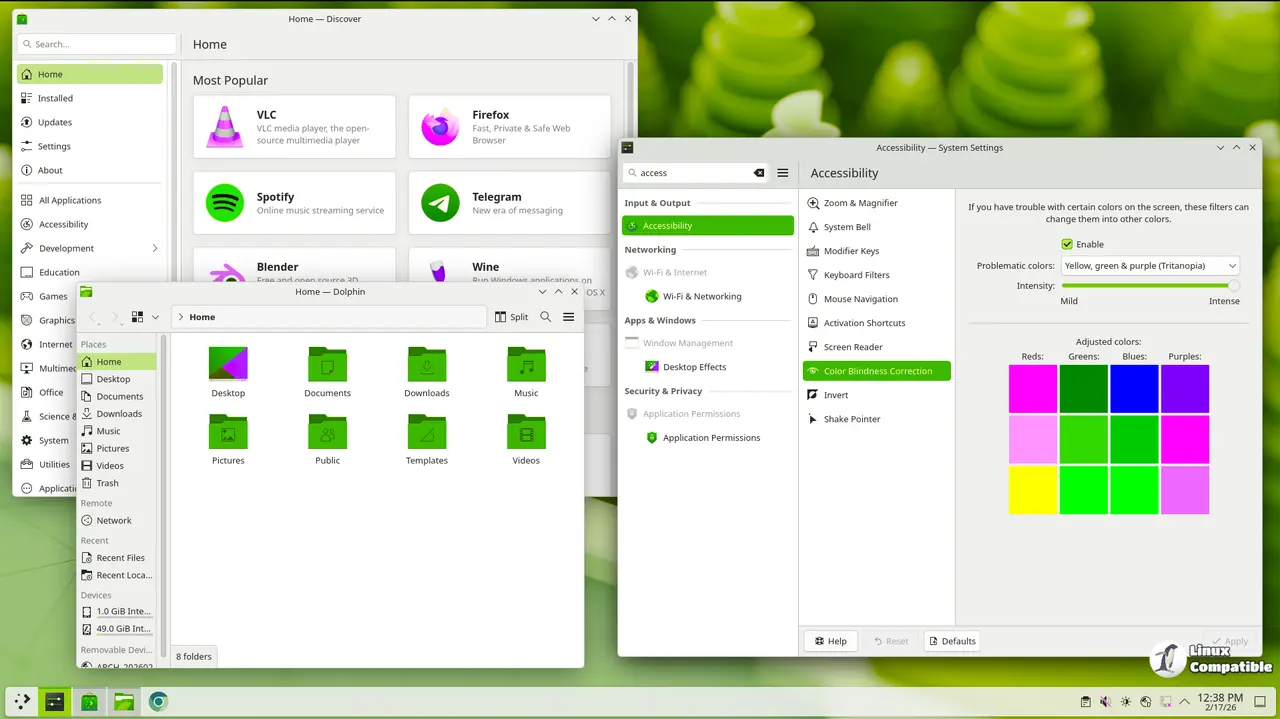
KDE Plasma 6.7 Beta per screen virtual desktops and smarter window switching
The addition of per screen virtual desktops solves a genuine pain point for anyone juggling multiple monitors. Previously, every desktop spanned across all displays, which forced awkward workarounds when trying to keep specific applications isolated on certain screens. Now each monitor can maintain its own set of desktops, making it much easier to separate gaming sessions from productivity tasks without constantly rearranging windows. The Alt and Tab switcher also gains an option to restrict itself to the primary display, which prevents that annoying habit of accidentally cycling through hidden windows on secondary monitors during presentations or quick glances.
Discover gets a cleaner interface and better package handling
The software center overhaul addresses years of complaints about cluttered browse lists and confusing app page headers. Flatpak repository management finally receives proper password prompts on secondary clicks, which eliminates the frustrating double click workaround that users had to memorize. Review sorting now respects category boundaries instead of dumping everything into a single chaotic feed. System monitor also stops forcing decimal byte measurements on users who prefer gibibytes or mebibytes, and the system tray adopts a GNOME style background apps indicator that actually makes sense for modern desktop environments. These changes remove unnecessary friction from routine maintenance tasks.
Keyboard shortcuts, tablet sync, and GPU performance tweaks
The new press and hold key feature for special characters works seamlessly when the Plasma keyboard extension is active, which saves time for users who type in multiple languages or frequently access symbols. Tablet artists will appreciate the pointer synchronization option that aligns stylus input with mouse movement, removing the disorienting offset that often breaks drawing workflows. Performance improvements target Intel graphics through overlay plane support, which reduces CPU load and cuts power consumption during full screen playback. AMD laptop users also gain finer control over brightness color temperature shifts, preventing those washed out screens that ruin media consumption on the go.
Union theming preview and expanded Wayland protocol support
The union theming system arrives as a technical preview rather than a polished feature, which means users who expect pixel perfect consistency should probably stick to established configurations until the developers finish polishing it. It attempts to unify widget styling across Qt5 and Qt6 applications, but the current implementation remains experimental enough that sticking with standard themes is safer for production machines. Wayland protocol adoption improves significantly with xdg session management v1 support and input capture portal version 2 integration, which helps screen recording tools and remote desktop clients behave more predictably during active sessions. The sliding notification effect adds visual flair but remains entirely optional for users who prefer instant popups without animation delays.
Simplified printer setup and network connection duplication
SMB printer configuration now handles Windows shared devices with minimal manual intervention, which removes the usual headache of tracking down IP addresses and driver mismatches on mixed operating system networks. The new print queue viewer app replaces the outdated dialog with a cleaner interface that shows active job counts directly in the tray widget. Network manager gains a duplicate connection feature that allows batch editing of settings without recreating profiles from scratch, saving time for users who frequently switch between wired, wireless, and VPN configurations. These utilities target everyday administrative tasks rather than chasing bleeding edge hardware support.
You can download the release from here. The beta cycle will likely iron out the remaining rough edges before a stable release rolls out to distribution repositories. Users testing this build should expect occasional crashes in experimental modules but will gain access to workflow improvements that have been missing for years. Keep an eye on the official KDE forums if specific hardware drivers refuse to cooperate with the new overlay plane implementations.


