GOverlay 1.8.7 brings OptiScaler enhancements and low-latency layer support
The Linux gaming config tool adds Steam Deck shortcuts, forces FSR4-i8 on unsupported GPUs, and fixes persistent Flatpak path issues.
GOverlay 1.8.7 is now available, and if you're wrangling Vulkan overlays on Linux, this is the update to grab. Released July 18, 2026, the latest stable build of the open-source config utility brings substantial improvements to OptiScaler, integrates a low-latency layer, and adds a handy Steam shortcut generator for handheld users.
The project is developed by Benjamim Gois, a self-described network engineer who treats GOverlay as a passion project. It's licensed under GPL-3.0 and has grown significantly, sitting at over 1,400 GitHub stars and pulling in nearly 10,000 monthly downloads from Flathub. The app does the heavy lifting of consolidating MangoHud, vkBasalt, vkSumi, OptiScaler, and Proton tweaks into a single Qt6 interface. You get per-game profiles, and GOverlay generates the launch commands you paste into Steam, Lutris, or other launchers.
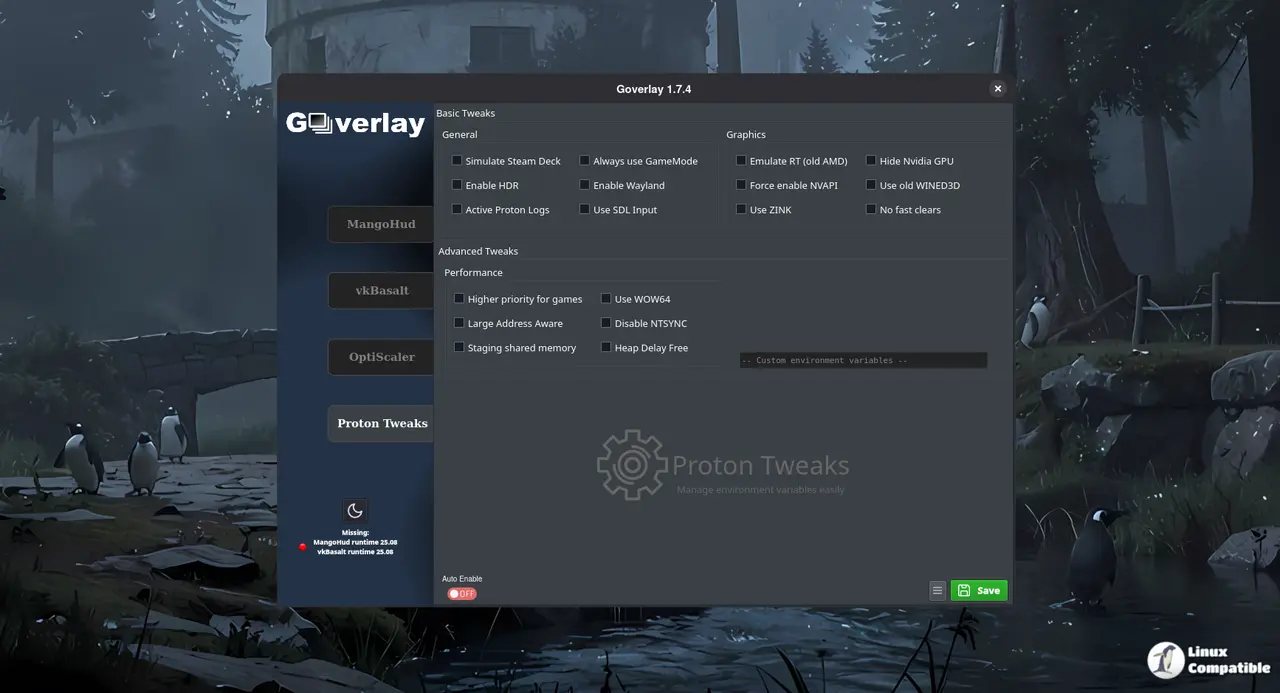
OptiScaler gets serious treatment
The headline for 1.8.7 is OptiScaler. Gois has added a "Preferred Upscaler" option, letting you lock in a specific profile. There's also a "Force FSR4-i8" toggle for bleeding-edge users, which forces the INT8 model on GPUs that might not support it natively.
If you're running RDNA3 hardware, look for the "Emulate FP8" checkbox. The dynamic tooltip explains that this is required to activate FSR MLFG on that architecture. On top of that, the app now automatically synchronizes OptiScaler.ini and fakenvapi.ini when a game launches. No more guessing which config file is out of sync.
The developer also preserved the dynamic layout adjustments in the Bleeding-edge channel, hiding the redundant FSR version dropdown and aligning the new options cleanly. Configuration resets on parser failure are now prevented, and there's fallback handling for missing global OptiScaler.ini files.
Low latency and PasCube updates
GOverlay has integrated vulkan-low-latency-layer dependency status and UI management on the home tab, now labeled "Korthos low latency." The built-in PasCube Vulkan demo has been updated with version tracking, allowing you to preview CPU and GPU max power alongside temperature in real-time without leaving the app.
For Steam Deck users, the new "Create Steam shortcut" option in settings lets you launch GOverlay directly inside Steam's Gaming Mode. The release also addresses persistent Intel CPU power monitoring fixes, triggering proactively but restricted to Intel hardware. Non-Steam AppImage games now get better detection, including improved cover art port mapping.
Fixes and platform polish
The release includes a list of stability patches. MangoHud config loading is now unconditional when clicking the label tab, fixing issues where UI controls weren't reset and leaked dirty values. OptiScaler won't wipe your config if the parser hits a snag.
Keep in mind that Flatpak users finally get proper respect for XDG_CONFIG_HOME, and safe ASCII characters are whitelisted during game name sanitization. The desktop file launcher has a corrected StartupWMClass definition, and the app ignores crash and bug report folders during Unreal Engine path discovery.
Visual separators now group items in the sidebar settings menu, and the Wine Prefix button has been relocated for easier access.
Under the hood
For those watching the source, GOverlay remains written in Free Pascal. It's 97.9% Pascal code, with the UI built via libqt6pas bindings. The game wrapper, bgmod, is a compiled binary that intercepts arguments, exports environment variables, and handles Wine DLL overrides. It's replaced the legacy fgmod bash approach and includes an uninstaller binary to clean up wrapper files.
If you're keeping score, the release cadence has been brisk in 2026. Version 1.8.5 dropped July 5, followed by 1.8.6 the next day. 1.8.7 arrives just two weeks later, suggesting Gois is pushing hard on the OptiScaler integration and general polish.
Is it worth switching?
GOverlay isn't the only tool in the yard. There's mangoapp for simple MangoHud needs, and mangojuice as a Vala-based alternative. However, GOverlay's value is the unified interface. It's a rather ambitious toolkit for what amounts to a one-person passion project, though the breadth of supported Vulkan tools helps justify the download count.
The reliance on bgmod means you're trusting a compiled binary to manage your game folders and copy upscaler plugins. It's generally safe, and the uninstaller provides peace of mind, but it's something to remember if you prefer minimal interference.
Getting 1.8.7
GOverlay 1.8.7 ships in five formats. The AppImage is about 67 MB. The Flatpak comes in around 154 MB for x86_64 and 140 MB for ARM64. A .deb and .rpm are also available at roughly 12 MB and 10 MB respectively. A nightly pre-release is published from the main branch if you prefer living on the edge.
Head here to the GOverlay GitHub releases page to download version 1.8.7. If you're running into issues with the new OptiScaler sync behavior, check the release notes for the parser fallback details.


