GE-Proton 11-13 ships with Bluetooth controller fixes, a MIDI synth, and a big batch of video patches
The most popular third-party Proton fork just got a major upgrade to its Bluetooth PlayStation support and cutscene playback.
GloriousEggroll pushed GE-Proton 11-13 to GitHub todayd. Thomas Crider, the developer behind the project, tagged it that way. It rides a bleeding-edge Wine from November 21 and refreshes most of the graphics layers underneath it.
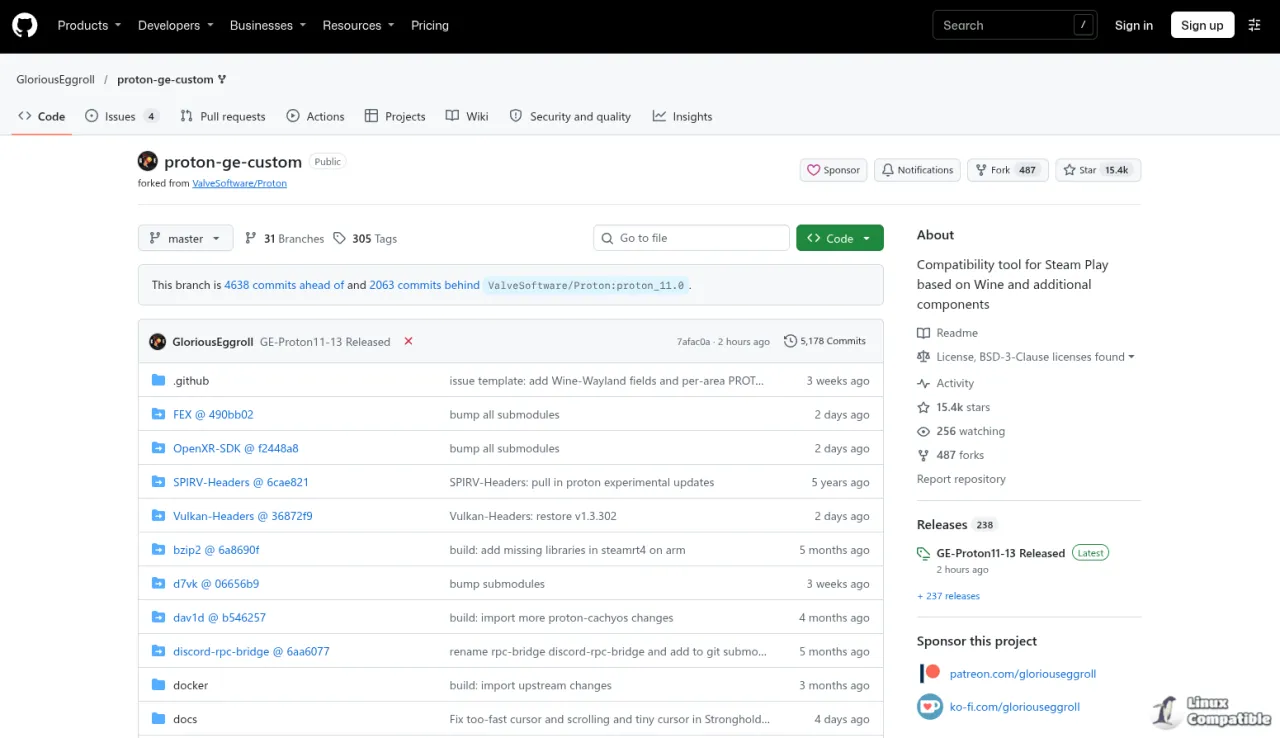
This isn't an official Valve release, so don't expect it in Steam's default dropdown. It's the community fork. The popular one. It's already wired into Heroic and Lutris as a default runner and even turns up in the Epic Games Launcher Preview.
The biggest single story here is PlayStation controllers over Bluetooth.
Better Bluetooth, still behind switches
DualSense and DualSense Edge pads now masquerade as wired USB controllers when Steam Input is turned off for a given game. There's a flag for it. The more interesting part is that HD haptics and speaker audio now actually transmit over the wireless link, something players have asked about for years.
Sony pads still fall back to the native report layout when hidraw is disabled, so this doesn't clobber setups that already depend on it. A DualShock 4 gets the same treatment, presenting as wired USB while handing over its speaker and headset mic.
If you're keeping score, this closes a gap that Steam Input mostly hid. Plenty of console ports still assume a wired DualSense sitting on the table, and having the pad present itself that way over Bluetooth is the fix most of them were waiting for.
The video work is roughly as big. GE-Proton has long been ahead on Media Foundation playback, and this build keeps the lead. Damaged intro videos in Daemonica are fixed. Metro Awakening no longer hangs after its opening movies. There's a whole batch covering Veggie Blast, Burning Striker, and several arcade titles, plus fixes for NAudio-based MP3 playback that used to fail on the first sample.
The rest of the pileup
On top of that, there's a fresh opt-in PipeWire audio driver from a CachyOS contributor. It routes USB and Bluetooth controller audio and even scales DualSense haptics based on output volume. There's also a built-in MIDI synth for games that expect one, using FluidSynth and a bundled soundfont.
Win-Wayland gets a pile of fixes too. Battle.net apps no longer trip over NVIDIA GPU faults. Battlefield 4 stops crashing on alt-tab. Balatro's cursor stops jumping to the corner after a cursor lock. Native HDR colorspace is now opt-in after some drivers crashed KWin with invalid mastering primaries, which reads as a pragmatic call more than a flashy one.
And there's the forward-looking bit. FEX, the ARM64 emulator that lets x86 games run on ARM hardware, got precision fixes for GOG installers. That lines up with the handheld crowd and with Valve's Steam Frame. It's a signal that Crider is building for hardware that hasn't fully arrived yet.
GloriousEggroll isn't the quiet type about unofficial copies. The repo README says plainly there's no website for GE-Proton beyond GitHub, and that he won't help with or endorse re-distributions. Worth reading before you trust a "GE-Proton" download that isn't on the official page.
Not cheap on your time, this install. Each build runs roughly half a gigabyte to a gigabyte, and flipping the global switch rewrites how every Windows game launches at once. Pin a single game first, test it, then decide whether to go broad. Keep in mind that a quiet restart in the background won't always pick it up.
Valve's own stable Proton sits at 11.0-2, with 11.0-3 still in release-candidate testing. GE-Proton tracks the same Wine 11 lineage but layers patches ahead of upstream, which is exactly why some titles that stutter on stock Proton run clean here. Three weeks between 11-12 and 11-13 keeps the pace fast.
If you want to try it, grab it through ProtonPlus or ProtonUp-Qt, both available as Flatpaks. Otherwise drop the tarball into ~/.steam/root/compatibilitytools.d/ and quit Steam all the way out, then reopen it. Steam only scans for tools at startup, so leaving it running won't do.
Head here to the official GitHub release.


