Fwupd 2.1.8 Ships with RSA-3072 Verification and a Wave of Memory-Safety Fixes
Firmware is the part of your machine you never think about until someone finds a way to hijack it. That's exactly the worry driving fwupd 2.1.8, the open-source daemon that keeps Linux systems' firmware current. It landed on 24 September 2026 with new cryptographic signature checks and more than twenty bug fixes, most aimed at closing the memory-safety holes attackers have a habit of exploiting.
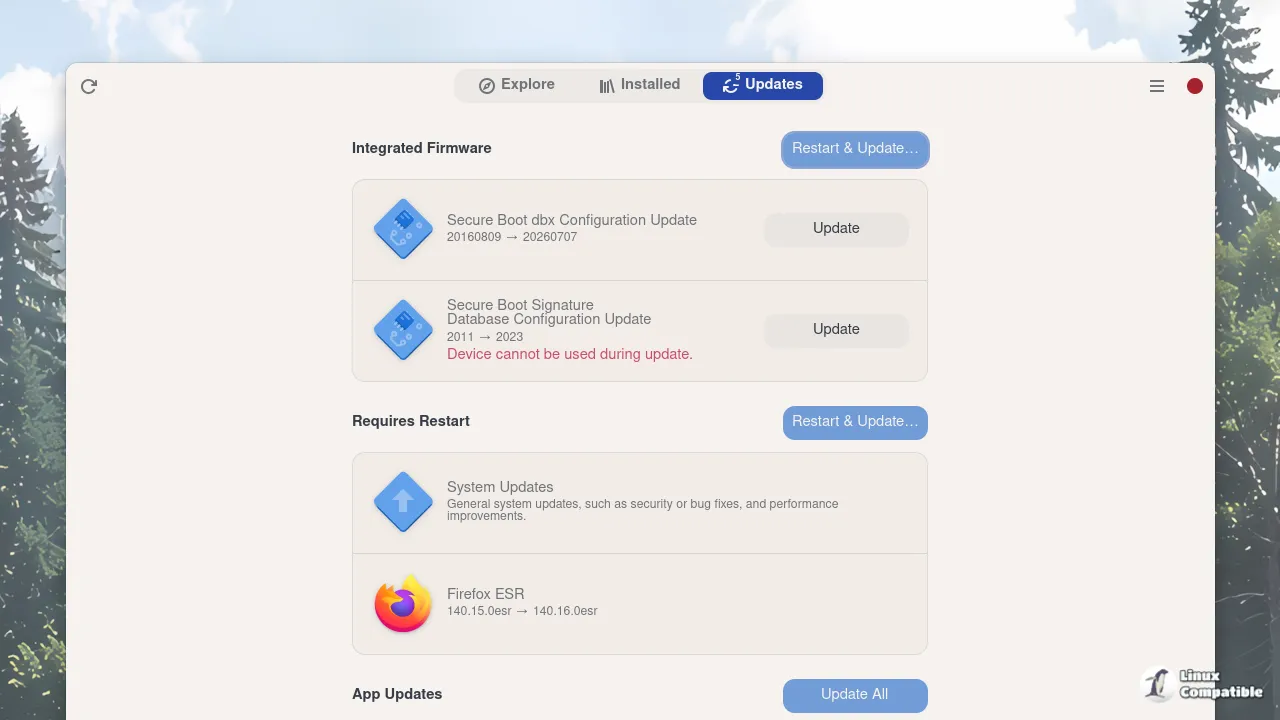
Updating firmware on Linux used to be a genuine nightmare. You had to figure out which chips you actually had, track down OEM tools that were frequently Windows-only, and trust that some flashing utility written for DOS would behave under your kernel. fwupd, built by GNOME maintainer Richard Hughes and first released on 17 March 2015, turned that slog into something you can trigger from a software center. It pulls signed firmware from the Linux Vendor Firmware Service and installs it through UEFI mechanisms your kernel has supported since 4.2.
For what it's worth, that service now handles millions of updates a month across more than 100 vendors, from Cloudflare-sponsored infrastructure to Google, which has required fwupd-compatible firmware for Chromebook certification since December 2019. That's a lot of signed firmware flowing through a single pipeline, which is precisely why fixes like these matter.
Two things worth your attention
The headline new feature is a plugin that pokes bootupd whenever the EFI System Partition changes. The ESP holds your bootloader and kernel images, and bootupd is the companion service that keeps boot-related firmware consistent. Keep in mind that the earliest code a machine runs is the most attractive target for a bootkit, so keeping that chain in sync after an update matters more than it initially sounds.
The second addition is smaller but tells you where the project's thinking has gone: RSA-3072 signature verification for Lenovo accessories. Firmware through the LVFS is already cryptographically signed and verified before install. Moving Lenovo peripherals onto the stronger key size closes a gap where older, smaller keys could otherwise slip through unexamined.
It follows fwupd 2.1.7 from late July, which leaned hard into attestation and verified boot with a systemd-pcrlock plugin and TCG disk-encryption attributes. This release keeps pushing on that same theme.
A long list of things that could break
Most of 2.1.8 is just good plumbing. The release notes read like an inventory of failure modes, and several of them are genuinely scary.
Take the buffer overwrite in Synaptics CAPE HID parsing. Buffer overflows in device parsers are among the worst classes of bugs you can ship, because they can turn into memory corruption or even remote code execution. There's also an integer underflow in the FocalTech fingerprint CRC parser, a memory leak in TPM eventlog parsing, and an LZMA decompression cap now pinned at 2 GiB to stop a zip-bomb-style payload from eating all your RAM.
The crash fixes are the unglamorous but welcome kind. A malformed EC response used to be able to take down the Dell dock plugin entirely. Broken Synaptics RMI devices crashed enumeration. A file descriptor leak could quietly exhaust resources over a long headless run. Fixing those doesn't make headlines, but it does mean your daemon survives contact with sketchy hardware.
Why it matters and how to get it
Firmware sits below the operating system, which is what makes it so dangerous. It can survive an OS reinstall, persist across disk swaps, and hand an attacker a foothold that's maddeningly hard to root out. fwupd's model, which signs firmware, verifies it against a revocation list, and installs it through a trusted path, is a direct counter to all of that. Releases like 2.1.8 keep that model honest by patching the parser-level weaknesses that could let attackers turn the updater itself against you.
It's arguably a bit expensive to ship this many fixes, though the fact that they land through your normal update flow means you likely never have to think about them. A machine running Fedora, Ubuntu, Debian, RHEL or similar picks these up automatically. No hunting down vendor tools. No Windows boot loops.
Check the manual route if you like that sort of thing: fwupdmgr refresh pulls the latest LVFS metadata, fwupdmgr get-updates lists what's available, and fwupdmgr update installs it. A reboot is usually required, so schedule it.
Head here to the release notes on GitHub for the full commit-by-commit breakdown, and to the LVFS docs if you want to understand exactly how signed firmware reaches your hardware.


