Deepin 25.3.0 shipped as a maturity-focused point release for the Chinese Debian-based Linux desktop. Its standout features include freeze protection that keeps the taskbar and Launcher usable during system stalls, a whole-disk UOS AI knowledge base, flexible snapshot recovery for its "Solid" immutable system, and a bundled PC Manager utility. The update also bumps the default kernel to 6.6.159 (with a 6.18.56 option via Kernel Manager), adds GPU-accelerated Linyaps containers, and patches a wide range of security vulnerabilities. The free ISO is available for AMD64, ARM64, Loong64, and RISC-V builds, though readers should note lingering English-language polish gaps and transparency concerns around kernel CVE fixes.
Deepin 25.3 ships with freeze protection and a whole-disk AI knowledge base
The latest point release of the Chinese Debian-based Linux distro trades flashy new features for stability, AI, and recovery.
deepin 25.3 is out, and the theme this round is less "look at this shiny thing" and more "your system won't die on you." The team shipped version 25.3.0 on November 11, 2026, trading a couple of headline toys for the unglamorous stuff that actually keeps a machine alive. There are new features, sure. Read the release notes and the pattern is clear: freeze protection, disk-filling logs capped at 5 GB, snapshots you can restore from a USB drive, and a PC Manager bundled by default. That's a maturity release talking.
If you've been under a rock, deepin is the polished, Windows-lookalike Linux desktop from Wuhan Deepin Technology. It went Debian-based back in version 15 during late 2015 and has stuck with that foundation ever since. The whole 25 series moved to a calendar-based versioning scheme in June 2025. Since then, the team has dropped a point release roughly every three months, 25.0, then 25.1, 25.2, and now 25.3, refining rather than reinventing each time. deepin currently sits around 61st on DistroWatch, pulling in roughly 204 hits a day. Not obscure, but not topping the charts either.
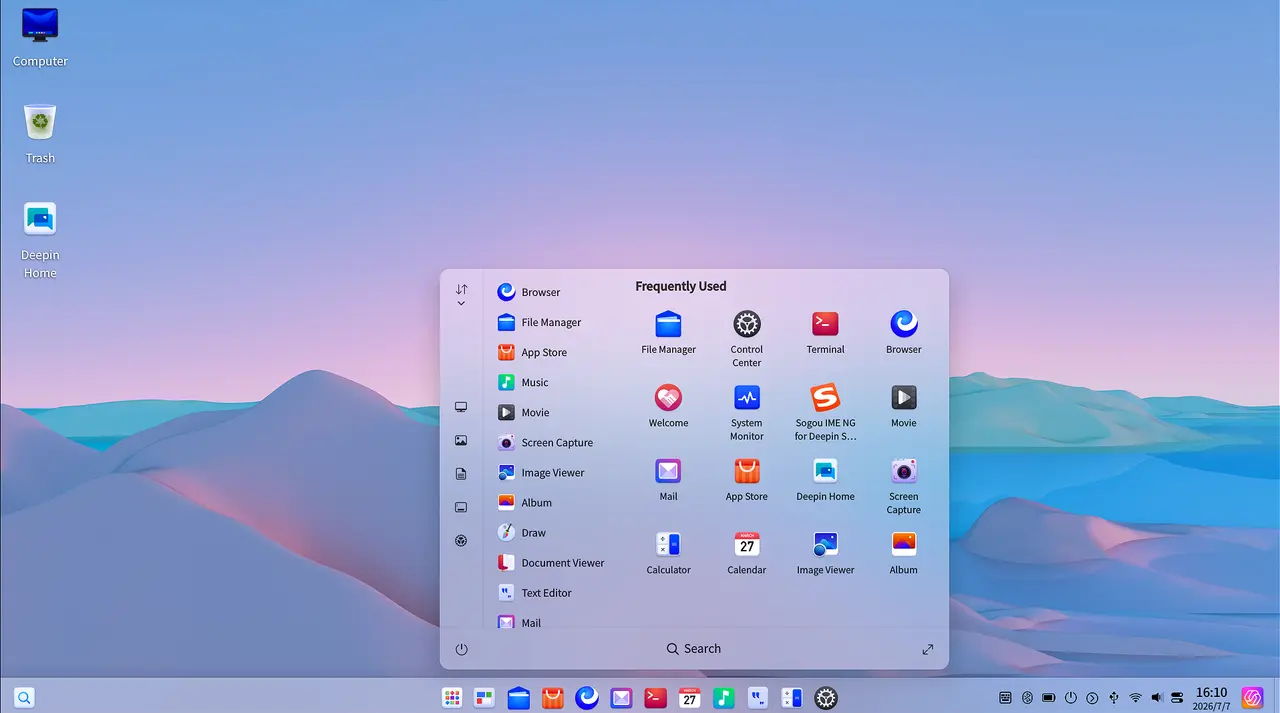
The three things that actually matter
Let's start with freeze protection, since that's the headline feature and honestly the most useful one. When the system seizes up under heavy load, deepin now keeps the taskbar, the Launcher, and the System Monitor alive just enough for you to spot the offending program and kill it. Long-running sessions have always been prone to this. One hung app turns your whole desktop into a frozen mess. It's a real frustration, and this is a real fix.
On top of that, logs are now capped at 5 GB by default and stop growing the moment free disk space drops below 5%. That single change has likely saved more wasted hours than you'd believe. The Control Center home page loads faster, and common office apps stay responsive even when the machine is drowning.
Then there's the "Solid" immutable system, built on OSTree. Core directories get mounted read-only, and when an update goes sideways the box auto-rolls back. In 25.3 you can now save snapshots to a local disk, a USB stick, or a portable hard drive, and start restores from wherever you pick. Add PC Manager to the mix, the CCleaner-style catch-all for cleanup, repair, and troubleshooting, and you've got a genuinely sane maintenance story.
UOS AI wants to be an "Agent OS"
The flashier announcement is UOS AI, deepin's built-in assistant, now pointed firmly at what the company calls an "Agent OS." The idea is for it to take the initiative instead of just sitting there waiting for prompts.
The headline capability is a whole-disk knowledge base. You authorize local files, and UOS AI can then query their actual content, so "every document on your computer becomes knowledge you can call on at any time." Reminders, scheduled tasks, and recurring jobs can be created in plain language. MCP integrations, "Skills," and purpose-built agents now share one interface, with AI picking whatever capability a task needs. deepin claims access to more than 9,000 MCP integrations and over 12,000 Skills.
Keep in mind that the local knowledge base runs on-device for privacy, and the company recommends a CPU at least as strong as an Intel i5. A GPU-accelerated local solution is promised, eventually. It also speaks to Chinese providers like DeepSeek, Baidu Qianfan, iFlytek, 360 ZhiNao, and Zhipu, plus OpenAI-compatible endpoints.
Now here's the honest part. The Register hand-tested deepin 25 earlier this year and praised a desktop it called "fresh and modern," while finding the built-in AI unconvincing. One model kept insisting its training data ended in 2023 and couldn't touch the web. The whole-disk knowledge base is a meaningful step up, but "genuinely useful" and "world-changing" are still different sentences. Give it time.
Past that, the default kernel moves to Linux 6.6.159, fixing security holes across x86, arm64, and loong64 and sorting out boot issues on some devices. Users with newer hardware can pull 6.18.56 from Kernel Manager. But commenters on Linuxiac raised a fair point: deepin builds and ships its own kernel rather than borrowing Debian's, and CVE fixes can lag upstream by weeks because it batches several upstream releases into one monthly package with no fully public tracker to check against. The notes list a broad set of patched components, but independent verification of kernel-level fixes stays thin. Worth flagging before you blindly trust that "security update."
Elsewhere, Treeland, deepin's planned Wayland compositor built on Qt, gets extensive protocol adjustments heading toward a stable, backward-compatible release, along with a login screen that stays legible on light wallpapers. Linyaps containers now get GPU acceleration with the NVIDIA Container Toolkit preinstalled, and the installer automatically matches your NVIDIA driver to the detected card.
As for the bug list, 25.3 patches a mountain: taskbar tray menu quirks, slow icon loading after login, face-recognition showing up on machines without cameras, brightness and volume not updating live, touchscreen gestures, and mouse offsets after screen rotation. The installer got fixes for boot-after-full-disk installs and missing dependencies for apps like GNURadio and qBittorrent. Security-wise, deepin patched Qt, curl, FFmpeg, VLC, glibc, BIND9, OpenVPN, BlueZ, Xorg, nginx, Wireshark, PHP, SQLite, tor, and a raft of others, while also command-injection and info-disclosure issues in System Update and Log Viewer. This lands on the heels of a separate urgent fix in early November 2026 that plugged an APT download-verification bypass.
There are a few known issues being worked on, though nothing that should stop daily use: odd name styling in Launcher group folders, Image Viewer memory creep when you zoom with the scroll wheel, and the Launcher window showing up in Multitasking View when opened right after it.
The deepin 25.3.0 ISO is free, sitting in the roughly 5.2 to 6.7 GB range. You can grab AMD64, ARM64, Loong64, or a RISC-V technology-preview build. For a normal desktop, AMD64 is the one to take. Requirements are 8 GB of RAM and at least 64 GB of SSD storage, with UEFI boot recommended and a 1920×1080 display or better.
A clean install is required. You can't upgrade straight from deepin 20 or 23 to 25, the changes are too large, so back up your /home first. Ventoy, balenaEtcher, or Rufus can make a bootable drive, and Intel-based Macs can run it too, booting by holding the option key and picking EFI.
deepin 25.3 is a release that knows it's the middle of a big cycle and plays it that way. It sharpens the boring-but-important stuff: a freeze-protection safety net, a whole-disk AI knowledge base that's actually kind of useful, snapshot-based recovery you can run from a thumb drive, and default inclusion of a PC Manager. It's not reinventing the polished desktop that made deepin popular in the first place.
For people already on deepin 25, it's worth the update. For newcomers, it's one of the most design-forward Linux desktops around, running across x86, ARM, and LoongArch. Just keep three things in mind: English-language polish still lags behind Chinese, the AI features carry privacy trade-offs, and deepin's kernel-security transparency isn't the most open you'll find.
Head here to the full release notes.


