Budgie 10.10.3 Ships With Wayland Fixes, Desktop Icon Freedom, and a Revived Applet
Budgie's third incremental update of the 10.10 line lands as a solid if unspectacular refinement of its post-Wayland desktop, with the next generation already taking shape.
Budgie 10.10.3 is out, released by lead developer Joshua Strobl today. It's the third minor release of the 10.10 series, and by the numbers it's one of the more substantial so far. Budgie Desktop itself picked up 61 to 62 commits and roughly 11,205 lines added against 5,528 removed across a few hundred files. The desktop view component added its own chunk on top.
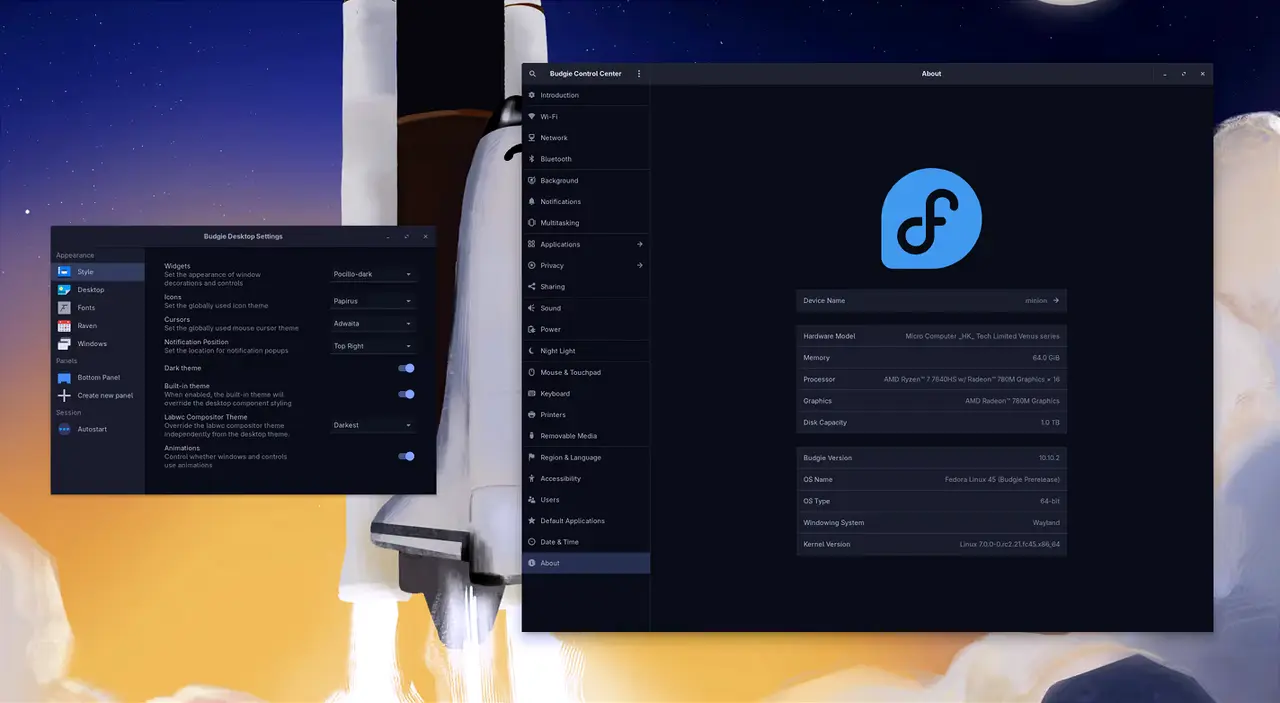
If you've been tracking this project, the timing is the interesting part. Budgie 10.10.1 came out in late January. 10.10.2 in March. Now it's late September and here's 10.10.3. So the gap between the last two minor releases was nearly six months, which is a slowish cadence for what's supposed to be the "rapidly improving" desktop. Worth noting that Budgie 10.10 was already declared maintenance mode when it launched back in January, with the real engineering effort pointed squarely at Budgie 11.
Still, this update earns its keep.
The Wayland hangover is getting sorted
The headline for most people is the Keyboard Layout applet. It shipped disabled in Budgie 10.10 because its IBus-based code crashed under Wayland, and there was no clean mechanism for apps to learn which layout the compositor actually had active. For 10.10.3 it's been rewritten in C.
Here's how the new design works. The applet talks to input sources set in the Budgie Control Center, locale1 or systemd-localed, and any compositor-specific bridge you happen to be running. budgie-daemon becomes a communications hub, exposing an org.buddiesofbudgie.KeyboardLayout D-Bus interface. The daemon doesn't actually apply anything. The applet requests a layout, broadcasts a signal, and the compositor bridge does the dirty work. A feedback loop reads the layout back so your panel label stays accurate.
Priority order for which layout actually gets applied is: last-picked layout, Control Center input sources, locale1, /etc/default/keyboard, and finally US English. Not exactly an obscure detail, but the kind of thing that quietly matters once your keyboard switcher breaks.
The Budgie Menu got two fixes as well. First, you can now favorite apps directly from the menu by right-clicking an entry, instead of only being able to pin things from the Icon Tasklist. A dedicated Favorites category sits above "All." Each menu instance keeps its own favorites independently, a behavior the team flags with the caveat "with great power comes great responsibility." The second fix is more subtle but probably the most technically interesting change in the whole release.
After moving to Wayland, the menu and popovers became GtkPopovers that only get keyboard input while the panel has focus. Open the menu with the Super key and typing broke. Enter wouldn't launch anything. Strobl rewrote the menu as a proper GtkWindow the compositor can hand focus to, borrowing a trick from his experimental GTK4 port without triggering an ABI break for the other applets. It's a fix that only shows up if you've actually hit the bug, which is exactly how you know it's real.
Desktop icons get real
After about six years of work stretching back to November 2020, when Budgie was still under Solus, icons can finally be placed wherever you want. They sit on a grid tied to icon size, which you can adjust with Ctrl+scroll. Positions are stored in grid cells so layouts scale with resolution. You still get drag-box selection, Ctrl/Shift multi-select, and Ctrl+A.
There's a right-click menu with auto-arrange, snap to grid, align to grid, and sort by options, plus trash and folder dragging with collision handling that appends a " (Copy)" suffix when you rename something over an existing file. Thumbnail support now follows the freedesktop spec and shares a cache with your file manager. The default image thumbnail size limit jumped from 10 MB to 25 MB.
The primary monitor selection addition is worth singling out. Wayland output protocols simply don't have a concept of a "primary" monitor, which is why your panel kept landing on the wrong screen after reboots. The new Displays page lets you set a primary, routing panels, notifications, the run dialog, and the power dialog to it. It remembers an ordered fallback list if the primary unplugs, and it ignores idle screen-off periods so your panel doesn't bounce around. Head here to the GitHub repo if the desktop-side changes are what you actually care about.
The rest of the pileup
Beyond those, there's a long tail of fixes. A lot of them are the unglamorous kind that keep a desktop from being a headache. The System Tray no longer crashes Wine and Lutris sessions. The polkit dialog stops hanging with high CPU in a way that previously jammed your shutdown and logout dialogs. The login screen now shares its wallpaper through AccountsService's standard interface instead of relying solely on LightDM.
Raven got a few things back: it closes again when you click away, it stretches between screen edges, and its Usage Monitor widget now reads memory and swap through libgtop rather than parsing /proc files directly. That last one used to crash the panel on systems like postmarketOS on ARM, a genuinely niche but real failure mode.
Packagers will notice a few changes. Budgie adds libgtop as a dependency and drops libwnck, IBus, and intltool. There are new build flags for enabling oo7 Secret Service support, which Fedora 45 is switching to for password storage though it stays off by default so GNOME Keyring users are unaffected. Budgie Desktop View 10.10.3, Budgie Desktop Services 1.0.3, Ubuntu Budgie's budgie-extras 2.3.1, and the Pocillo GTK theme 0.13.0 ship alongside it to keep everything compatible.
Head here to the GitHub release page.


