BlueOnyx ships updated install media, kills the shell ritual that tripped up new installs
A "four days of chasing first-boot ghosts" effort has refreshed installation images for 5210R, 5211R and 5212R. The headline win is that fresh DHCP installs now go straight into the GUI, no manual shell step required.
BlueOnyx has rolled out fresh installation media for all three of its current releases, and the project is clear about which part actually matters. It's not the packages. It's what those packages now let you do the moment the installer stops.
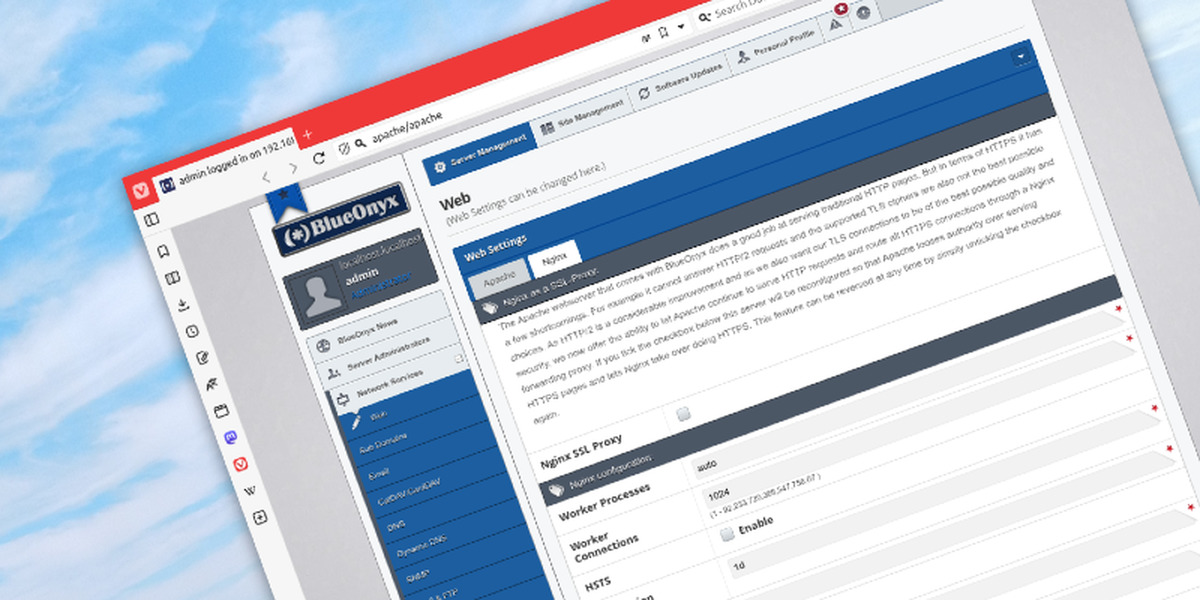
BlueOnyx is a free, open-source control panel for Enterprise Linux. You use it to manage the unglamorous-but-critical services on a hosting box: web (Apache), mail (Postfix/Sendmail + Dovecot), DNS, databases, FTP, users and resellers. It's aimed at providers and self-hosters who want an appliance-style stack without gluing it together piece by piece.
The lineage goes back further than you might expect. BlueOnyx traces to the Cobalt Networks RaQ servers of the 1990s, most famously the RaQ550. Sun bought Cobalt, the "Sausalito" GUI went open source, and in 2008 the first BlueOnyx shipped on CentOS 5. It's crossed basically every Enterprise Linux generation since.
Keep in mind that only three versions are active today. 5212R runs on AlmaLinux 10, 5211R on AlmaLinux 9 and 5210R on AlmaLinux 8. As of right now, 5211R is the most widely deployed.
On 19 October 2026 BlueOnyx published new media for all three trees. Each ships as a Netboot ISO and a Complete ISO, plus VirtualBox (VDI) and VMware (VMDK) appliance images and Incus/LXC container images. On paper it looks like a routine media refresh. It isn't.
Four days of chasing ghosts
This is a roll-up, not a feature release. It bundles every DNF maintenance update across all three product trees and repackages them for USB deployment. The project frames it as the payoff from a "Four Days of Chasing First-Boot Ghosts" push. The idea is blunt: the first five minutes after install set the tone, and an ugly first boot leaves a permanent impression.
The heavy lifting came from developer Michael Stauber, joined by Greg Kuhnert, who apparently kept installing, testing and poking at cold boxes until the last edge case gave up. Per the announcement, the scope was 27 SVN revisions, 45 pages added and 268 edited, plus a "small mountain of rebuilt RPMs" across all three trees. Prior media roll-ups landed June 24, August 14 and September 21 and 22. This October 19 update keeps that pace going.
The one that matters most is the DHCP path. Getting a fresh BlueOnyx online used to require a ritual: install it, watch it grab a DHCP address, log in on the console, then run network_settings.sh before anything else. The GUI was there, but reaching it was needlessly awkward.
Not anymore. A fresh install with DHCP now browses to the server address, shows a wizard wait-page while background constructors finish, then hands you the wizard directly. Fill it in, save, and you're in the GUI. No mandatory shell detour. The old console command still works, but it's been demoted to an optional tool for people who like configuring networking by hand.
The rest of the fixes read like a field guide to bugs that only surface on a brand-new box. The wizard could send you in circles, bouncing between pages or throwing a "your login session has expired" error before you'd even logged in. A capability cache could poison itself by caching an incomplete permission set and then believing it forever. A CCEd restart mid-setup kicked you out right as the wizard handed over to the GUI, and the console banner showed no address because five separate scripts wrote /etc/issue in two formats. Dovecot and php-fpm refused to start before constructors ran, which meant a perfectly healthy system displayed red text on the console.
Here's a nice detail. The Network Statistics page was rebuilt on nftables, now living under Usage Information => Network with live counters and a 24-hour history. The old iptables-based accounting had "been quietly fighting with firewalld for years," and it's now gone.
If you're going to write these ISOs to a stick, pay attention to the write method. These are hybrid BIOS+UEFI images that need a proper block-level write, not a filesystem copy. With Ventoy you just copy the ISO onto the drive without extracting it. Rufus wants GPT plus UEFI and, critically, "Write in DD Image mode", pick ISO mode and you'll get a USB that boots but dies mid-installation. balenaEtcher is the beginner-friendly option and handles raw mode automatically.
Virtual appliances ship over an OVA mirror network, and Incus/LXC images sit on a dedicated remote. BlueOnyx even runs its own web host on Incus, on an Aventurin{e} 6110R base, and invites you to pull images the same way:
incus remote add blueonyx-images https://incus.aventurin.net:443/ --protocol=simplestreams --public --accept-certificate
incus image copy blueonyx-images:blueonyx/5212R/cloud local: --alias blueonyx-5212R-cloud
It's a mature piece of software, and this update is a quiet reminder of that. First-boot bugs are invisible work, nobody writes a forum post about an install that just worked, and that silence is exactly why the team went hunting. The DHCP-to-GUI path removes the single biggest old annoyance, and it does so on the default configuration. For anyone deploying dozens of servers at once, that small change is worth a lot.
The ISOs, virtual appliances and Incus images are all live now, with SHA256 checksums and a mirror network spanning the USA, Germany, the Netherlands and Japan.
Head here to download the BlueOnyx ISO images and here for an USB installation guide.


