AnduinOS 2.0.3 adding a centralized Control Panel, fully offline voice typing, and a Dracut boot switch to the project's "Resolute Raccoon" LTS line. The Control Panel tidies up the distro's scattered system tools, while the optional whisper.cpp-based voice typing runs entirely locally with no cloud or telemetry. A guarded NTFS-shrinking installer path makes Windows dual-booting safer, and a staged Dracut migration quietly consolidates the Live media and installed boot onto a single stack.
AnduinOS 2.0.3 ships with a Control Panel, offline voice typing, and a Dracut boot switch
The lone maintainer's "Resolute Raccoon" LTS line grows up a bit.
AnduinOS 2.0.3 has been released, capping the current round of the "Resolute Raccoon" LTS cycle the project has been building toward. The three biggest changes are a new Control Panel that gathers the distro's scattered system tools into one searchable window, fully offline voice typing, and a quieter boot stack. Support for the line runs until April 2031.
The release builds on AnduinOS 2.0.0 from late June, which brought the native installer, Btrfs snapshots, and a modern GNOME 50 desktop on Wayland. Version 2.0.3 doesn't rewrite that foundation so much as tidy it up.
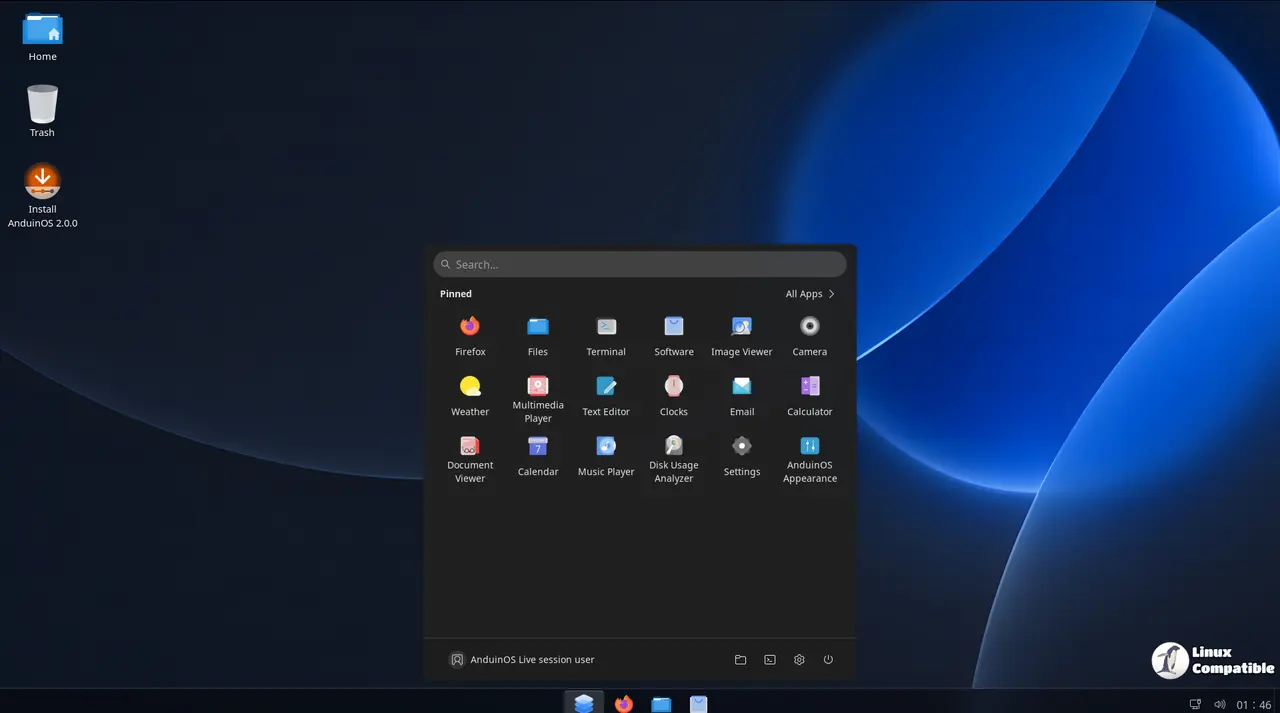
A Control Panel that actually means something
AnduinOS has always shipped a grab-bag of its own little tools on top of the standard GNOME settings. Some are applets. Some are standalone windows. A few live in odd corners of the Welcome Center. The new Control Panel is a first attempt to pull all of that under one roof, with category tabs for system, hardware, application, account, appearance, AI, compatibility, and recovery.
Individual settings stay reachable from GNOME Shell search, but the Control Panel is now the front door for the distro's applets and system destinations.
Keep in mind that it's also quietly relocating some of your preferences. The Software Source panel, where you pick APT mirrors and trigger updates, has moved from the Welcome Center to Programs Software Source. Factory Reset lives under Backup and Recovery now as well. Both changes are the kind of thing you'll only notice when you go looking for the old location.
The offline voice typing is the interesting one
Here's where the release gets a little opinionated. AnduinOS now bundles an optional voice-typing stack built on whisper.cpp that runs entirely on your machine. Once you've downloaded the speech model, dictation works offline, with nothing riding out to the cloud.
That tracks with how the project already sells itself. The tagline is blunt: "We don't track you. We don't profile you. We don't target you." Local voice typing just takes that posture one step further.
What's mildly refreshing is the setup. It shows you the model's download size before you commit, runs a short performance check, and picks a CPU/GPU config that matches your hardware. There's an "Automatic" transcription mode that pauses live dictation if things get slow, then still finishes the final recognition. Totally reasonable.
A safer dual-boot, if only for Windows
If you're migrating from Windows, the pain point that usually bites people is the installer mangling their existing partition. AnduinOS 2.0.3 doesn't solve every version of that problem, but it adds a guarded NTFS-shrinking path that refuses to touch volumes that look unwell.
It won't shrink a BitLocker-encrypted, hibernated, or fast-startup-affected volume. If Windows wants to run a disk check, the installer offers to just Close and point you at chkdsk X: /f rather than forcing things through. That's arguably the single most useful safety rail in the whole release.
One caveat: the guided coexistence path reuses existing unallocated space and won't automatically shrink Windows for you. You still need room waiting if you want the easy route.
Dracut, or the quiet change that matters most
The change most people will never see is the migration to Dracut. AnduinOS used Casper plus initramfs-tools for both its Live media and installed systems, and now it uses Dracut for both, which means the maintainers run one boot path instead of two.
The migration itself is staged and atomic. The install media got rebuilt directly for Dracut, while existing 2.0 installations pick up the new initramfs through a normal package upgrade. It waits for all required packages, survives a power cut mid-flight, and only drops the old boot packages once a successful boot is confirmed. That's exactly the kind of careful in-place transition that tends to get rushed in smaller distros.
Worth it?
Nothing here is flashy. There's no new kernel and no desktop makeover. The Control Panel is the most visible win, and it's a genuine quality-of-life fix for a distro that had quietly accumulated too many bespoke windows. The offline voice typing is the most forward-looking, and it fits a project that's been betting hard on local, on-device behavior all along.
The catch, if there is one, is the usual one for a distro run by a single person. Aiursoft Limited is effectively Anduin Xue, and press coverage has pointed out that he's a Microsoft employee working on this in his spare time. It works well right now, but it's worth knowing who's holding the keys should a bad update or a planned outage ever roll around.
Upgrading
New installs pull the AMD64 or ARM64 image from www.anduinos.com, then verify the SHA-256 checksum before flashing. Both are 2.35 GB ISOs and support UEFI with Secure Boot or plain BIOS. AnduinOS 2.0 users upgrade in place:
sudo apt update
sudo apt upgrade
Restart when it asks. Upgrading won't repartition your disk or create the factory-recovery baselines that only fresh Btrfs installs get, so if you want factory reset, do a clean install.
Head here to download the AnduinOS ISO imges.


