4MLinux 51.1 Stable Release Brings Kernel 6.12.83 and a Simpler Update Path
The 4MLinux 51.1 stable update just landed, bringing kernel version 6.12.83 to the main release channel. This point release focuses on hardware compatibility and routine maintenance rather than flashy new features. Users running older machines or dedicated appliances can grab it through a single terminal command that handles everything automatically.
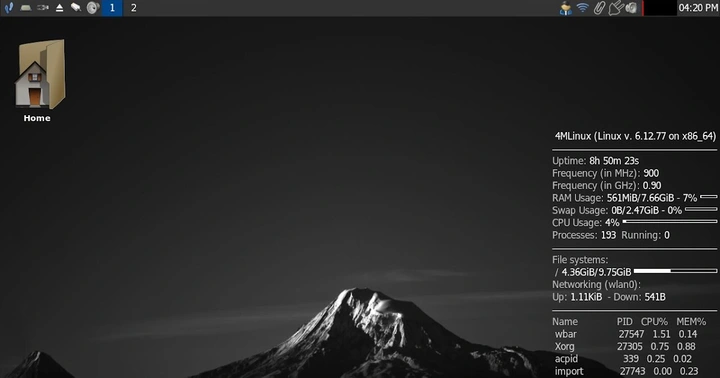
What Actually Changed in 4MLinux 51.1
The jump to kernel 6.12.83 mostly tightens up driver support and patches security holes that have been sitting in the codebase since the last stable build. Systems often stall after a bad graphics or network driver update, which is why sticking with a tested kernel like this matters for machines that need to stay online without constant tinkering. 4MLinux has always leaned toward keeping things lean and functional, so expect zero bloat here. The developers are not adding desktop environments or bundled office suites. They are just making sure the core system talks properly to modern hardware while leaving plenty of room for whatever tools actually get used.
How to Get the New Version Running
Getting onto the new version does not require downloading a fresh ISO or wiping the current install. The developers built a fully automatic updater that handles package synchronization and kernel replacement behind the scenes. You just open a terminal window and type zk update to trigger the process. This command matters because it pulls only the verified stable packages from their repository, which keeps the system consistent and avoids the kind of broken dependencies that usually show up after mixing testing and development branches. The updater will run through the necessary steps without asking for confirmation, so you should let it finish before shutting down or rebooting your machine.
Who Should Actually Use This Release
This version makes the most sense for people running dedicated servers, retro computing setups, or lightweight workstations that just need to stay reliable. If you are looking for a polished desktop experience with preinstalled apps and visual flair, this distribution is not going to deliver that. The setup strips away everything unnecessary and leaves behind a fast, predictable base that users can build on top of. Sysadmins frequently use these stable builds as the foundation for custom media centers and network routers because they rarely break after an update. You get exactly what you signed up for, which is a system that does not demand constant attention.
Grab the update when your schedule allows, test it on a spare machine if nervous about breaking something important, and enjoy the quiet reliability of a setup that just works.


