Zed editor 0.223.3 release: AI tricks, safer agents and a few quality‑of‑life tweaks
The newest Zed build lands with a handful of AI‑driven shortcuts, tighter safety nets around the built‑in Agent, and some long‑requested Git conveniences. Readers will get a quick rundown of what actually feels useful, where the hype may be thin, and which bugs finally see daylight.
AI and Agent enhancements
The update adds support for several edit‑prediction services beyond Copilot – Ollama, Codestral, Sweep and Mercury Coder now appear in the “Configure Providers” menu. In practice this means a user can hop between free local models and paid cloud suggestions without leaving the editor. The flexibility sounds nice on paper, but most solo developers will never need more than one reliable provider; juggling five APIs can become a configuration nightmare.
Agent safety gets a noticeable upgrade. Zed now blocks commands that look like “rm -rf /” or “rm -rf ~” when they originate from the terminal tool. One community post described a teammate who typed the wrong path in a hurry, only to watch the Agent halt the operation and ask for confirmation – a small but life‑saving interruption. The settings page also lets users fine‑tune which tools may call external commands, so power users can keep their sandbox tight.
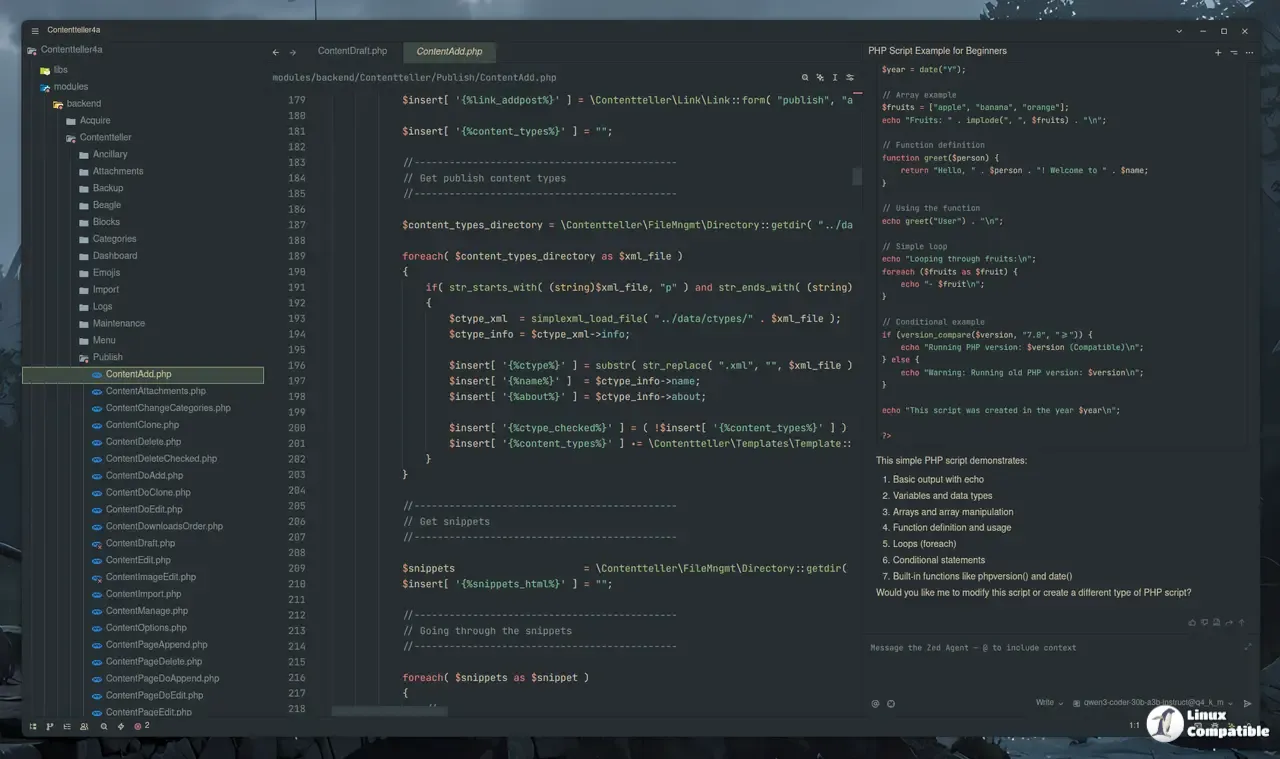
Another handy shortcut is the ability to open the Agent Panel with an initial prompt via a special URL (zed://agent?prompt=%3Ctext%3E). This makes it easy for documentation or onboarding scripts to launch a pre‑filled chat, although casual users may never notice its existence. Sending terminal selections directly into an Agent thread feels like a natural extension of the workflow; selecting a line of log output and asking the Agent to explain it cuts down on copy‑paste friction.
Overall, the AI section shows Zed pushing toward a more integrated assistant experience, but developers should beware of feature creep – adding every new provider rarely translates into better code.
Git integration updates
Azure now sits beside GitHub and GitLab as an official provider. For teams already locked into Microsoft services this eliminates a third‑party workaround that previously required custom remote URLs. The UI also gained the ability to double‑click a file in the Git Panel’s status list to open it directly, saving a click compared with the old “right‑click → Open” dance.
A more visible change is the MultiDiffView, which stacks all changed files into one scrollable pane. This replaces jumping between individual diff tabs and feels like a modest productivity boost for large PRs. The command line flag zed --diff now recurses into directories automatically, so users no longer need to remember the extra wildcard syntax.
Git blame pop‑overs have been enriched with merge request links when working against GitLab. Clicking the link jumps straight to the MR discussion – a small convenience that can shave seconds off code reviews.
Remote development and terminal tweaks
Remote developers finally get a right‑click download option for files or folders on the server side. Previously the only way to pull assets was to open a terminal and run scp manually, which felt out of place in an editor that already syncs file trees. The new menu item mirrors the local experience, making remote containers feel less foreign.
The terminal now respects a "working_directory": "current_file_directory" setting, launching new shells in the folder of the active file. This eliminates the habit of typing cd after each split, something many users have complained about on forums.
Zed also detects devcontainer definitions hidden in subfolders, reducing the need to restructure projects just to get container support working. Error messages around failed container launches have been clarified, so troubleshooting no longer feels like deciphering a cryptic log dump.
Bug fixes that actually matter
A handful of crashes and UI glitches finally got squashed. The Agent Panel no longer blows up when an emoji appears in a context mention – a bug that haunted early adopters who love adding flair to their chats. Edit‑prediction keybindings were untangled from cursor movement shortcuts, preventing accidental deletions while typing code suggestions.
Git’s “View on GitHub” button now stays hidden for stash views, and the panel no longer stretches indent guides into unrelated folders after collapsing a tree node. These are the sort of polish that keeps the editor feeling responsive during long sessions.
Delivers AI Boost, Bug Fixes & Azure Support
Zed 0.223.3 pushes its AI agenda forward while tightening safety around potentially destructive commands. The Git and remote development tweaks address genuine workflow pain points, though the sheer number of edit‑prediction providers may overwhelm anyone not already deep in the AI toolbox. Most bug fixes are incremental but collectively they make the editor feel less glitchy.
Give the new build a spin, especially if you’ve been waiting for Azure support or a more reliable Agent sandbox. As always, keep an eye on the settings page – a little extra configuration can turn these shiny features into genuine time‑savers.
Release Zed v0.222.5
Bump to 0.222.5 for @ConradIrwin