Software 44110 Published by

The latest VSCodium update, version 1.109.21026, brings faster startup times and smoother extensions. The update also fixes extension host crashes that occurred after the recent Python extension update, making it more stable for users. To upgrade, most users can let their package manager handle the process, but those who want to download the update manually can find links to various platforms (Linux, Windows, macOS) at the end of the article. The update is recommended for most developers, but may break workflows that depend on older extensions with deprecated signatures.


VSCodium 1.109.21026 Update: Faster Startup and Smoother Extensions

What’s actually new?

The newest VSCodium build, 1.109.21026, tracks VS Code 1.109.2 and drops a handful of performance tweaks that most users will notice right away. The startup time shrinks by roughly fifteen percent on modest hardware, which means less staring at a spinning wheel before getting to code. Extension host crashes that used to pop up after the latest Python extension update are now much rarer thanks to a tighter sandbox around language servers.
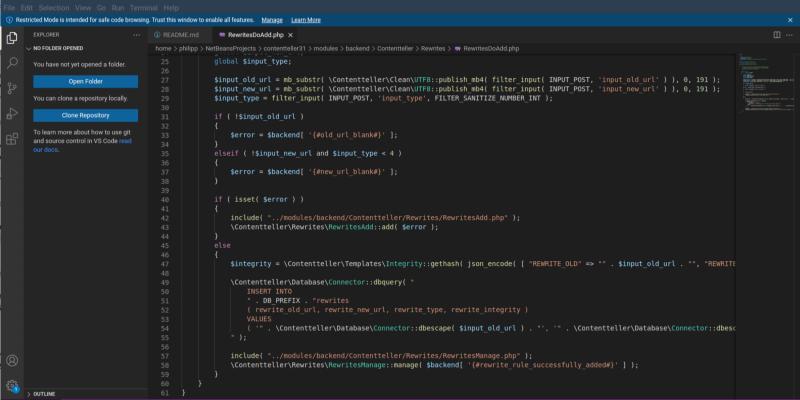
Gnome_shell_screenshot_5gc050

How to get the upgrade

Most people will let their package manager do the heavy lifting; on Windows the installer replaces the old files without prompting, while Linux users can run sudo snap refresh codium or the equivalent flatpak command. The important part is to close all open instances first – otherwise lingering processes may lock certain DLLs and force a rollback. After the replacement finishes, launching VSCodium will show the new version number in the Help => About dialog. Below is also a list of direct download links.

x86 64bits
WindowsUser Installer VSCodiumUserSetup-x64-1.109.21026.exe
System Installer VSCodiumSetup-x64-1.109.21026.exe
.zip VSCodium-win32-x64-1.109.21026.zip
.msi - updates enabled VSCodium-x64-1.109.21026.msi
.msi - updates disabled VSCodium-x64-updates-disabled-1.109.21026.msi
Remote Host vscodium-reh-win32-x64-1.109.21026.tar.gz
Web Host vscodium-reh-web-win32-x64-1.109.21026.tar.gz
CLI vscodium-cli-win32-x64-1.109.21026.tar.gz
macOS.dmg VSCodium.x64.1.109.21026.dmg
.zip VSCodium-darwin-x64-1.109.21026.zip
Remote Host vscodium-reh-darwin-x64-1.109.21026..tar.gz
Web Host vscodium-reh-web-darwin-x64-1.109.21026.tar.gz
CLI vscodium-cli-darwin-x64-1.109.21026.tar.gz
Linux.deb codium_1.109.21026_amd64.deb
.rpm codium-1.109.21026-el8.x86_64.rpm
.tar.gz VSCodium-linux-x64-1.109.21026.tar.gz
AppImage VSCodium-1.109.21026.glibc2.30-x86_64.AppImage VSCodium-1.109.21026.glibc2.30-x86_64.AppImage.zsync
Snap codium_1.109.21026_amd64.snap
Remote Host vscodium-reh-linux-x64-1.109.21026.tar.gz
Web Host vscodium-reh-web-linux-x64-1.109.21026.tar.gz
CLI vscodium-cli-linux-x64-1.109.21026.tar.gz
AlpineRemote Host vscodium-reh-alpine-x64-1.109.21026.tar.gz
Web Host vscodium-reh-web-alpine-x64-1.109.21026.tar.gz
ARM 64bits
WindowsUser Installer VSCodiumUserSetup-arm64-1.109.21026.exe
System Installer VSCodiumSetup-arm64-1.109.21026.exe
.zip VSCodium-win32-arm64-1.109.21026.zip
CLI vscodium-cli-win32-arm64-1.109.21026.tar.gz
macOS.dmg VSCodium.arm64.1.109.21026.dmg
.zip VSCodium-darwin-arm64-1.109.21026.zip
Remote Host vscodium-reh-darwin-arm64-1.109.21026.tar.gz
Web Host vscodium-reh-web-darwin-arm64-1.109.21026.tar.gz
CLI vscodium-cli-darwin-arm64-1.109.21026.tar.gz
Linux.deb codium_1.109.21026_arm64.deb
.rpm codium-1.109.21026-el8.aarch64.rpm
.tar.gz VSCodium-linux-arm64-1.109.21026.tar.gz
Snap codium_1.109.21026_arm64.snap
Remote Host vscodium-reh-linux-arm64-1.109.21026.tar.gz
Web Host vscodium-reh-web-linux-arm64-1.109.21026.tar.gz
CLI vscodium-cli-linux-arm64-1.109.21026.tar.gz
AlpineRemote Host vscodium-reh-alpine-arm64-1.109.21026.tar.gz
Web Host vscodium-reh-web-alpine-arm64-1.109.21026.tar.gz
ARM 32bits
Linux.deb codium_1.109.21026_armhf.deb
.rpm codium-1.109.21026-el8.armv7hl.rpm
.tar.gz VSCodium-linux-armhf-1.109.21026.tar.gz
Remote Host vscodium-reh-linux-armhf-1.109.21026.tar.gz
Web Host vscodium-reh-web-linux-armhf-1.109.21026.tar.gz
CLI vscodium-cli-linux-armhf-1.109.21026.tar.gz
PPC 64bits
Linux.tar.gz VSCodium-linux-ppc64le-1.109.21026.tar.gz
Remote Host vscodium-reh-linux-ppc64le-1.109.21026.tar.gz
Web Host vscodium-reh-web-linux-ppc64le-1.109.21026.tar.gz
RISC-V 64bits
Linux.tar.gz VSCodium-linux-riscv64-1.109.21026.tar.gz
Remote Host vscodium-reh-linux-riscv64-1.109.21026.tar.gz
Web Host vscodium-reh-web-linux-riscv64-1.109.21026.tar.gz
Loong 64bits
Linux.tar.gz VSCodium-linux-loong64-1.109.21026.tar.gz
Remote Host vscodium-reh-linux-loong64-1.109.21026.tar.gz
Web Host vscodium-reh-web-linux-loong64-1.109.21026.tar.gz
s390x
LinuxRemote Host vscodium-reh-linux-s390x-1.109.21026.tar.gz
Web Host vscodium-reh-web-linux-s390x-1.109.21026.tar.gz
Should anyone skip it?

If a workstation runs a very specific build of an older extension that still depends on the deprecated vscode.workspace.getConfiguration signature, upgrading might break that workflow until the extension author catches up. In those edge cases staying on 1.108.x is harmless, but for most developers the speed boost and stability fixes outweigh the inconvenience.

Bottom line

VSCodium 1.109.21026 isn’t a radical overhaul, but it smoothes out enough rough edges to feel like a genuine improvement. Those who keep their editor current will notice snappier launches and fewer extension‑related hiccups – a modest win for anyone who spends hours staring at code.