Tails 7.4.2 fixes critical kernel bugs – you should install it now
Tails 7.4.2 drops an emergency update that patches a dangerous Linux‑kernel flaw (DSA 6126‑1) and bumps Thunderbird to 140.7.1. The release also cleans up a handful of annoyances in the Tor connection wizard, Electrum, and language handling on the welcome screen. Skipping this upgrade leaves the operating system exposed to an attacker who could potentially seize admin rights and strip away anonymity.
What’s new in Tails 7.4.2
The headline change is the jump to Linux kernel 6.12.69, which closes multiple vulnerabilities that could let a malicious program elevate itself to root inside the live environment. In practice, an adversary who already has a foothold in a compromised app could chain the kernel bug to take full control of the session and deanonymize the user. The update also brings Thunderbird 140.7.1, fixing several remote‑code‑execution issues that have plagued older builds.
Why the kernel fix matters
A forum thread on the Tails mailing list described a scenario where a user ran an outdated version while testing a new wallet app. A later post explained that the same user’s system had been hijacked in a controlled lab, the attacker inject code into the kernel and dump Tor traffic. The incident never happened on a production machine, but it illustrates how a “unlikely” exploit can become a real threat when a determined actor is involved.
How to upgrade safely
If the USB stick already runs Tails 7.0 or later, the built‑in automatic updater will offer the jump to 7.4.2 as soon as the network connection is established. Accept the prompt, let the system download the new image, and follow the on‑screen reboot instructions; the process preserves Persistent Storage automatically.
When the automatic path fails, a manual upgrade is still straightforward. Boot the current Tails USB, open a terminal, and run sudo tails-upgrade-frontend-wrapper. The script checks the hardware, downloads the fresh image, and writes it over the existing partitions while keeping the encrypted storage intact. After the command finishes, restart the computer, select the upgraded entry in the boot menu, and verify that Persistent Storage mounts without error.
Minor annoyances that finally got fixed
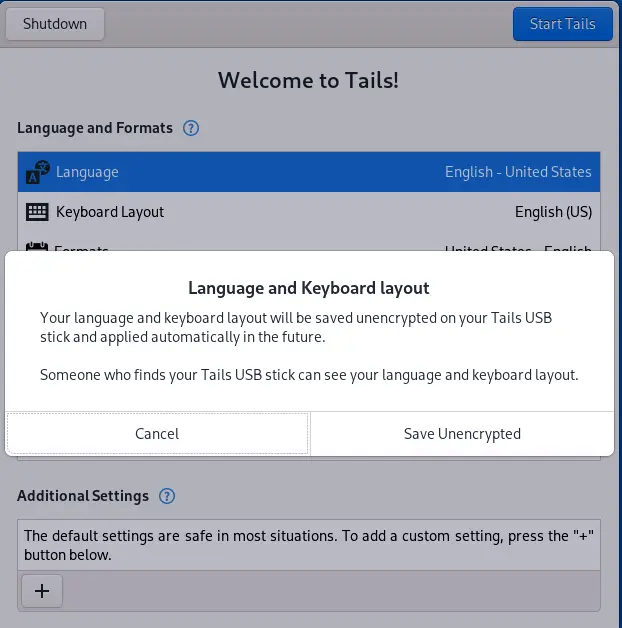
The Tor Connection assistant now opens Wi‑Fi settings correctly, a bug that used to leave users staring at a dead screen after selecting “Configure network.” Electrum no longer disappears when the program crashes unexpectedly; instead it restores the last session on restart. The welcome screen also respects the language saved on the USB stick, so multilingual users won’t have to toggle preferences each boot.
That’s the rundown— grab the new image, run the upgrade, and keep your anonymity intact.


