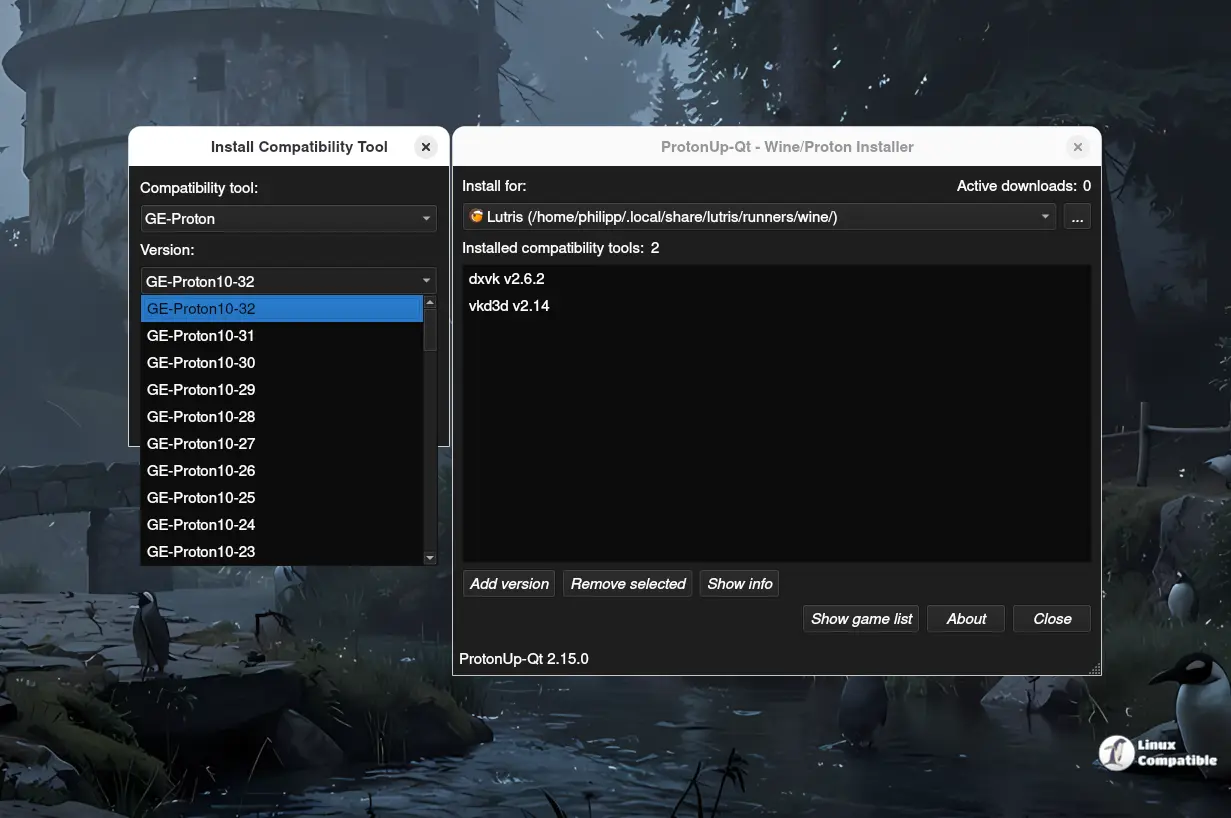
ProtonUp-Qt is a graphical user interface that allows users to easily install, update, and configure Proton-GE and Wine-based compatibility tools. This tool offers various key features, such as installing multiple gaming setups and optimized gamepad support for consoles and handhelds. The latest version, v2.15.0, includes new additions like the dwproton compatibility tool and improved Kron4ek functionality, making managing Proton even smoother. Users can install ProtonUp-Qt from Flathub or download an AppImage file and run it with a few simple steps, eliminating the need for cryptic terminal commands.
ProtonUp-Qt v2.15.0: The Ultimate GUI for Proton-GE and Wine-Based Compatibility Tools
If you're tired of wrestling with the command line to install or update Proton-GE, then this tool is going to be a godsend.
What Is ProtonUp-Qt?
ProtonUp-Qt is a graphical user interface (GUI) for managing Proton-GE and Wine-based compatibility tools like Wine-GE for Lutris. This tool builds on protonup and offers an easy-to-use interface for installing, updating, and configuring these layers.
Key Features
- Install and update Proton-GE, ...-Tkg, Luxtorpeda, Boxtron, and SteamTinkerLaunch for various gaming setups.
- Optimized gamepad support for consoles and handhelds (so you don't have to dig around in settings).
- Tested on Ubuntu 18.04 or newer, Fedora 34, and Manjaro 20.2.
What's New in v2.15.0?
Here's what changed:
- Added the dwproton compatibility tool.
- Fixed Kron4ek – now you can choose between amd64 and wow64 easily (I’ve seen this fix help avoid crashes with certain games).
- Updated GE-Proton install directory for Lutris to runners/wine.
This update makes managing Proton even smoother.
Recommended Method: Get it from Flathub or Your App Store
If you’re on a distro that supports Flathub, grab the release there (the app store version will follow shortly). Otherwise:
- Download the ProtonUp-Qt AppImage.
- Make sure it’s executable with chmod +x ProtonUp-Qt*.AppImage or via your file manager's properties menu.
- Run it by double-clicking.
Once installed, you can finally say goodbye to those cryptic terminal commands for updating compatibility layers and hello to a streamlined experience!


