Darktable 5.4.1 – How to upgrade safely and avoid the usual pitfalls
The 5.4.1 bug‑fix release cleans up a handful of export glitches and crashes that showed up after the 5.4 jump. This guide shows exactly what to download, why a backup is non‑negotiable, and which install method works best on Linux, Windows, and macOS.
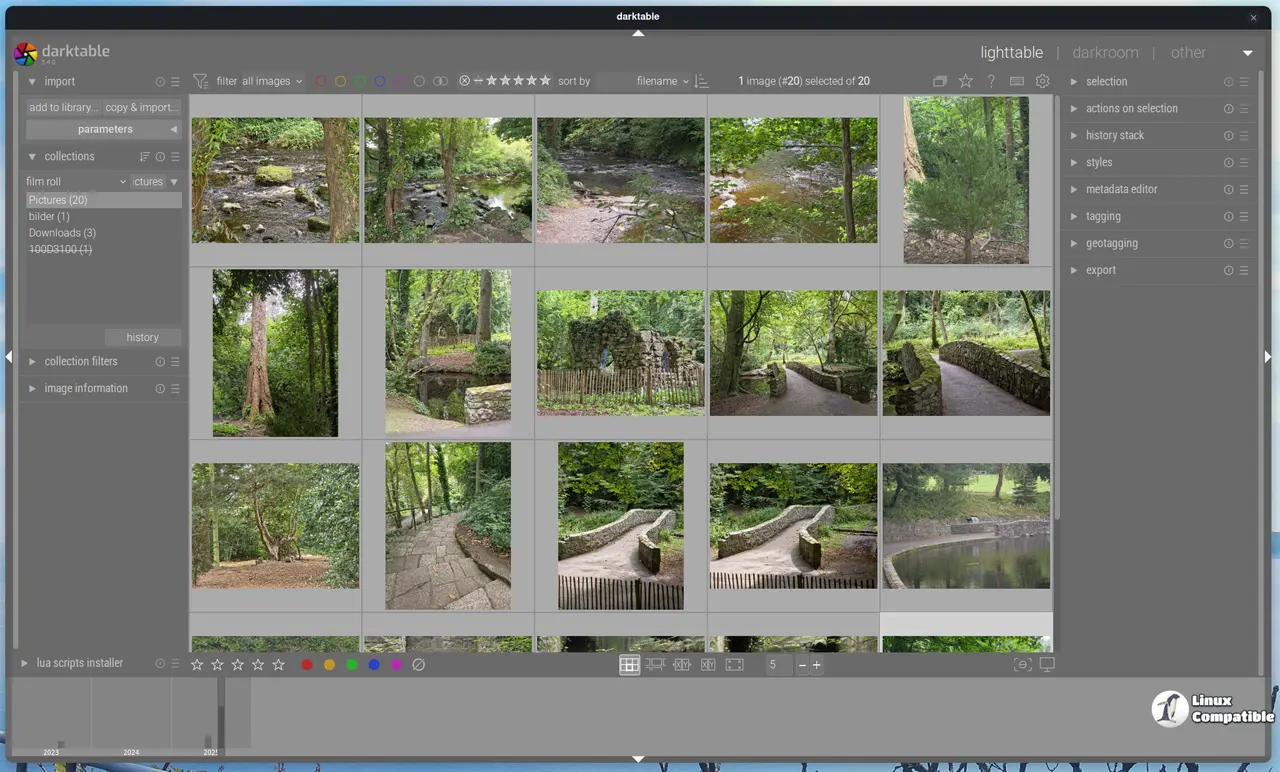


Back up before you click “Install”
Even though Darktable promises to keep your edit history intact, real‑world experience says otherwise. A few users reported missing sidecar files after an interrupted upgrade from the 5.2 series. The safest move is to copy the whole darktable folder (usually under $HOME/.config/darktable on Linux or %APPDATA%\darktable on Windows) to a spare drive, then zip it for good measure. If something goes sideways you can simply restore the backup and launch the older version without losing any adjustments.
Grab the correct archive – don’t trust the auto‑generated tarball
The GitHub release page lists several files; the one labeled darktable-5.4.1.tar.xz is the official source bundle. The generic “Source code (zip)” link is a snapshot generated by GitHub and may miss the latest submodule updates that Darktable relies on.
You only need a pre‑built binary, pick the package that matches your OS:
- Linux AppImage – Darktable-5.4.1-x86_64.AppImage
- Windows 64‑bit – darktable-5.4.1-win64.exe
- macOS Intel – darktable-5.4.1-x86_64.dmg
- macOS Apple Silicon – darktable-5.4.1-arm64.dmg
All of these have their own SHA‑256 sums listed in the release notes; run the same check to make sure nothing was corrupted during download.
Installing on Linux
The AppImage is the quickest way: make it executable (chmod +x Darktable-5.4.1-x86_64.AppImage) and double‑click. For distro users who prefer native packages, stick with your distribution’s repository – but remember that most repos still ship 5.2.x, so you’ll be missing the bug fixes. If you’re comfortable with the command line, building from source gives you the freshest code.
Installing on Windows
Run the .exe installer and follow the wizard. The installer will ask whether to replace the existing version – say “yes” if you’ve already backed up your config folder. After installation, launch Darktable and open a recent catalog; the program should automatically migrate the database. If you see an error about missing rawspeed.dll, reinstall the package – that particular DLL was mistakenly omitted from the first 5.4.0 build but is present in 5.4.1.
Installing on macOS
Drag the .dmg into your Applications folder as usual. Be aware that Apple Silicon Macs running anything older than macOS 14 are no longer supported; trying to run the Intel‑only bundle will produce a “cannot open” error. After copying, launch Darktable from Spotlight (or right‑click → Open) to bypass Gatekeeper’s quarantine on the first run.
Building from source (only if you need a custom build)
- Clone the repo – git clone https://github.com/darktable-org/darktable.git && cd darktable. This always pulls the latest submodules, something the tarball can’t guarantee.
- Checkout the 5.4.1 tag – git checkout release-5.4.1. Skipping this step leaves you on the development branch, which may re‑introduce bugs that were just fixed.
- Install dependencies – On Ubuntu: sudo apt-get install build-essential cmake libgtk-3-dev librawspeed-dev libopenexr-dev libjpeg-turbo8-dev etc. Missing a single library will cause CMake to abort later, and the error messages are notoriously vague.
- Configure with CMake – cmake -DCMAKE_BUILD_TYPE=Release ... Adding -DENABLE_OPENCL=ON enables GPU acceleration; if your GPU drivers are old, you’ll hit the “RustiCL gets default optimizing compiler flags” warning and may see crashes in the Color Equalizer module.
- Compile – make -j$(nproc). The parallel build speeds things up but can also hide race conditions; if you encounter a “non‑deterministic ordering of workspace list” crash, recompile with -j1 to force sequential builds.
- Install – sudo make install. This writes binaries into /usr/local/bin; make sure that directory is in your $PATH.
Most users won’t need a custom build unless they want experimental camera support (e.g., the new Sony ILCE‑7CR RAW files) or plan to contribute patches upstream. For everyday editing, the official installers are more than sufficient.
Post‑upgrade checklist
- Open an image you edited in 5.2 and verify that all sidecar XMP data is still present.
- Export a test JPEG using a multi‑preset export; earlier versions sometimes ignored overwrite flags, but 5.4.1 fixes that bug.
- Check the “metadata editor” preferences – only user‑editable tags are now listed, which prevents accidental overwrites of camera‑specific fields.
- If you use Lua scripts, note that the API version bumped to 9.6.0; older scripts may need a quick tweak (the dt.new_action call has been renamed).
Most users will find the upgrade painless once these steps are covered.
What has changed in this release
The 5.4.1 release tightens up export handling, fixes a crash that appeared with Olympus ORF files, and updates the Lua API. Below is every noteworthy change, grouped by area, plus brief notes on why each fix matters to everyday editing.
Bug‑fix roundup (the stuff you actually notice)
- Multi‑preset export scaling – The previous build applied the wrong scaling factor when exporting several presets at once, resulting in mismatched image sizes. The correction ensures that batch exports now respect the dimensions set in each preset.
- Overwrite flag handling – Earlier versions sometimes ignored the “overwrite if changed” option during export, leading to duplicate files or silent failures. The new logic respects the checkbox, so you won’t be left guessing why a file wasn’t replaced.
- RAW‑specific auto‑preset bug – A stray auto‑applied preset was being attached to JPEGs and other non‑RAW images, causing odd color shifts. That behavior is now confined to true RAW files only.
- Bayer dual demosaicer colour casts – Subtle magenta tinges appeared in some bayer‑based cameras; the fix removes those unwanted hues without altering overall tone curves.
- Olympus ORF parsing crash – Users with older E‑410/E‑510 models reported occasional crashes when Darktable read the highlight‑preservation Exif tag. The parser now skips that tag safely, preventing memory corruption.
- Workspace list ordering crash – On fast SSDs the workspace file could be read in a non‑deterministic order, triggering a rare segmentation fault. The loading routine now sorts entries before applying them.
- Mask support in “scale pixels” module – Masks previously vanished after scaling an image; the fix preserves mask geometry across size changes.
- Locale‑dependent camera mount crash – Mounting a camera on systems with non‑C locales (e.g., French or Turkish) caused a libgphoto2 failure. Darktable now forces the C locale during mount, eliminating that error path.
These fixes alone justify moving from 5.2.x if you rely heavily on batch exports or shoot Olympus ORFs.
UI/UX tweaks (minor but noticeable)
- The help link for the new AgX module now points to the online manual instead of a dead URL.
- In the styles module, the duplicate‑style checkbox disappears in darkroom view; it was previously ignored and confused users trying to apply a style to multiple images.
Performance & OpenCL notes
- RustiCL now receives the same default optimisation flags as the other platforms, so GPU‑accelerated modules (e.g., Color Equalizer) compile with optimal settings.
- A per‑device OpenCL reset bug has been cleared; if you toggled OpenCL off for a specific GPU, that setting will persist after restart.
Camera support updates
| New or improved models | What changed |
|---|---|
| Canon EOS 10D | Added noise profile and proper white‑balance presets. |
| Sony ILCE‑7CR | Full RAW compatibility; files no longer trigger the “unsupported format” warning. |
| Apple ProRAW DNGs | Now recognised on macOS 15+ Intel builds. |
| Fujifilm lossy RAFs, Nikon high‑efficiency NEFs, Phase One CinemaDNG (lossless & lossy) | Added parsing support via RawSpeed updates. |
| Sony ARW 4.0/5.0 downsized lossless and ARW 6.0 lossy | Correct demosaicing paths restored; earlier builds could produce subtle colour casts. |
Support for several legacy cameras remains suspended because raw.pixls.us lacks sample files (e.g., Leaf Credo 80, Olympus SP320). Contributing a raw sample under CC0 will get those models back in the next release.
Lua API bump
The scripting interface moved to version 9.6.0. The only user‑visible change is the addition of dt.new_action support, which lets scripts register custom actions without touching core code. Existing scripts that rely on the old action registration will throw a “undefined function” error and need a one‑line rename.
Export metadata quirks
When exporting to AVIF, EXR, JPEG XL or XCF, selecting individual metadata fields (geo‑tag, creator, etc.) is still impossible – you must tick every box in the export module’s preferences to include any metadata at all. This limitation is documented but often overlooked; users expecting selective tag preservation should plan a post‑export XMP injection step.
Platform support warnings
- Apple Silicon Macs running macOS < 14 are no longer supported as of 5.4.1.
- Intel‑based Macs require macOS 15 or newer; attempting to run the older bundle will abort with a compatibility dialog.
How to keep your camera’s raw format covered
The developers stress that raw sample contributions keep new cameras from falling through the cracks. If you own a brand‑new model not yet listed, grab a few unprocessed RAW files and upload them to https://raw.pixls.us under the CC0 license. That single act can prevent future “unsupported raw” warnings for dozens of users.
That’s the whole picture. With a backup in place, the correct installer downloaded, and a quick sanity check after launch, Darktable 5.4.1 should run smoother than ever.


