A new version of Resources, a Rust‑based system monitor that displays CPU, memory, GPU/NPU, network and storage usage via a clean GTK 4 interface, has been released. It recommends installing the official Flathub Flatpak for reliable updates while warning that community packages on Arch, Fedora, NixOS, etc., may lag or have quirks but can be useful in edge cases. First‑run tips include revealing hidden system processes, using the new pipe‑operator search, enabling AMD NPU detection, and adjusting network speed units, with a note about occasional Flathub issues on NixOS. Finally, it outlines the 1.10 changelog—bug fixes for accessibility and accuracy, new features like AMD NPU support and AppImage detection, and performance improvements that lower CPU overhead and shrink the binary.
How to Install Resources 1.10 and Make the Most of Its New Features
Resources 1.10 is a Rust‑written system monitor that shows you CPU, memory, GPUs, NPUs, network cards and block devices without overwhelming your screen. This piece walks through the proper installation method, points out the gotchas in community packages, and explains what the 1.10 changelog actually means for everyday use.
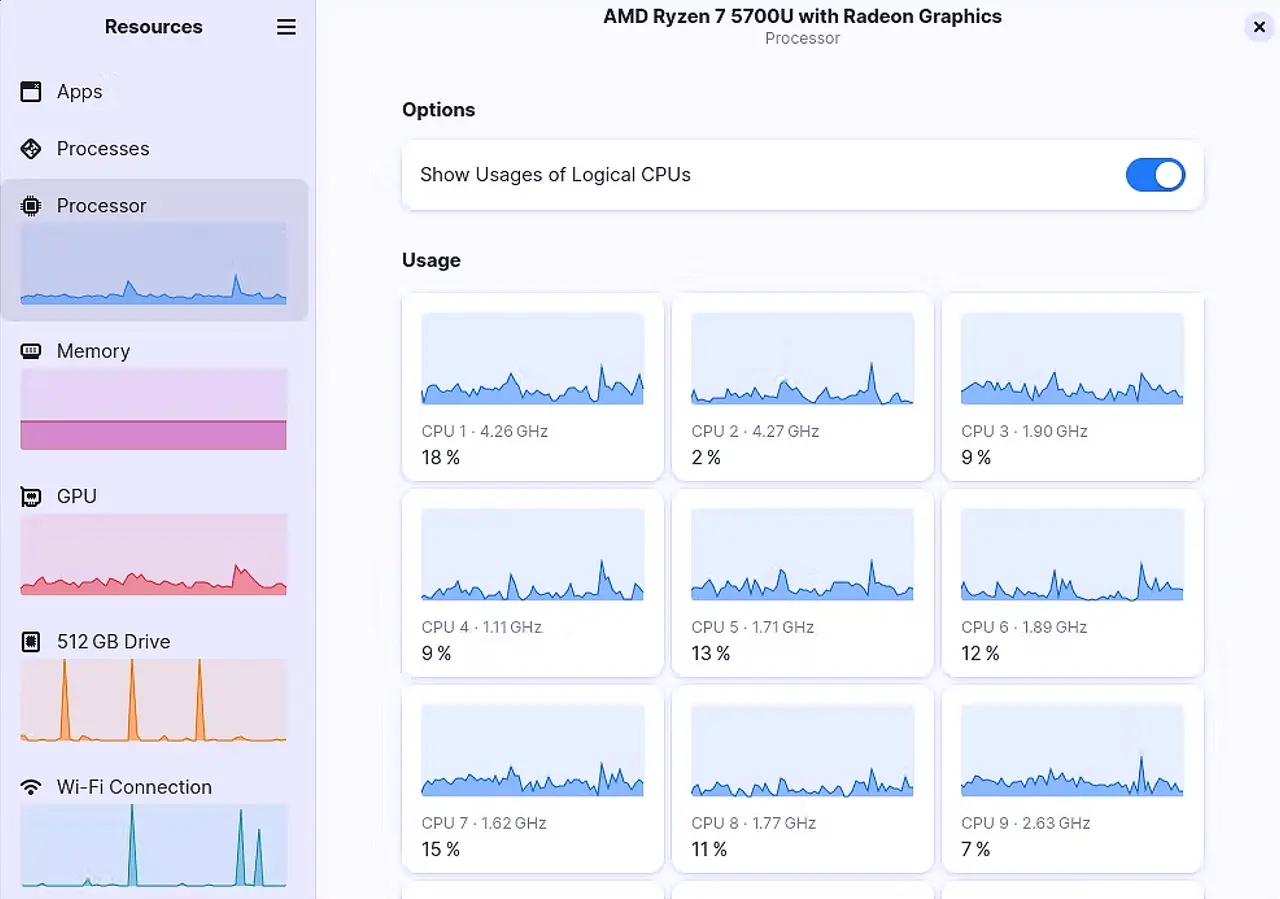
Official Flatpak Install – The Straight‑Forward Path
The developer only distributes a Flathub build, so using any graphical software manager (GNOME Software, Discover, etc.) will pull the correct GTK 4 and libadwaita runtime. If you prefer the terminal, run:
flatpak install flathub net.nokyan.Resources
Flatpak isolates the companion process that gathers stats, keeping it from contaminating your system libraries. I once tried to build the source on an older openSUSE Leap box; the compilation stopped at libadwaita 1.0 because the distro’s package was two releases behind, and I wasted an hour chasing missing symbols.
Unofficial Packages – Proceed With Eyes Open
| Distro | Install command | Known quirk |
|---|---|---|
| Arch | pacman -S resources | May lag a week behind Flathub, so new AMD NPU support can be missing. |
| Fedora | dnf copr enable atim/resources && dnf install resources | Occasionally skips AppImage detection due to older libadwaita linking. |
| Nix/NixOS | Add pkgs.resources to environment.systemPackages. | Flatpak version cannot see running graphical apps; native package fixes that. |
If you’re on one of these systems and can tolerate occasional missing features, the community builds are fine. Otherwise stick with Flathub – it receives every bug‑fix listed in the 1.10 changelog.
First‑Run Tweaks That Actually Matter
- Show hidden system processes – By default Resources hides daemons you probably never need to see. Click the gear icon → Processes → toggle “Hide system”. This gives a true picture of what’s eating RAM after a recent driver update.
- Multi‑name search with pipe – The new | operator lets you type chrome|firefox and instantly filter both browsers. I used it to locate stray Chromium processes that were keeping my memory at 92 % after an extension mishap.
- Enable AMD NPU detection – If your hardware uses the amdxdna driver, make sure the kernel and firmware are current (sudo dnf upgrade --refresh on Fedora). Once updated, Resources will list the NPU under “Accelerators” without any extra steps.
- Network speed units – The UI now always shows bits per second in decimal (the same base your ISP uses). If you prefer binary kilobits, flip the switch in Settings → Network.
I hit a strange case on NixOS where the Flathub build showed zero network traffic despite an active Wi‑Fi connection. Switching to the native pkgs.resources package cleared it up instantly – another reminder that unofficial builds can sometimes rescue edge cases.
What Changed in Resources 1.10
Bug fixes
- Column names are now announced to screen readers, so visually impaired users get proper labels instead of a wall of numbers.
- Keyboard navigation in the Apps and Processes views has been repaired; you can tab through entries without jumping into an infinite loop.
- CPU frequency readings were off for some AMD CPUs – the fix aligns the reading with the actual boost clock.
- Drive titles now update when you change the data‑unit prefix (MiB <> GB), preventing stale labels in the storage pane.
New features
- AMD NPU support – Detects hardware using the amdxdna driver. Your kernel and firmware must be recent, otherwise the UI will simply show “N/A”.
- Pipe operator in search – Type ssh|docker to filter both SSH sessions and Docker containers at once.
- AppImage detection via appimaged – Apps managed by appimaged now appear in the graphical kill list.
- Portable app detection – The monitor respects the XDG standard for cgroups, pulling in apps launched with the Portable wrapper.
- LXC bridge interfaces – Properly listed under network adapters, handy if you run containers locally.
Improvements
- The companion process that gathers stats now uses far less CPU; on my 2015 laptop it dropped from ~3 % to <0.5 %.
- Per‑process memory is calculated via VmRSS instead of the previous approximation, which means total RAM usage looks a bit higher but reflects reality more accurately.
- Cargo dependencies have been trimmed, making the binary smaller and faster to start.
If any of these sound like features you don’t need (for example, if you never kill graphical apps manually), feel free to ignore them. The core monitor still does what most users ask for: a clear snapshot of system health without an avalanche of options.
That’s the whole shebang. Install Resources 1.10 via Flatpak, give those first‑run tweaks a try, and you’ll have a tidy, Rust‑powered overview of everything your machine is doing.


