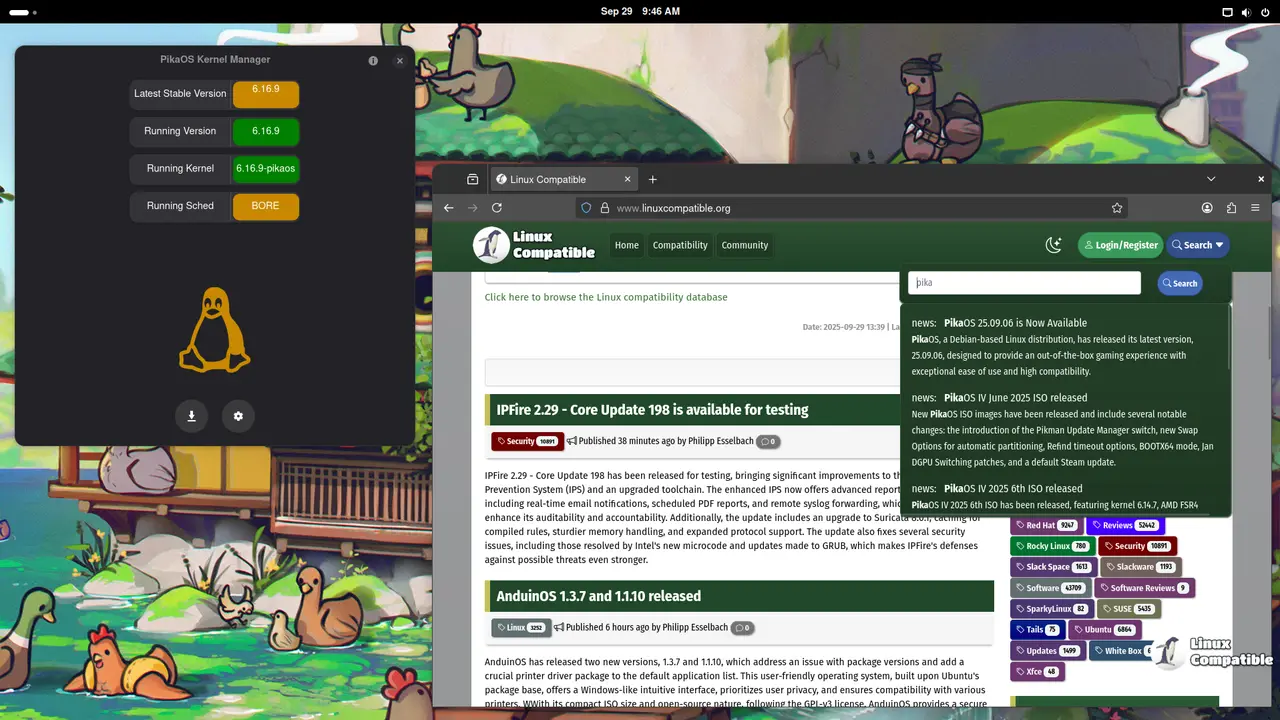
PikaOS is a cutting-edge Linux distribution that prioritizes gaming and optimization, offering a user-friendly operating system built on Debian with custom-compiled packages for exceptional performance. The distribution comes in four distinct editions: GNOME, KDE, Hyprland, and Niri, each offering a unique combination of features and settings tailored to different preferences and needs. Each edition boasts impressive desktop environments, including GNOME 48 with a powerful tool called GNOME Appearance that allows users to switch between six distinct desktop layouts, and a stunning Wayland desktop experience in the Hyprland Edition. PikaOS is available for download in standard and NVIDIA graphics card versions.
PikaOS 25.10.14 released
The latest version of PikaOS, a cutting-edge Linux distribution that prioritizes gaming and optimization, has been released. This user-friendly operating system is built on the robust foundation of Debian and boasts an impressive array of custom-compiled packages. By carefully selecting and fine-tuning its components, PikaOS achieves a delicate balance between stability and up-to-dateness.
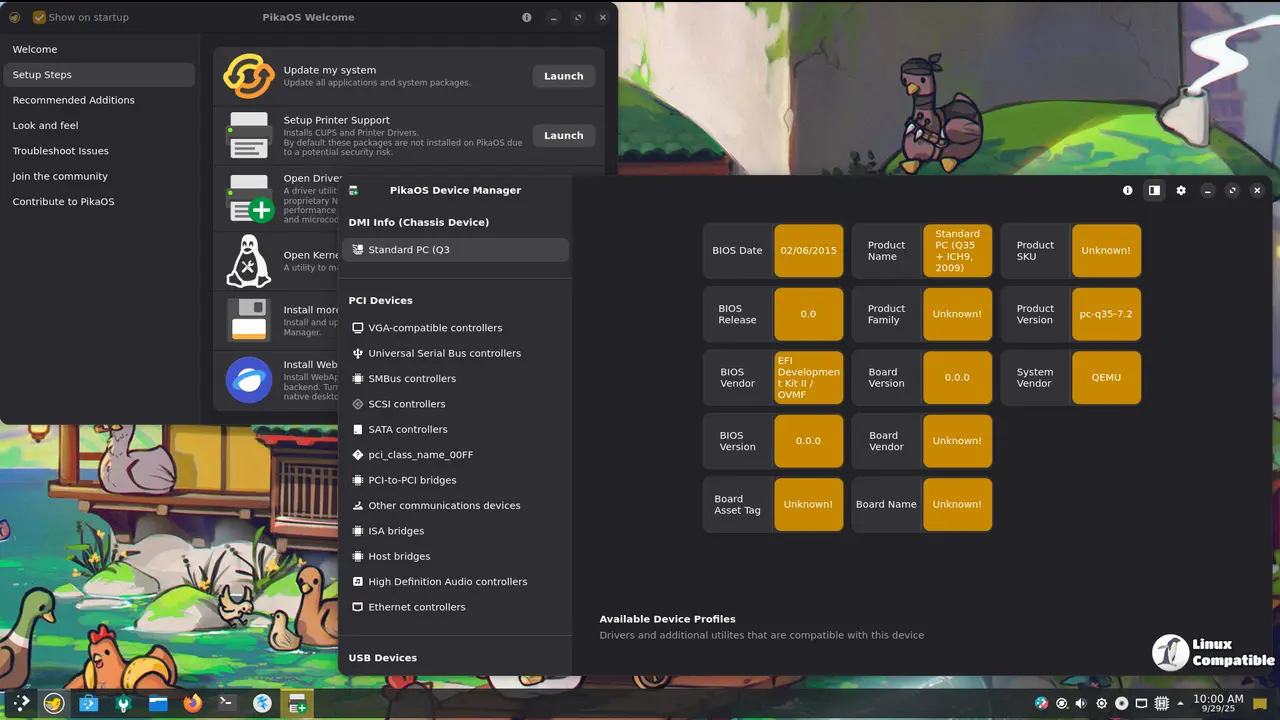
At its core, PikaOS is designed to deliver seamless gaming experiences straight out of the box. With pain-free setup and exceptional performance, users can dive into their favorite games without worrying about complex configurations or compatibility issues. The distribution's custom kernel and drivers are meticulously optimized for speed, leveraging O3, LTO, and avx2 techniques to extract maximum performance from every package.
PikaOS's commitment to high compatibility is equally impressive, thanks to its Debian sid base with custom patches. This ensures that the operating system supports a wide range of software and hardware configurations, making it an ideal choice for users who value flexibility and versatility.
One of the standout aspects of PikaOS is its dedication to open-source principles. All code is freely available on Gitea, allowing developers and enthusiasts to contribute, modify, and improve the distribution as they see fit.
Some of the key features that set PikaOS apart include a charming bird mascot that has captured the hearts of many users, a gaming-focused setup that streamlines the process of getting started with Linux gaming, and comprehensive driver support for optimal hardware performance. Additionally, the distribution's performance-tuning capabilities ensure that it runs at incredible speeds, making it an excellent choice for those who demand maximum performance from their system.
PikaOS is available in four distinct editions: GNOME, KDE, Hyprland, and Niri. Each of these configurations offers a different combination of features and settings, allowing users to choose the one that best suits their needs and preferences. Whether you're a seasoned gamer or an enthusiast looking for a powerful and user-friendly Linux distribution, PikaOS is certainly worth exploring.
PikaOS GNOME Edition
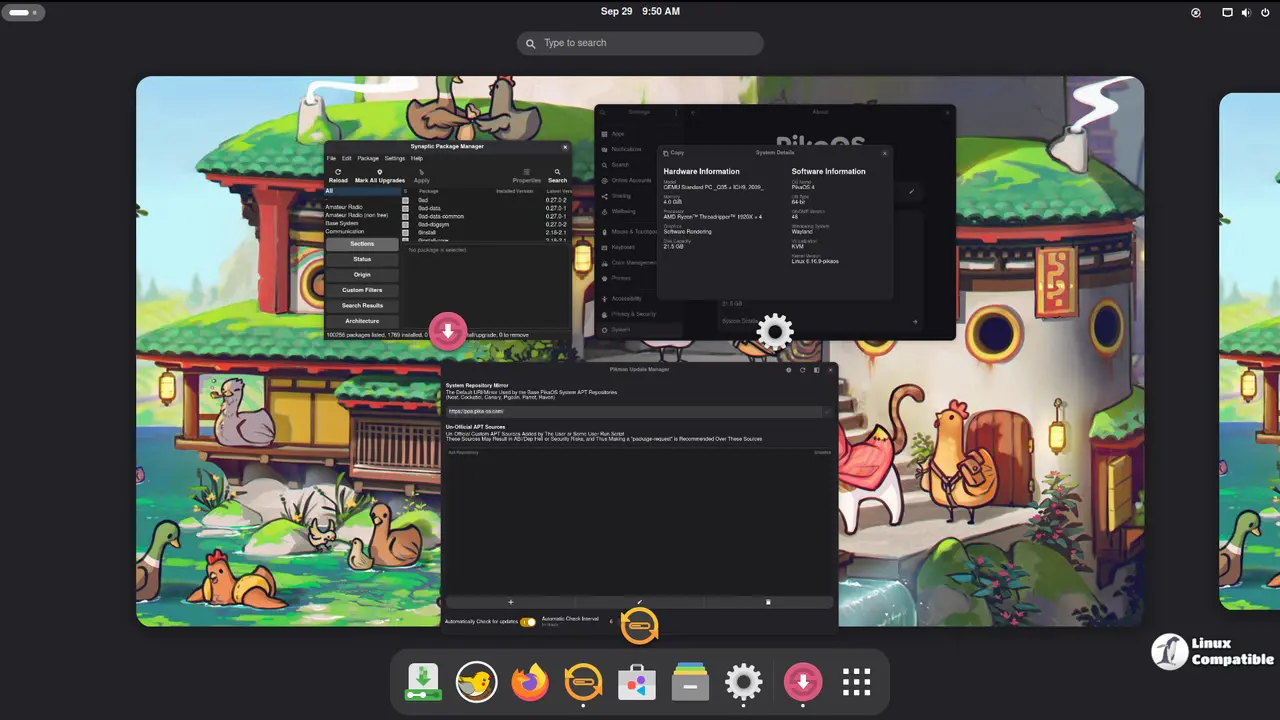
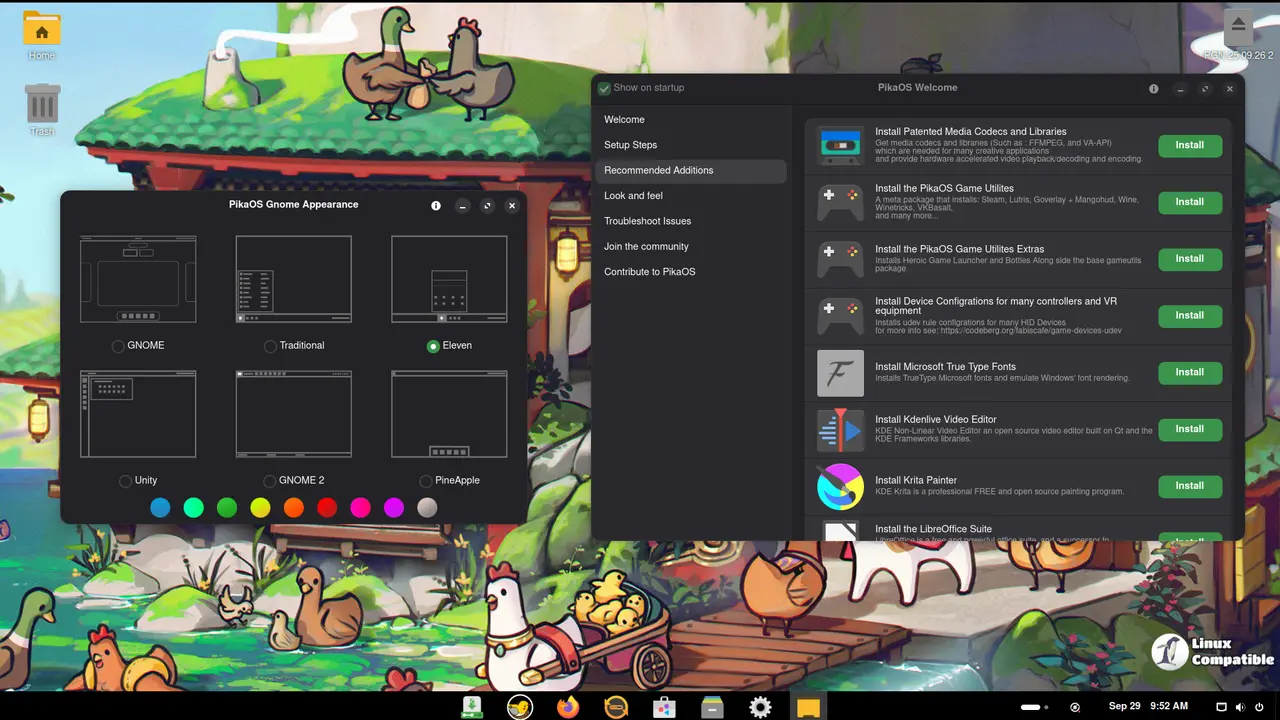
This edition is built atop the robust GNOME 48 desktop environment and is even more versatile, thanks to the inclusion of a powerful tool called GNOME Appearance. This intuitive utility allows users to seamlessly switch between six distinct desktop layouts, each carefully crafted to cater to different tastes and preferences.
With GNOME Appearance, users can choose from an array of unique layouts that cater to various desktop paradigms. The options include:
- GNOME: A traditional take on the classic GNOME desktop environment, providing a familiar and intuitive experience for those who love the simplicity and elegance of this iconic layout.
- Traditional: For users who prefer a more Windows-like interface, this layout offers a start menu and a taskbar that provides quick access to frequently used applications and system settings.
- Elevent: This layout is inspired by the sleek and modern design of Windows 11, featuring a centered desktop with a focus on minimalism and ease of use.
- Unity: For those who miss the classic Unity experience from Ubuntu, this layout brings back fond memories with its dock-based interface and simple access to applications and system settings.
- GNOME 2: A nostalgic take on the classic GNOME desktop environment from the past, providing a retro-style experience that's sure to bring back memories for fans of older Linux distributions.
- PineApple: A unique and refreshing layout that offers a distinctive pineapple-inspired design, featuring a centered desktop with a focus on simplicity and ease of use.
With these six layouts at their disposal, users can easily switch between different desktop environments to suit their mood, preferences, or work style. Whether you're a fan of classic GNOME, modern Windows-like interfaces, or something entirely new, the PikaOS GNOME edition has got you covered with its incredible flexibility and customization options.
Download PikaOS GNOME Standard
Download PIkaOS GNOME for NVIDIA graphics cards
PikaOS KDE Edition
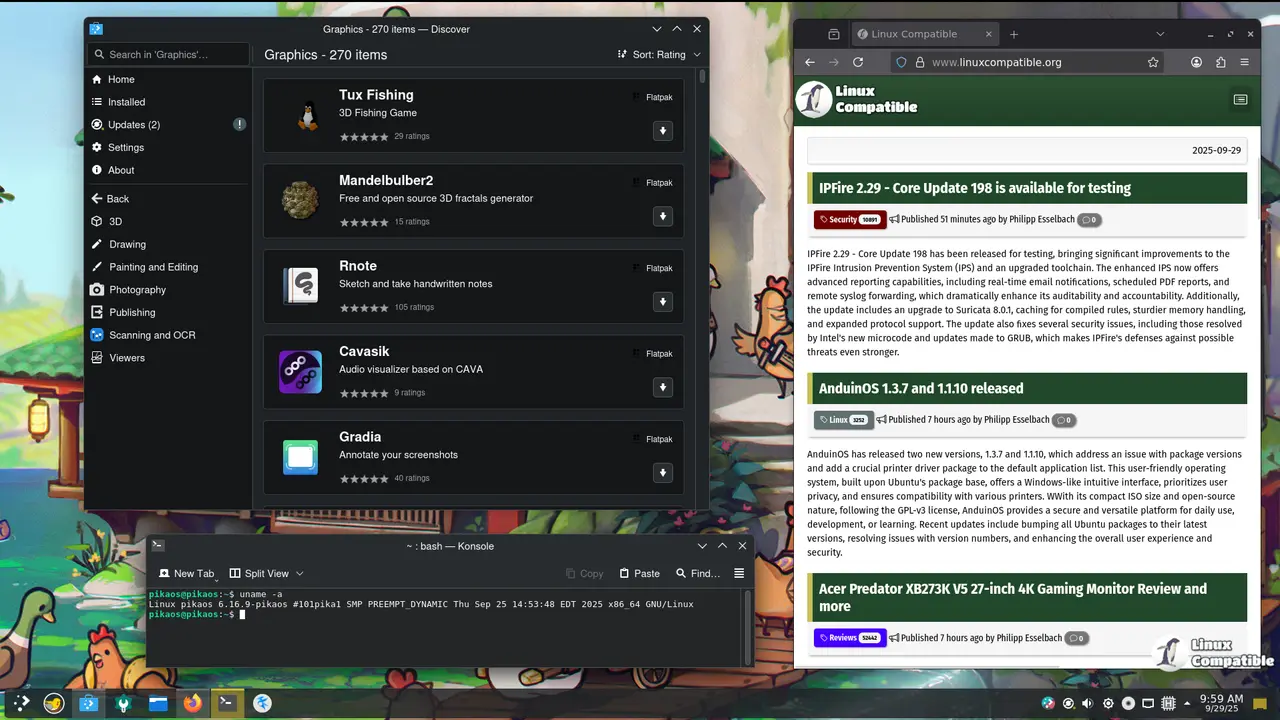
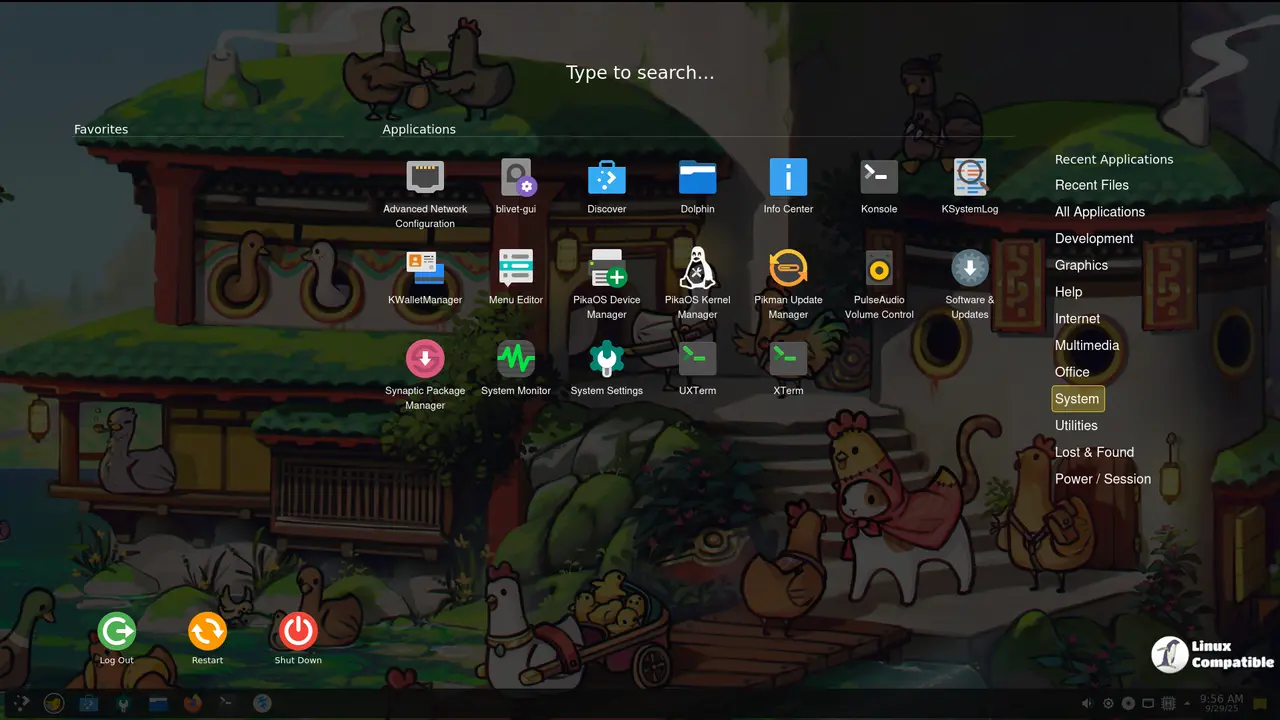
The PikaOS KDE edition is built atop the latest version of KDE Plasma available in Debian SID—namely, version 4.3.6. Although this may seem like an older version compared to other distributions, it's essential to note that updates for KDE in Debian SID are notoriously slow.
As a result, PikaOS KDE edition is currently one of the only distributions that provides a stable and well-maintained KDE experience based on the latest available version of Debian SID. This means that users can enjoy the robust features and stability of KDE Plasma 4.3.6 while still taking advantage of the cutting-edge packages and performance optimizations provided by PikaOS.
Despite being an older version, KDE Plasma 4.3.6 remains a solid choice for those who value the flexibility, customization options, and functionality that KDE has to offer. With its Plasma desktop environment, users can enjoy a wide range of innovative features, including advanced widget management, sophisticated panel configurations, and seamless integration with other KDE applications.
Download PikaOS KDE Standard
Download PikaOS KDE for NVIDIA graphics cards
PikaOS Hyprland Edition
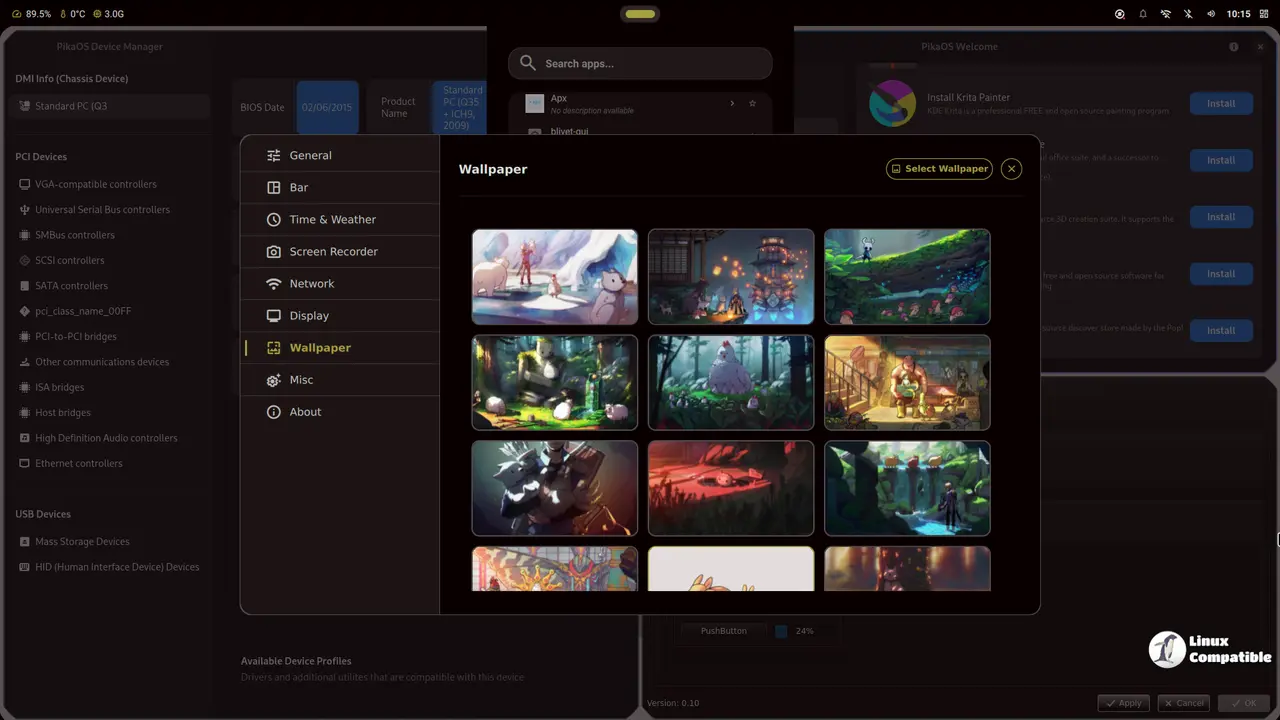
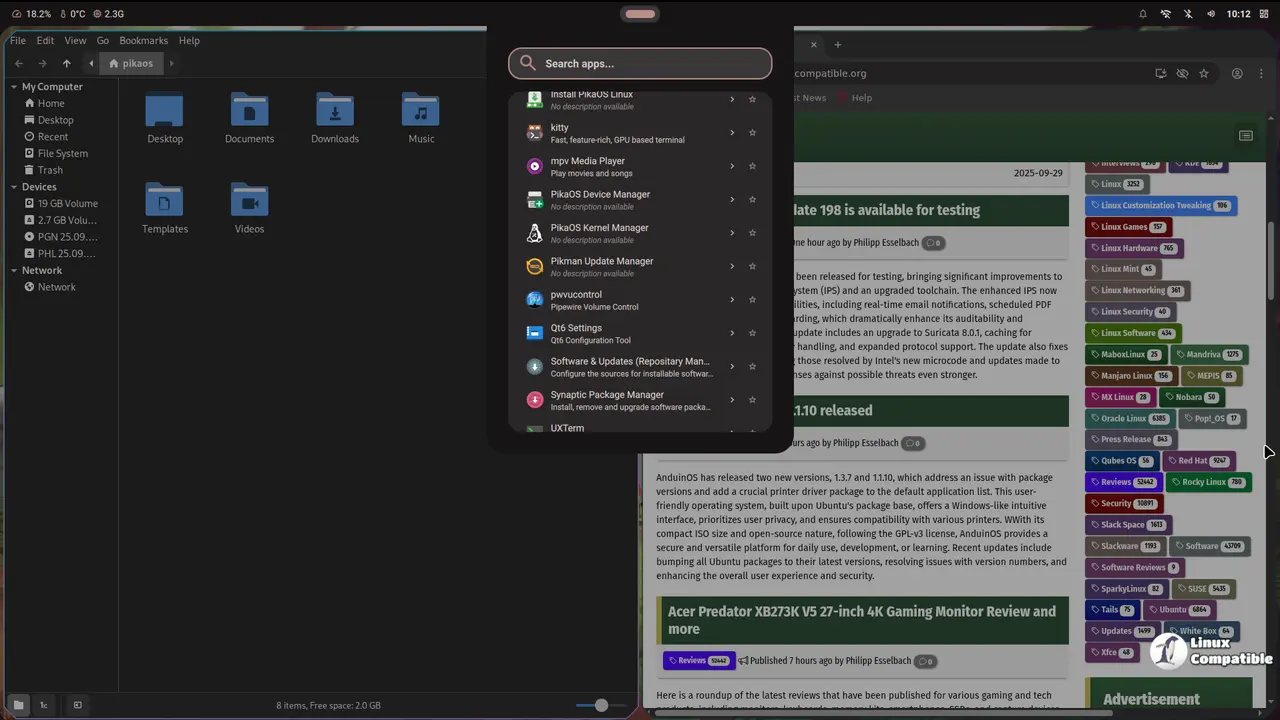
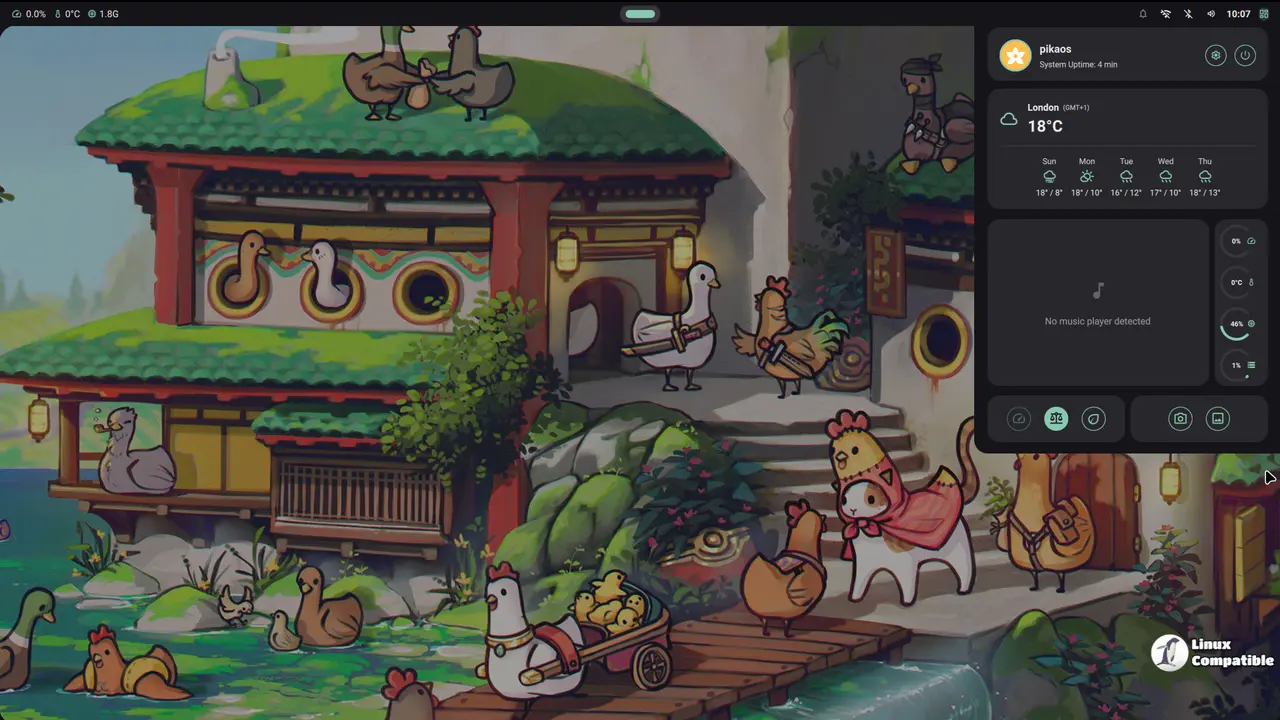
The PikaOS Hyprland Edition is based on the innovative and highly customizable Hyprland compositor, paired with the beautiful Noctalia shell. This unique combination offers users a stunning Wayland desktop experience that is both powerful and visually appealing.
Hyprland itself is a remarkable tiling compositor that allows users to create custom layouts and configurations tailored to their needs. By leveraging its dynamic nature, users can seamlessly adapt to different work styles or environments, making it an excellent choice for those who value flexibility and customization.
One of the standout features of Hyprland is its commitment to aesthetics, offering a beautiful and modern design that enhances the overall user experience. Its sleek look and feel make it an ideal choice for those who appreciate a polished and refined desktop environment.
The Noctalia shell, built on Quickshell, takes this aesthetic to new heights with its minimalistic approach. This shell truly gets out of the way, allowing users to focus on their work without distractions or unnecessary clutter. By providing a clean and intuitive interface, Noctalia enables users to easily navigate and interact with their desktop.
Together, PikaOS Hyprland edition and Noctalia shell create a powerful and visually stunning Wayland desktop experience that is both highly customizable and easy to use. With its unique combination of dynamic tiling, beautiful aesthetics, and minimalistic design, this edition is an excellent choice for users who value simplicity, flexibility, and a touch of elegance in their desktop environment.
Download PikaOS Hyprland Standard
Download PikaOS Hyprland for NVIDIA graphics cards
PikaOS Niri Edition
The PikaOS Niri Edition showcases an innovative and highly functional Wayland compositor called Niri. This unique tiling system offers a refreshing twist on traditional window management, providing a seamless and efficient workflow that is tailored to users who value productivity and flexibility.
One of the standout features of Niri is its scrollable-tiling approach, where windows are arranged in columns on an infinite strip that extends to the right. This design allows users to open multiple windows without worrying about resizing or overlapping existing ones, resulting in a clutter-free workspace that fosters creativity and focus.
A key advantage of Niri is its ability to handle multiple monitors with ease. Each monitor has its separate window strip, ensuring that windows never "overflow" onto adjacent screens. This feature allows users to work across multiple displays without the hassle of managing overlapping windows.
Niri also presents a dynamic workspace system that maintains its vertical arrangement when disconnecting and reconnecting monitors. Users can switch between independent workspaces on each monitor, with an added benefit of having one empty workspace present all the way down on each screen. This feature enables users to keep their workflow organized and easy to navigate, even when working across multiple displays.
Another notable aspect of Niri is its ability to preserve workspace arrangements across monitor disconnects and reconnects. When a monitor disconnects, its workspaces will temporarily move to another display, but upon reconnection, they will return to their original monitor. This intelligent design ensures that users can seamlessly transition between different workflows without losing track of their tasks.
Download PikaOS Niri Standard
Download PikaOS Niri for NVIDIA graphics cards
More Information
For more information, visit the PikaOS Wiki as well as the PikaOS Changelogs.


