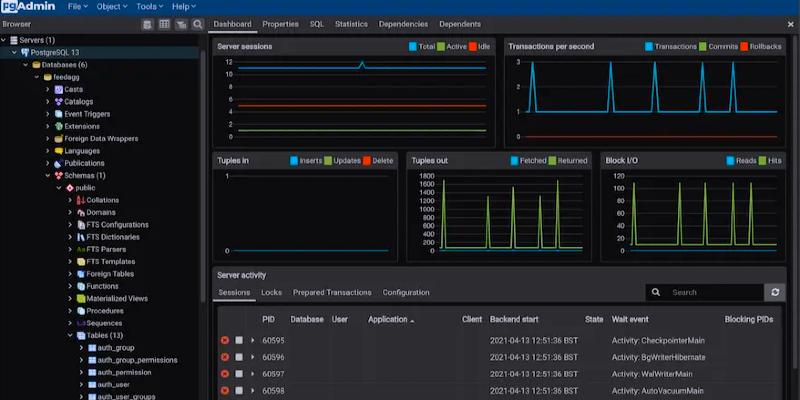
The pgAdmin Development Team has announced the release of pgAdmin 4 version 9.7, featuring 22 bug fixes and new enhancements. Important updates include automatic updates for the desktop app on macOS, new options like GENERIC_PLAN, MEMORY, and SERIALIZE for the EXPLAIN/EXPLAIN ANALYZE command, changes to how fast the cursor blinks, filtering by server tags in the Object Explorer, and a built-in locale provider for Issues identified include elevated CPU usage, difficulties in adding breakpoints, resetting custom column widths, and problems with dashboard tables.
pgAdmin 4 v9.7 Released
The pgAdmin Development Team is pleased to announce the release of pgAdmin 4 version 9.7. This release of pgAdmin 4 includes 22 bug fixes and new features. For more details, please see the release notes.
Notable changes in this release include:
Features:
- Add support for automatic updates in the pgAdmin 4 Desktop application on macOS.
- Added GENERIC_PLAN, MEMORY, and SERIALIZE options to EXPLAIN/EXPLAIN ANALYZE command.
- Add support for changing the cursor blink rate within the editors.
- Add support for server tag-based filtering in the Object Explorer.
- Added support for builtin locale provider while creating Collation.
Bugs/Housekeeping:
- Introduced an ‘Editor’ preferences category and migrated all editor related settings into it.
- Fixed an issue where CPU usage was very high on Windows when opening the psql tool.
- Fixed an issue where adding breakpoints caused errors, and stepping out of a nested function removed breakpoints from the parent function.
- Fixed an issue where custom column widths in the result grid of Query Tool or View/Edit Data were reset after re-executing a query.
- Fixed the issue where updating the name of a table column does not reflect in the corresponding primary key constraint.
- Make Dashboard tables to be vertically resizable.
- Fixed the incorrect behaviour of the option deduplicate items after creating the index.
- Added PKEY index in the index statistics summary.
- Fixed an issue where downloading images on the ERD tool was not working in desktop mode.
- Ensure the scratch pad in the Query Tool is not restored after it is closed.