ML4W OS 2.11.0 Released: SDDM Wallpaper Sync Made Easy
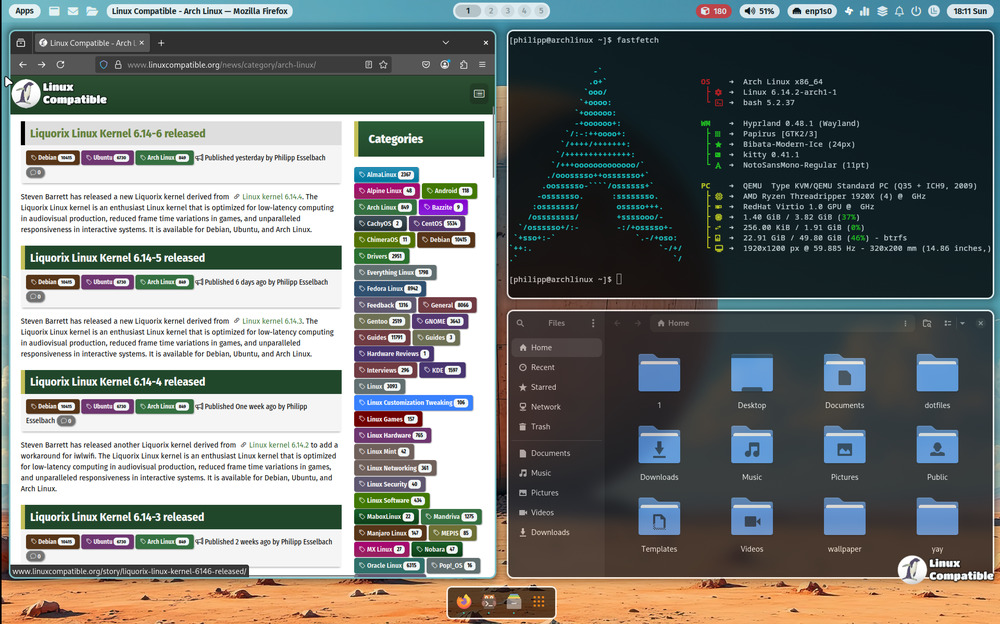
A new build of ML4W OS now lets users keep their Hyprland desktop backdrop in place while the login screen runs unchanged, eliminating a common post‑update visual hiccup.
The Problem This Fix Solves
When a previous release dropped the wallpaper from SDDM after a major driver tweak or display‑manager roll‑out, many folks found themselves staring at a bland gray background before logging in. The new script in ML4W OS 2.11.0 copies the active desktop image straight into SDDM’s theme directory, so the splash screen no longer looks like it was designed for an entirely different machine.
How the Script Works
Starting the terminal command ~/.config/ml4w/scripts/ml4w-install-sddm triggers a quick check: if the session is not running, the script exits without fuss. Otherwise, it grabs whatever file is currently in use as the desktop wallpaper, writes that same image into SDDM’s theme folder, and then restarts the display manager automatically. The restart is crucial because SDDM caches its background; a manual reboot would otherwise be required.
Live ISO or Dotfiles Installer Pathways
For a fresh install, grab the latest .iso from ML4W's GitHub releases, boot it up, and let the installer lay down Hyprland with the new defaults. If Arch‑based systems are already in place, the bundled “Dotfiles Installer” can be launched via Welcome App > Settings > Display Manager; this pulls the newest configuration files, runs the wallpaper script, and leaves a ready‑to‑go desktop without any command‑line gymnastics.
Release ML4W OS v2.11.0
Version 2.11.0 The SDDM script can copy the current wallpaper to SDDM and use it as a background image. Start the script with ~/.config/ml4w/scripts/ml4w-install-sddm