Install ML4W OS 2.10.1 Hyprland Dotfiles without blowing up your system
The goal here is to get the latest ML4W OS 2.10.1 Hyprland dotfiles running on an Arch‑based machine, and avoid the “my config vanished” panic that shows up after a careless script run. This guide walks through the official installer, points out where it overcomplicates things, and offers a leaner alternative for folks who prefer to keep their home folder tidy.
Prerequisites – why they matter
- A fresh or at least stable Arch install (or any derivative that uses pacman).
- Internet access for pulling the dotfiles repository.
- Optional: a backup of ~/.config if you’ve already been tinkering with Hyprland settings.
Skipping these checks usually ends in missing dependencies and a half‑configured desktop that refuses to start.
Using the official Dotfiles Installer (Flathub)
- Grab the installer from Flathub – It’s a flatpak named ml4w-dotfiles-installer. The package is tiny, but it drags in the whole flatpak runtime, which feels like bringing a toolbox to a nail‑driving job.
- Run the installer – Launch the app and paste one of the URLs (stable or rolling) into the “Install from URL” field. The stable link points at .../hyprland-dotfiles-stable.dotinst.
- Let it do its thing – The script clones the repo, copies files into ~/.config/ml4w, and attempts to install required packages for Arch, Fedora or openSUSE.
The installer tries to auto‑detect your distro and run a package manager command behind the scenes. If the detection fails (it does on Manjaro with a custom kernel), you’ll end up with an incomplete dependency list and a broken Hyprland session.
When the installer is more trouble than it’s worth
The community has seen the installer stumble after a recent driver update that broke mesa on some laptops. The script blindly runs sudo pacman -Syu before checking if you already have the latest graphics stack, which can trigger a cascade of package conflicts.
A better route for Arch veterans is to skip the flatpak entirely:
git clone https://github.com/mylinuxforwork/dotfiles.git ~/.config/ml4w
cd ~/.config/ml4w/scripts
./install-dependencies-arch.sh   # pulls needed packages, no surprises
Running the script directly gives full control over what gets installed and lets you inspect each command before it touches the system. It also avoids the extra disk overhead of the flatpak runtime.
Post‑install tweaks – hide fastfetch if you don’t need it
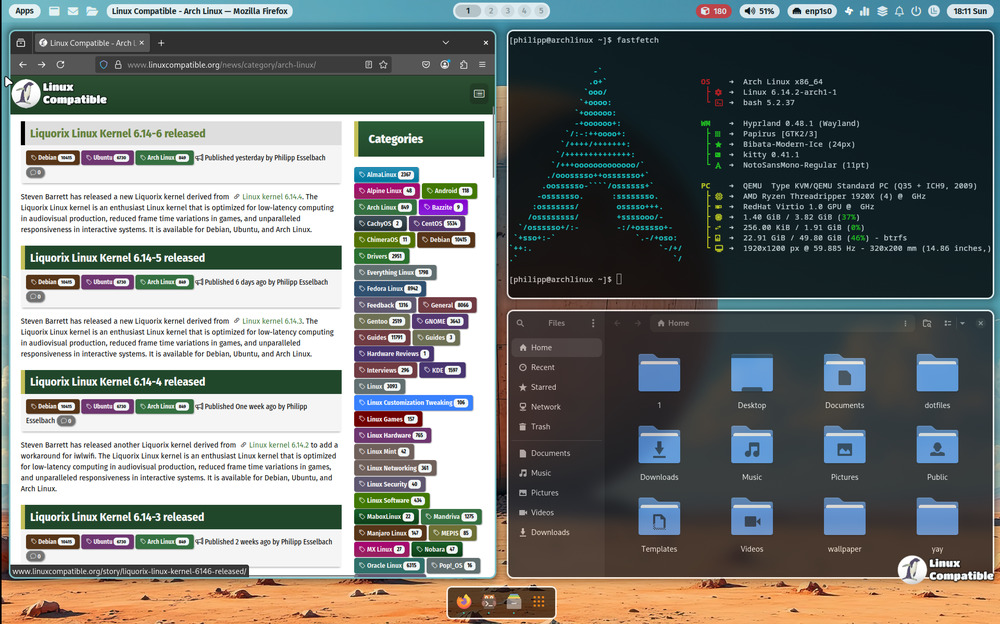
Version 2.10.1 adds a flashy ML4W logo to Fastfetch, which is nice until it clutters your login screen. To disable it, just drop an empty file at ~/.config/ml4w/settings/hide-fastfetch. The presence of that file tells the startup script to skip the Fastfetch call entirely.
Installing SDDM with the ML4W theme
The new installer includes a helper script at ~/.config/ml4w/scripts/ml4w-install-sddm. It pulls in sddm and applies the SilentSDDM‑style theme. Run it only if you actually want SDDM; otherwise, stick with your current display manager. The script will also edit /etc/sddm.conf, which can break a custom setup that relies on LightDM.
Clean up renamed scripts
During this release the developers shuffled several script names around ~/.config/ml4w/scripts/. If you have old symlinks or cron jobs pointing at, say, install-sddm-old.sh, they’ll start failing silently. A quick ls ~/.config/ml4w/scripts after the install will reveal the new filenames; update any references accordingly.
That’s it – the system should now boot into a fully functional Hyprland desktop with the ML4W OS 2.10.1 dotfiles applied. If something looks off, double‑check the script logs in ~/.config/ml4w/install.log.
Release ML4W OS v2.10.1
ML4W Logo added to fastfetch Hide fastfetch by adding a file to ~/.config/ml4w/settings/hide-fastfetch