ML4W 2.11.1 drops the latest goodies
The newest release of the MyLinuxForWork stack brings a fresh look, a new cursor, and an easier way to set up Neovim. Users who want a polished desktop without hunting down configuration files will notice the changes right away.
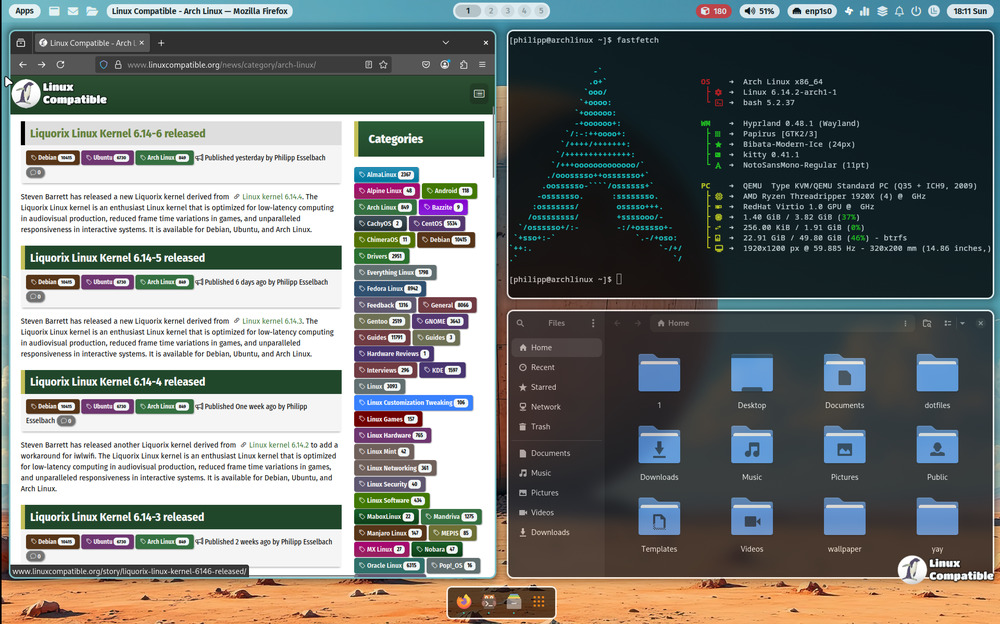
New icon theme and cursor combo
ML4W now ships with the kora-pgrey icon set by default, giving icons a subtle gray‑tone that sits nicely over both dark and light backgrounds. Coupled with the return to the Bibata cursor theme, the desktop feels less cluttered than the last release’s overly bright glyphs. The combination also keeps the interface lightweight—no extra packages to juggle.
Hyprshade replaced by Hyprsunset
The old Hyprshade module was replaced with Hyprsunset, which offers more flexible color overlays and a smoother transition between light and dark modes. Configuration lives in ~/.config/hypr/hyprsunset.conf, so users can back it up before updating or tweak the hue directly. A user on a Ryzen‑based laptop found that Hyprsunset kept the screen from flickering after an unexpected driver update, saving a half‑hour of head‑scratching.
Super+Shift+M toggles themes in a single keystroke
Adding a quick theme switcher feels like a small win. Pressing SUPER + SHIFT + M flips the system between dark and light mode without digging through settings. This is especially handy when switching from a day‑time office to a night‑time coding session; no menu navigation, just a single hotkey.
Neovim configuration moves out of the box
The Neovim setup that used to live in the main repo has been split into its own project: https://github.com/mylinuxforwork/ml4w-nvim. To get it on your machine you can either open the Welcome App, navigate to Settings Options, and click “Install nvim config,” or run:
~/.config/ml4w/scripts/ml4w-install-nvim
Running the script copies all necessary files into ~/.config/nvim and installs the required plugins. The new repo keeps the configuration lean and easier to maintain, so future updates won’t break your personal settings.
Hyprland 0.54.x compatibility
ML4W now officially supports Hyprland 0.54.x, meaning users who have upgraded their compositor can enjoy all the fresh features without a rebuild of the entire stack. The release notes include a quick sanity check: after upgrading to the new version, launch hyprctl start and confirm that no error messages about missing modules appear.
Quick tips for power users
- If you prefer a different icon set, simply drop the kora-pgrey folder from ~/.local/share/icons and replace it with your own.
- To tweak the cursor size in Bibata, edit the cursor-size value inside ~/.config/bibata/cursor.conf.
- For those who love to script, the hyprsunset.conf file contains comments on how to adjust color gradients; copy it to a new file and experiment without touching the original.
Release mylinuxforwork v2.11.1
Compatible with Hyprland 0.54.x Neovim configuration moved to own repository