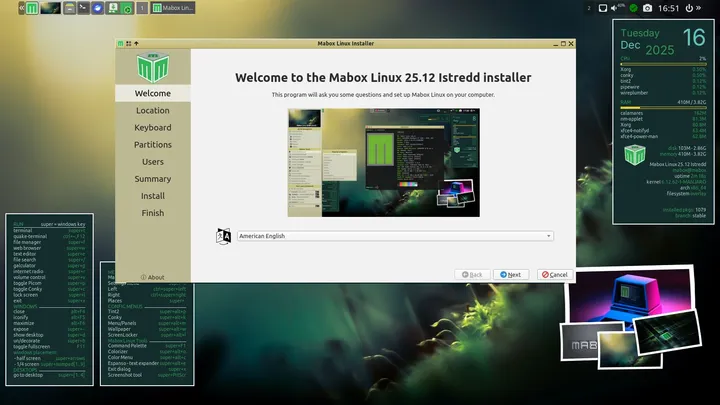
Mabox Linux 25.12 released
Mabox Linux 25.12 is out this December, kicking off a fresh phase for the distro. This release brings along some solid updates and fixes designed to smooth things out for users.
One major shift involves replacing the old GTK2 toolkit with GTK3 across the board. It's now standard on Mabox. Alongside that switch, there are modernized tools tailored to this new era: pcmanfm, lxtask, lxrandr, lxinput, viewninoir, and lxappearance-obconf. This means goodbye to outdated toolkits like GTK2.
Speaking of the panel, it gets a few upgrades too. The volume icon now sits near your system tray, which is good because its functionality finally works as expected when clicked or scrolled. What's interesting here:
- Left-clicking mutes or unmutes everything.
- Scrolling up increases volume; scrolling down decreases it.
- Right-click opens a dedicated window for precise audio control via pavucontrol.
This right-click action used to bring up the Music & Sound menu, but that shortcut has been moved. Now you can access similar settings (plus others) by pressing W-m or clicking in the top-right corner of your desktop, just like other system features there.
The panel's configuration options have improved significantly too. You can tweak taskbar behavior directly via a dedicated panel menu accessed by right-clicking anywhere on the panel bar or using the keyboard shortcut W-A-p (super/Windows key + alt + p).
We've also gotten new eyes for package updates: the update notifier has been completely revamped and now features its status icon. Crucially, it clearly separates updates from official repositories versus AUR packages, which helps a lot with managing your system.
And hey, there's more action right in the panel menu itself! The dynamic Places menu can be opened instantly by pressing W-(.). This shortcut provides direct access to file manager bookmarks, whether they're local folders or network addresses like SSH sites, Samba shares, or FTP connections. Pretty handy stuff!
There’s even a live session demo waiting for you online that showcases autotheming. Click the wallpaper "icon" in your panel and see how it works; random wallpapers apply alongside autotheme effects. You can also poke around using right-clicks on thumbnails to try different looks. By default, though, this feature is off after installation.
Finally, while several popular tools have been removed from the main ISO profile (like GKrellm) due to its adoption of GTK3 and a desire for modernization, you can still grab them via AUR or other methods if that's your jam. They'll just be handled separately now.
If you want to check it out yourself, either via the standard download channels on SourceForge or by grabbing images directly from repo.maboxlinux.org, then go for the Linux 612 LTS kernel image if that's what you need; otherwise, look into the older stable option at Linux61.
Mabox 25.12 - improvements, fixes and GTK2 farewell
The December release of Mabox 25.12 brings a handful of improvements and fixes. It also means saying goodbye to GTK2 and cleaning up our profile and tools.
Mabox 25.12 - improvements, fixes and GTK2 farewell | MaboxLinux