Mabox 25.07 - July ISO refresh - auto theming!
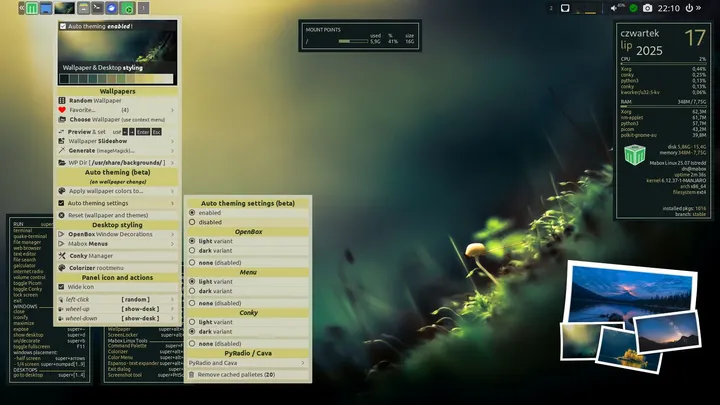
The July ISO refresh brings back the improved automatic theme creation mechanism based on wallpaper colors.
Currently, it supports theme coloring for:
- Openbox window decorations
- Menus
- Conky widgets
- PyRadio
By default, auto theming is disabled to avoid shocking users who don’t expect such effects
To activate auto-theming, right-click the wallpaper thumbnail in the panel. The Wallpaper and Desktop Styling menu will appear. Here you can enable and configure auto-theming.
Tip…
besides the color palette, other settings have a significant impact on the appearance of generated themes. For window decorations, experiment with border width, padding, and gradient type. For menus, gradients and opacity are important.Mabox Colorizer W-A-o(super+alt+o) and its modules: Menu and Openbox allow you to quickly modify these settings.
Have fun and enjoy tinkering
Download
ISO images can be downloaded as always from SourceForge or from repo.maboxlinux.orgTwo images are available:
– with the latest LTS kernel – linux612
– and with a slightly older LTS – linux61Support Mabox development
If you like Mabox, you can support its maintenance and development on Ko-fi or here.
Mabox Linux 25.07 has been released, featuring an enhanced automatic theme creation mechanism that utilizes wallpaper colors. This update supports theme coloring for Openbox window decorations, menus, Conky widgets, and PyRadio.