Lutris 0.5.20 – What the new release actually changes for your games
The latest Lutris build brings a handful of tweaks that will stop some long‑standing annoyances and add a few nice‑to‑have shortcuts. This article breaks down the most relevant updates, points out what’s worth enabling, and warns about the bits that feel like bloat.
Proton‑GE is now served by umu
From this version on, Lutris hands off Proton‑GE to umu, which automatically pulls the newest builds. Users who have been manually downloading GE releases will see the “Update” button disappear – it’s no longer their job. If a game suddenly crashes after a driver update, chances are the new GE revision fixed it; simply restart Lutris and let umu do its thing.
The integration also respects the “Enable Esync”, “Enable Fsync” and “DXVK” toggles in the runner settings, passing them straight to Proton. That means you can keep your low‑latency tweaks without digging into a separate config file.
No more redundant Vulkan layers from Lutris
Older releases tried to sprinkle VKD3D, D3D Extras or DXVK‑NVAPI on top of Proton even though Proton already bundles the proper versions. Those options have been stripped out, which clears up a confusing UI and reduces the chance of version clashes. If you were toggling those just to “see if it works”, stop – Proton handles them.
Wine now talks Wayland
A new checkbox appears under the Wine runner: “Use Wayland driver”. Enabling it forces Wine to render via the Wayland backend instead of X11, which can shave a few frames off latency on modern GNOME or KDE sessions. The option is hidden by default because many games still rely on X11 quirks; turn it on only if you’re already running a pure Wayland desktop.
Media handling gets smarter
Lutris now lets you paste URLs for cover‑art, banners and icons directly in the game editor. When the official Lutris media pool is empty, the client will fall back to those remote images. In practice this saves the hassle of hunting down screenshots on a separate site – just copy the link from a Steam store page or a fan wiki.
Emulator BIOS location moved to Preferences
If you dabble with libretro cores that need BIOS files (e.g., PSX or Dreamcast), you can finally set a global folder in Preferences => Emulators. The change prevents each core from prompting for the same file over and over, something that used to drive people crazy after a fresh install.
Itch.io API key required
The Itch.io integration now authenticates with an API key instead of a username/password pair. Users who still have “saved password” entries will see authentication errors until they generate a new key on the Itch.io dashboard and paste it into Lutris. The extra step is worth it – the old method stopped working after the recent security overhaul.
New runners and sources
The release adds the “Azahar” runner for niche retro titles, a “ZOOM Platform” source for cloud‑based games, and a “Steam Family” source that respects family sharing libraries. If you run mGBA or Ruffle, the bundled versions have been bumped, delivering better performance without any manual updates.
Minor but useful UI clean‑ups
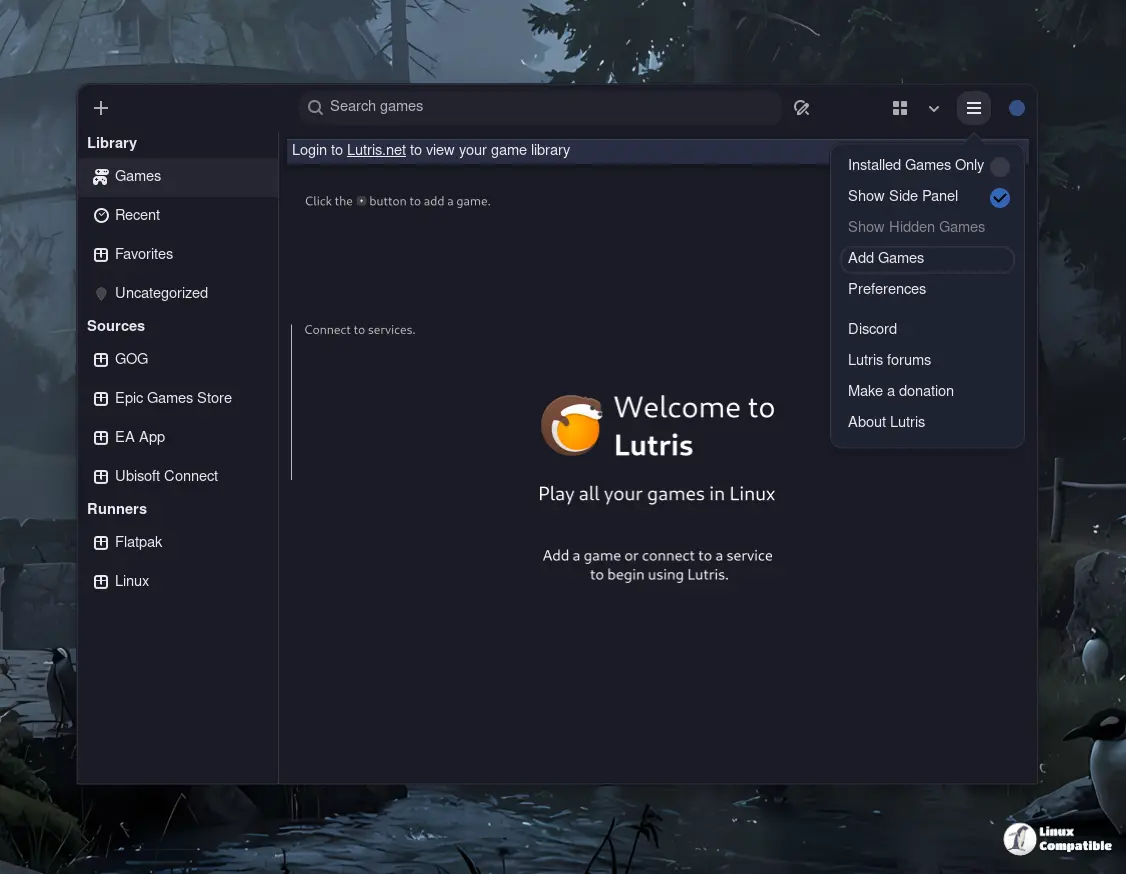
- The redundant “Add Games” menu entry has vanished; use the plus button at the top‑right instead.
- A context‑menu item now creates a Steam Big Picture shortcut for any installed title – handy if you run your whole library from the desktop rather than the Steam client.
- Double‑clicking a .lutris installer file will launch the import wizard automatically, eliminating the “Open with…” dance.
What to ignore
The addition of an optional “ptyxis” terminal feels like a feature that only a handful of developers will ever touch. If you’re not writing custom scripts for game launches, leave it disabled – it just adds another line to the settings page.
That’s the gist of what Lutris 0.5.20 brings to the table. Most users will appreciate the smoother Proton‑GE handling and the cleaner media workflow; the rest can be toggled on a case‑by‑case basis. Happy gaming, and may your launches finally stay up.


