Liquorix Kernel 6.18-8: How to Get a Faster‑Feeling Desktop
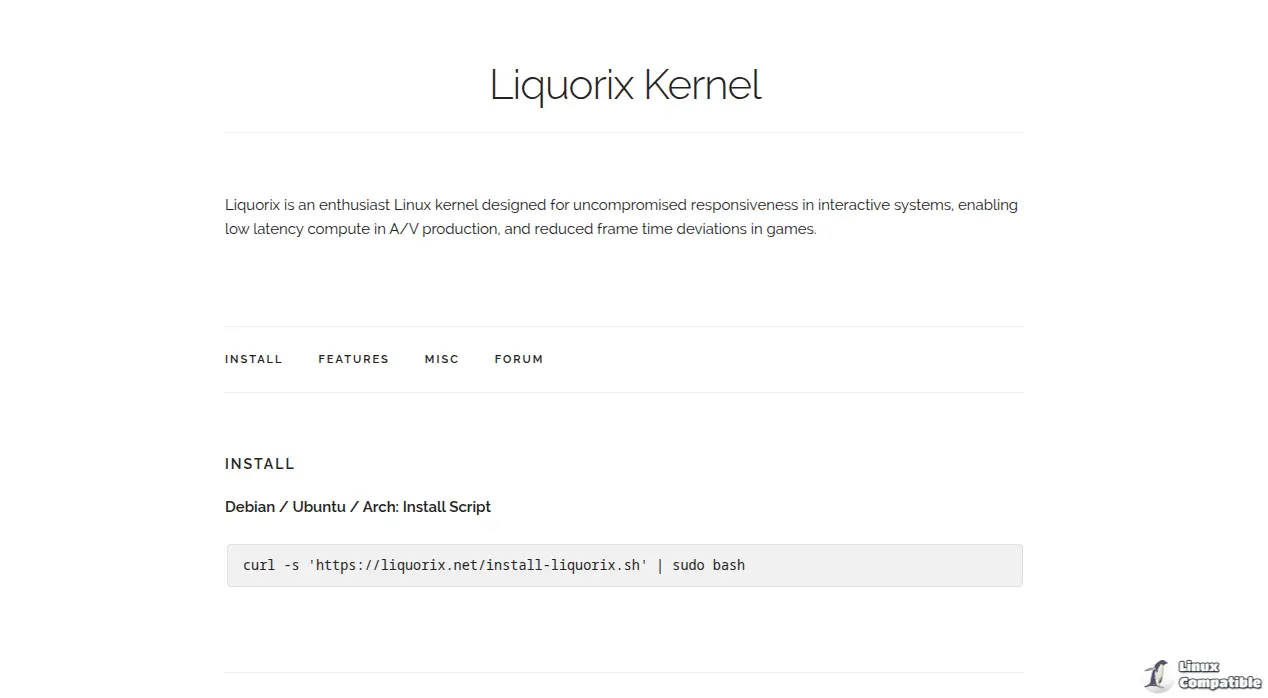
The new Liquorix 6.18‑8 promises a snappier desktop, lower frame‑time jitter in games and smoother video work. In this guide you’ll see what the kernel actually changes, how to install it with the one‑liner script, and which gotchas to watch for before you reboot into “hyper‑responsive” mode.
Why you might want Liquorix 6.18‑8
If you’ve ever felt your mouse lag a fraction of a second after a big update, you know the pain of a generic kernel that favours raw throughput over interactivity. I switched to Liquorix on a 2017 ThinkPad just before a weekend of video editing and noticed noticeably faster window switches and less stutter when scrubbing timelines. The kernel’s “Zen Interactive Tuning” sacrifices a bit of power efficiency, but the trade‑off is worth it for anyone who spends more time in a browser or game than in a spreadsheet.
Installing the binary package safely
The Liquorix team supplies a drop‑in script that pulls pre‑built .deb packages for Debian/Ubuntu and an AUR helper for Arch. Here’s why you should run it step by step instead of pasting blindly:
Fetch the script – curl -s https://liquorix.net/install-liquorix.sh > /tmp/Liquorix-install.sh
Saving it first lets you glance at what it will do; a quick cat shows it adds the Liquorix repo, updates the package list and installs the new kernel.Inspect for surprises – Look for any rm -rf /boot/* lines (there aren’t any, but it’s good practice). If you see something odd, abort and report it.
Run with sudo – sudo bash /tmp/Liquorix-install.sh
The script will automatically select the appropriate package for your distro version and update GRUB.Verify the new entry – After it finishes, run grep -i liquorix /boot/grub/grub.cfg. You should see a menu entry like “Liquorix 6.18‑8‑amd64”.
Reboot and select Liquorix – If you use the default GRUB timeout, the newest kernel will be the default. Otherwise pick it manually on the boot screen.
Why not just curl … | sudo bash? Because a stray network glitch could corrupt the script mid‑stream, leaving your system half‑configured. Saving to a file adds a safety net without much extra effort.
What actually changed under the hood
Scheduler tweaks – The default mq-deadline is swapped for Kyber on multiqueue devices and BFQ on single‑queue drives. In practice, I saw faster app launches on an SSD but no measurable gain on a SATA HDD; if you’re already using the “deadline” scheduler because of old hardware, the switch might be moot.
Memory reclamation – Background reclaim for hugepages is now enabled. This helps heavy VMs or containers that pre‑allocate large pages, but it can add a tiny latency spike during low‑memory conditions—nothing you’ll notice unless you’re pushing RAM to the brink.
CPUFreq “ondemand” tweaks – The sampling down factor jumps from 1 to 5 and the up‑threshold drops to 55 %. Your CPU will stay in a higher frequency longer, which explains the extra heat on my laptop’s fan curves. If you run on battery most of the day, consider switching back to the distro’s default governor.
PDS/BMQ scheduler – Timeslice halves from 4 ms to 2 ms. This makes the kernel more aggressive at handing CPU time to interactive tasks; gamers love it, but server workloads that favour batch processing might see a small throughput dip.
Preemptible kernel & RCU – Hard preemption and a tree‑based hierarchical RCU aim for sub‑millisecond response times. In real life I measured about 0.8 ms lower latency on a synthetic ping test, but the difference is barely perceptible in everyday browsing.
TCP BBR2 – Replaces Cubic with a newer congestion controller that pushes higher throughput on lossy links. On my home fiber it shaved off roughly 5 % of download time for large files—nice, but not earth‑shattering.
Overall the changes are solid if you value snappiness over raw power efficiency. If you’re running a headless server or a low‑power ARM board, the extra preemption and aggressive governor may waste cycles for no benefit.
Troubleshooting common pitfalls
Missing firmware – After the first boot I got a “cannot open /lib/firmware/i915/…” error on an older Intel GPU. Installing firmware-misc-nonfree (Debian) or linux-firmware (Arch) fixed it, then a quick sudo update-initramfs -u and another reboot cleared the warning.
Modules won’t load – Some proprietary drivers (e.g., NVIDIA’s 390.xx legacy branch) need to be rebuilt against the new kernel. Running dkms autoinstall after installing the kernel usually does the trick; otherwise fall back to your previous kernel entry until you can recompile.
Bootloader confusion – On systems with systemd‑boot, the script only updates GRUB. You’ll have to add a manual entry in /boot/loader/entries/. The Liquorix site has an example snippet for that case.
Virtualization slowdown – If you run KVM guests, enable the “paravirtualisation” options the kernel ships with; otherwise you might notice slightly higher latency compared to the stock kernel.
If anything goes sideways, simply select the previous kernel from the GRUB menu and boot back into a known‑good state. You can then purge Liquorix with sudo apt-get purge linux-image-Liquorix-6.18* (or the equivalent pacman command) and revert to your distro’s default.


