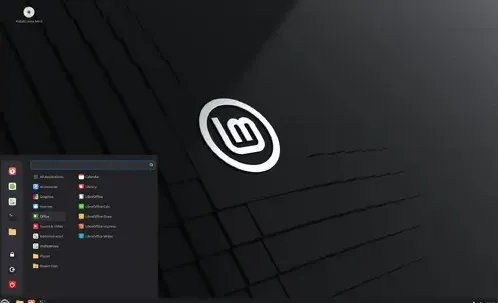
Linux Mint 22.2 "Zara" is a long-term support release that offers updated software and various improvements to enhance user comfort. Key features include revamped Sticky Notes, an enhanced login screen, an improved Hypnotix video player, fingerprint authentication via Fingwit, and updated theme support for libAdwaita applications. The operating system also includes several other enhancements, such as improved XApps and artwork updates.
Linux Mint 22.2 "Zara" released
Linux Mint 22.2 "Zara" has been released and is a long-term support release that offers updated software and numerous enhancements to improve user comfort. This version will be supported until 2029, providing a stable foundation for users who require a reliable operating system.
Key Features and Improvements
- Sticky Notes: The Sticky Notes app has been revamped with rounded corners, Wayland compatibility, a D-Bus method for reloading notes, and an Android companion app called StyncyNotes for syncing.
- Login Screen: The login screen now features a blur effect on the panel and dialog, along with support for user avatars to enhance the overall experience.
- Hypnotix: This video player offers new "Theater Mode" and "Borderless Mode" for viewing content, alongside performance improvements in startup and search, session inhibition during playback, and persistent sound volume across channel switches.
- Fingwit: Fingwit is a new XApp that enables fingerprint authentication, allowing users to configure fingerprint settings for screensaver, sudo commands, and admin apps.
- libAdwaita Compatibility: Patches and theme support have been integrated for libAdwaita applications, including gnome-calendar, simple-scan, and baobab. Accent color support is now available via the XDG Desktop Portal XApp.
- libAdapta Fork: A new XApp library called libAdapta has been created as a fork of libAdwaita, providing theme support and compatibility for developers transitioning to libAdwaita.
XApps Improvements
- Xviewer's Color Correction: EDID-based color correction in Xviewer is now configurable and disabled by default.
- Thumbnailer for .aiff Audio Files: A new thumbnailer called xapp-aiff-thumbnailer has been added to support .aiff audio files.
- Warpinator iOS Version: Warpinator now has an iOS version, allowing users to share files between their Linux Mint system and their mobile device.
- WebApp Manager Description Field Editability: The description field in the WebApp Manager is now editable.
- Multi-File Renaming Improvements: Multi-file renaming now supports leading zeros, custom starting numbers, and increment steps.
Artwork Updates
The default Mint-Y theme has been updated with a subtle hint of blue in its greys to create a more modern and softer appearance, aligning with libAdwaita's color choices.
Other Improvements
- Software Manager Welcome Screen: The welcome screen in the Software Manager now provides guidance on Flatpak vs. system packages.
- Update Manager Reboot Button: The Update Manager displays a reboot button when updates require it to ensure users can easily restart their system after updating.
- MATE Application Menu Search Result Accuracy: The search result accuracy in the MATE application menu has been enhanced.
System Requirements
To run Linux Mint 22.2, your system should meet the following requirements:
- 2GB RAM (4GB recommended)
- 20GB disk space (100GB recommended)
- A 1024×768 resolution
Upgrade Instructions
Users on the BETA can update via the Update Manager, while instructions for upgrading from Linux Mint 22 and 22.1 are provided.
Known Issues and Workarounds
Several known issues have been identified in Linux Mint 22.2, including:
- HWE Kernel Issues: Users experiencing problems with Virtualbox or older NVIDIA cards (470 driver) should consider installing Linux Mint 22.1 with the LTS kernel 6.8 and then upgrading.
- Shutdown Timeout: The default timeout is 10s, configurable via /etc/systemd/system.conf.d/60_custom.conf.
- Virtualbox Display Settings: Recommended settings include VMSVGA graphics controller, 128MB video memory, disabled 3D acceleration, enabled Nested Paging, and insertion of Guest Additions for full functionality.
- Xorg Crash: Installing multimedia codecs with gstreamer1.0-vaapi can cause Xorg crashes without 3D acceleration. Removing gstreamer1.0-vaapi is a simpler solution.
- Ubuntu Fonts: A slimmer Ubuntu font family is shipped by default; older versions can be restored.
- Sound Issues: Linux Mint moved to Pipewire; users experiencing issues can revert to PulseAudio.
- Grub2 Theme: For HiDPI monitors, install grub2-theme-mint-2k if the theme appears too small.
- Snap Store: Disabled by default.
- Home Directory Encryption: Performance regressions due to systemd affecting ecrypts; home directories are not unmounted on logout in Mint 20+.
- Guest Sessions: Disabled by default in the Login Window utility.
- Touchpad Drivers: The default is libinput; users can switch to synaptics by installing xserver-xorg-input-synaptics.
- Wine: wine-installer provides a complete version with menu entries.
- Mouse Pointer Theme: System-wide configuration via update-alternatives; Flatpak apps require Flatseal for permission.
- DVD Playback: Specify /dev/sr0 in VLC's "Open Disc" if the DVD player isn't found.
- NTFS Volumes: Use the "Repair Filesystem..." option in the Disks utility if volumes are dirty and cannot be mounted.
- ZFS Removed: ZFS support has been removed from the installer.
Linux Mint 22.2 “Zara” released!
The team is proud to announce the release of Linux Mint 22.2 “Zara”.