Krita AI Diffusion 1.49.1 Update Fixes Flux Glitches and Streamlines Custom Workflows
The latest update to the Krita AI Diffusion plugin brings necessary stability fixes for artists relying on generative tools inside their canvas. Users who struggled with Flux model errors or weird border artifacts after resizing images will find these patches welcome news. This release also tidies up how custom workflows handle parameters and connection settings without requiring a full reinstall.
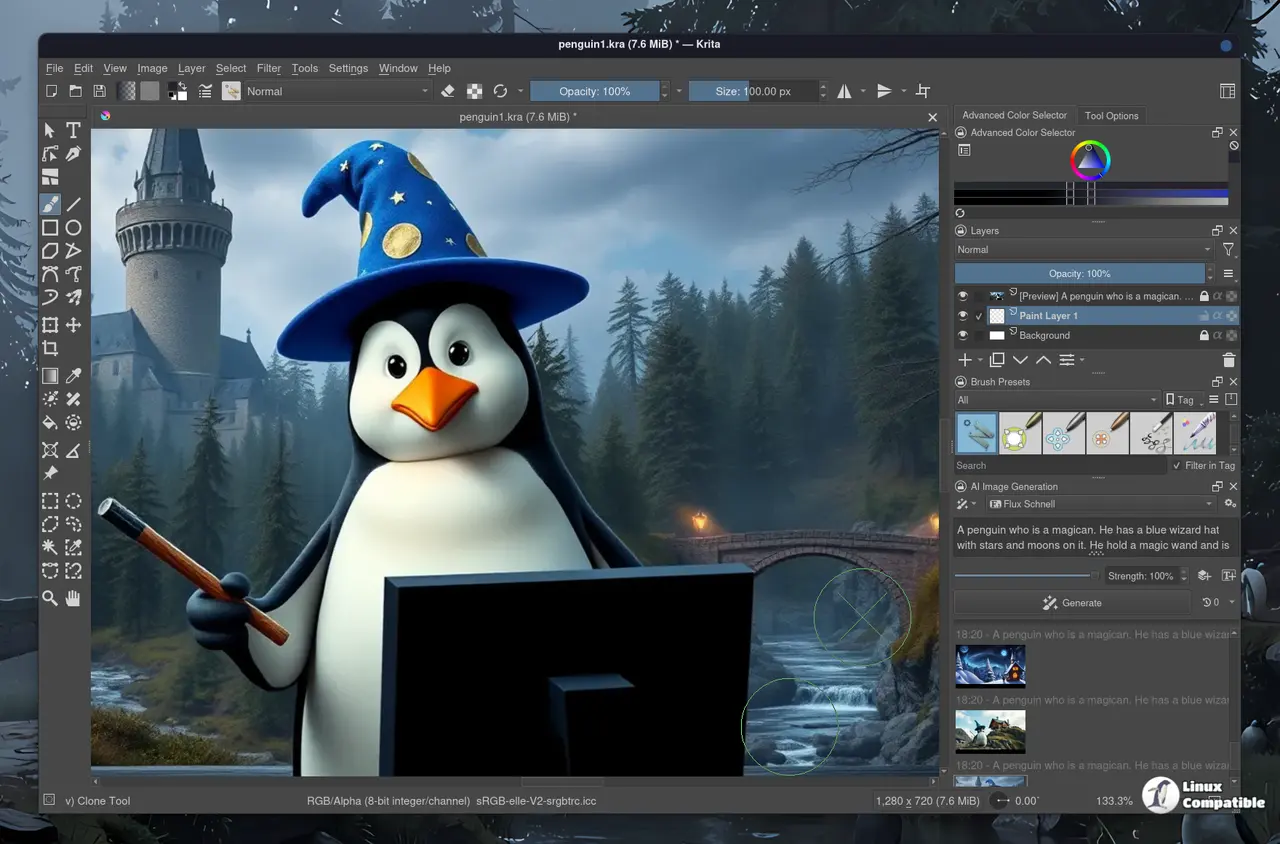
Why the Krita AI Diffusion Flux fixes matter for your workflow
One of the biggest headaches with generative painting has been dealing with visual glitches at the edges of generated images. The update specifically targets artifacts that appeared at bottom or right borders when using multiple-of-16 resolutions for internal resizing. This change matters because it stops the software from cutting off parts of art or leaving ugly lines where the generation meets the original canvas. There is also a specific fix for the refine function with less than 100% strength on Flux 2 Klein models that used to break logic entirely. Common complaints involve blending in generations only to find the software ignored opacity settings before this patch arrived, so fixing that logic prevents wasted time during edits.
Better handling for custom workflows and connection settings
Interface glitches often cause more frustration than actual generation errors, so this version addresses several usability bugs that popped up during document switching. The welcome screen now stays hidden once a project is open, preventing confusion when loading existing files from the main menu. Custom workflow creators will appreciate the new button to reset parameters back to default values without digging through menus manually or hunting for configuration files. There are also corrections for how selections masks apply padding and how preview images get cropped or sized during processing. Users managing NVIDIA GTX 10xx cards should notice the installer attempts pulling an older PyTorch version automatically instead of failing on incompatible hardware.
Technical improvements for non-standard setups and seeds
Power users who need precise control over randomization will find the seed widget now supports much larger numbers up to 2 raised to the power of 32. Authentication for custom ComfyUI instances no longer throws errors when access tokens are missing from the configuration file. The software also attempts to assume SDXL-like checkpoints follow Illustrious architecture if specific workloads have not been installed, which reduces warning popups during startup. These tweaks might seem minor but they save time when troubleshooting why a connection fails or a generation returns unexpected results in non-standard environments.
Release krita-ai-diffusion Version 1.49.1
Download krita_ai_diffusion-1.49.1.zip for Krita 5.2 or 5.3 Changes Fixed "refine" with less than 100% strength not working correctly for Flux 2 Klein
Give the update a run if you spend any time pushing pixels with AI inside Krita. It is not going to rewrite your creative process but it will stop the little things from getting under your skin while you work.


