Kdenlive 25.12.3 Fixes Timeline Crashes and Improves Dock Widget Behavior
After months of testing, users can now install the latest maintenance release of Kdenlive 25.12.3. The update delivers a suite of stability fixes—especially for ripple editing—and subtle UI tweaks that make daily workflow feel smoother.
A welcome screen has been added to assist new users, featuring shortcuts and promoting an evolving user experience based on feedback. To support improved editing of vertical videos (9:16), a vertical layout and safe areas have been added.
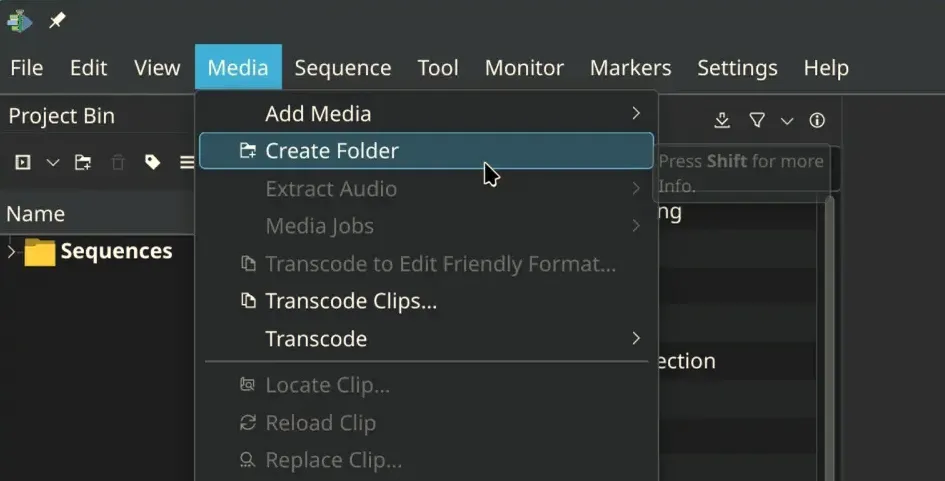
The menus have undergone a restructuring for enhanced intuitiveness—file-related actions like "Render" and "Project Settings" have been regrouped within the File menu, following professional editing conventions. While long-time users may experience initial confusion, adjustments are expected in future updates. User feedback has also improved the interface’s support for translation, making Kdenlive more accessible in various languages.
Enhancements include a revamped audio monitor view with a minimap for zooming on audio segments and rebranded timeline guides as markers that now display duration and can be adjusted from a dedicated list.
The release also addresses significant bug fixes, including resolving over 15 crash reports, fixing render failures in Windows when usernames contain special characters, and addressing project corruption issues when copying between files. Improvements to packaging include fixing VAAPI support in AppImage for quicker decode and render times, alongside several binary updates like Qt 6.10.1 and FFmpeg 8.0, aiming for a smoother overall experience.
Kdenlive 25.12.3 and the Quiet Fixes That Matter
The most noticeable change is the elimination of the crash that used to occur when inserting or removing clips in ripple mode. In a recent test project, a user trying to tighten up a long sequence hit an abrupt shutdown; after applying 25.12.3, the same action now completes without a hitch. The patch also addresses a memory leak in the render widget, so long‑running exports no longer bloat RAM until they finish.
Stability Improvements for Audio and Timeline Preview
Audio scrubbing behaved oddly when “Pause on Seek” was disabled—a bug that made it hard to fine‑tune edits. The new version corrects this, ensuring the preview remains accurate even while navigating frame by frame. Another tweak guarantees that disabling or re‑enabling a clip no longer drops an audio stream; users who previously lost sound after toggling effects will find their mixes intact.
Interface Tweaks That Matter
The dock widgets now recycle freed space properly when hidden, preventing awkward gaps in the layout. Fullscreen mode handles Shift‑modified shortcuts correctly, which resolves a frustration that cropped up during quick keyboard navigation. The marker menu items are grouped logically—making it easier to find and apply markers without hunting through a cluttered list.
Workflow Enhancements for Editing
Multistream clip handling receives an overhaul: importing footage with multiple video streams no longer triggers a mismatch in the timeline, and inserting such clips now behaves consistently. Timeline preview invalidation is fixed so that adding a clip refreshes only the affected track instead of redrawing the entire timeline. Additionally, a new hamburger‑menu option lets users disable all timeline effects on demand—a handy feature when troubleshooting visual glitches.
What About macOS?
The developers noted that technical hurdles in generating packages delayed the macOS build. Windows and Linux users can download the update immediately; Apple users will receive it once the packaging issues are resolved. Until then, those on macOS may need to stick with 25.12.2 for now.


