Why you should upgrade to Kdenlive 25.12.2 (and what actually got fixed)
If you’ve been running the 25.12 series of Kdenlive, this short note will tell you whether the newest maintenance release is worth the download and which annoyances finally disappear.
A welcome screen has been added to assist new users, featuring shortcuts and promoting an evolving user experience based on feedback. To support improved editing of vertical videos (9:16), a vertical layout and safe areas have been added.
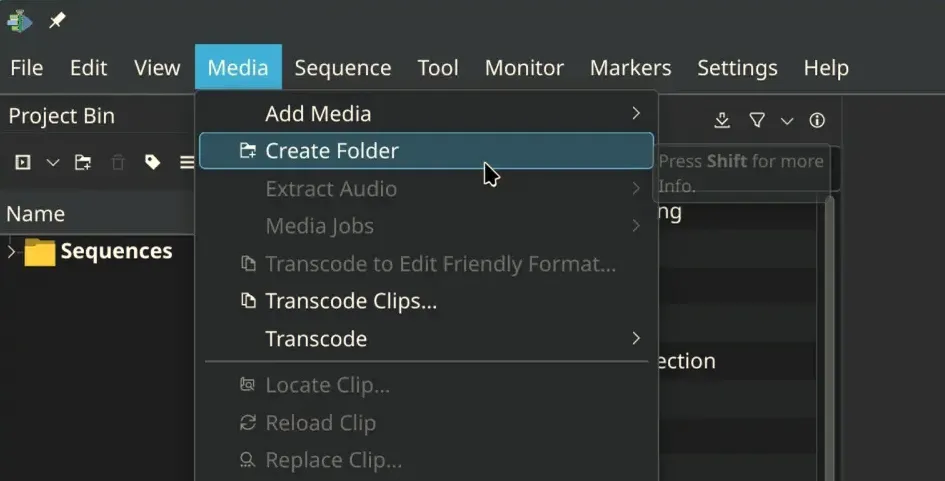
The menus have undergone a restructuring for enhanced intuitiveness—file-related actions like "Render" and "Project Settings" have been regrouped within the File menu, following professional editing conventions. While long-time users may experience initial confusion, adjustments are expected in future updates. User feedback has also improved the interface’s support for translation, making Kdenlive more accessible in various languages.
Enhancements include a revamped audio monitor view with a minimap for zooming on audio segments and rebranded timeline guides as markers that now display duration and can be adjusted from a dedicated list.
The release also addresses significant bug fixes, including resolving over 15 crash reports, fixing render failures in Windows when usernames contain special characters, and addressing project corruption issues when copying between files. Improvements to packaging include fixing VAAPI support in AppImage for quicker decode and render times, alongside several binary updates like Qt 6.10.1 and FFmpeg 8.0, aiming for a smoother overall experience.
What’s actually new in 25.12.2
The update isn’t a feature‑drop; it’s a collection of bite‑size patches that smooth out daily friction points. The most noticeable changes revolve around the monitor panes, audio thumbnails, and a handful of platform quirks.
- Monitor dragging got a rewrite – Dragging clips between the source and timeline monitors now respects “audio only” or “video only” modes. Users who complained about disappearing waveforms in the clip monitor will finally see a stable display.
- Audio thumbnail crashes are tamed – A long‑standing double‑free bug that could take Kdenlive down when generating sequence thumbnails has been guarded against. If you’ve ever lost work after opening a project with many audio tracks, this should stop that nightmare.
- Mac OS X gets its own fix – The recent “black screen on launch” issue reported by several Mac users is addressed, so the app now starts cleanly on Apple silicon machines.
- Hidden effects cleanup – A hidden‑effects list now removes clutter from the UI. If you’ve ever waded through a sea of rarely used transitions just to find the one you need, you’ll appreciate the slimmer panel.
Real‑world scenario that motivated the patch
A user reported that after pasting an effect onto a clip, Kdenlive would automatically enable every built‑in effect in the stack. The result was a sluggish timeline and a baffling “too many effects” warning. The fix in 25.12.2 ensures that pasting only applies the intended effect, leaving the rest untouched. This alone saves a few minutes of manual cleanup per project.
Should you upgrade now?
- Stability‑first users – If your workflow relies on the clip monitor for precise audio/video syncing, the drag‑refactor is a clear win.
- Mac owners – The launch fix alone makes this release mandatory; older builds still crash on recent macOS versions.
- Linux power users – Most of the changes are incremental, but the double‑free guard around audio thumbnails prevents occasional segmentation faults that have been reported in large projects.
If you’re content with a perfectly stable setup and never touch the problematic areas, you could wait for the next feature bump. However, because these patches target crash scenarios rather than cosmetic tweaks, postponing the upgrade carries more risk than benefit.
How to install the update
- Open Kdenlive’s Help => Check for Updates menu entry.
The built‑in updater will detect version 25.12.2 and present a download button. - Click Download, let the package finish, then restart the application.
The installer overwrites the previous binaries; your configuration files stay untouched. - Verify the version number in Help => About to confirm you’re running 25.12.2.
If the built‑in updater fails (it occasionally does on older distro repos), grab the latest AppImage from the official Kdenlive download page, make it executable (chmod +x kdenlive-25.12.2.AppImage), and run it directly.
Kdenlive 25.12.2 isn’t a flashy new release, but it patches enough pain points to justify an upgrade for anyone who runs the editor regularly. The monitor drag fix, audio thumbnail stability, and Mac launch repair are tangible improvements that actually make editing smoother rather than just looking nicer.


