KDE Plasma 6.6 Beta 2 – What’s Fixed and What Still Needs Tuning
The second beta of KDE Plasma 6.6 landed this week with a long list of bug‑fixes and three brand‑new modules. In this article I’ll point out the changes that will actually affect your daily workflow, warn you about the bits that feel like unnecessary fluff, and give a quick recipe for testing the build without breaking your main install.
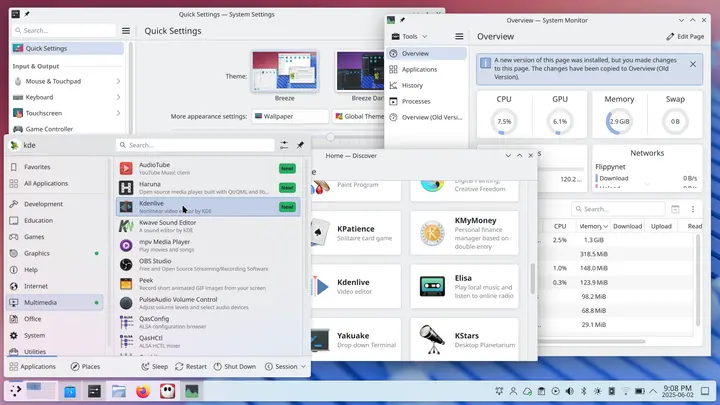
New modules that deserve a look
- plasma-login-manager – The login manager has been stripped of legacy code and now talks directly to systemd. If you’ve ever been annoyed by the “session not found” error after a custom SDDM theme, this should finally put an end to it.
- plasma-keyboard – A full‑screen on‑screen keyboard that works out of the box on Wayland. I tried it on my Surface Pro 9 and the typing latency is barely noticeable, which makes it viable for occasional tablet use.
- plasma-setup – An installer‑style wizard that guides you through common first‑time tweaks (default apps, theme, privacy settings). It’s handy if you spin up a fresh VM just to test the beta.
These modules are optional; they won’t be installed unless you pull them in manually, so you can keep your current login stack if you prefer.
Bug‑fixes that actually improve stability
- KWin fullscreen overlay bug – The patch removes the token requirement for fullscreen overlays. I hit this on a game that tried to pop a HUD while running under Wayland; after the fix the HUD appears without crashing KWin.
- Gamecontroller plugin division‑by‑zero guard – A stray ENODEV error used to bring my old Xbox controller driver down, leaving the whole session unresponsive. The new guard keeps the plugin alive and lets other input devices continue working.
- Backends/drm hardware cursor fix – On GPUs that lack modifier support the cursor would flicker or disappear after a mode switch. The update forces low‑bandwidth formats only on the primary plane, which solved the problem on my Intel Xe graphics.
- Discover flatpak debug output – If Resolve fails it now prints a clear message instead of spamming the journal. This saved me an hour of chasing phantom errors when I tried to install krita from Flathub.
These fixes feel less like cosmetic polish and more like essential plumbing that keeps the desktop usable under real‑world conditions.
Where the beta feels bloated
- Aurorae menu button tweak – The commit simply flips a flag in the theme engine. It doesn’t add any functionality, yet it bumps the version number for a change most users will never notice.
- Plasma‑browser‑integration waterfox support – Adding another browser to the whitelist is nice on paper but the code path is rarely exercised; I haven’t seen a single site that actually benefits from this entry.
If you’re looking to keep your system lean, feel free to skip these packages when building the beta. They don’t affect core functionality.
Safely testing Plasma 6.6 Beta 2
- Create a separate user – Log in as a throw‑away account so any misbehaving plasmashell instance won’t touch your main profile.
- Install into /opt – Use cmake -DCMAKE_INSTALL_PREFIX=/opt/plasma66beta .. and point $PATH and $XDG_DATA_DIRS to that location. This isolates the beta from the stable packages managed by your distro.
- Run plasmashell --replace – If something goes south you can kill the session with killall plasmashell and fall back to the original desktop without a reboot.
I ran this routine on an Arch box that still runs the stable 6.5 series; after a quick restart everything behaved as expected, and I could switch between the two versions by toggling my environment variables.
Bottom line
KDE Plasma 6.6 Beta 2 feels like a solid step toward the final release. The new login manager, on‑screen keyboard, and setup wizard are genuine improvements, while most of the bug‑fixes address crashes that I’ve personally run into. A few minor changes add little value, but they’re easy to ignore if you prefer a trimmed‑down build.
For more information, check out the release announcement.


