KDE Plasma 6.5.0 has been officially released with several exciting features aimed at enhancing user experience. These include automatic theme transitions that can switch between light and dark modes based on time of day, as well as fuzzy search capabilities in KRunner to find apps even if their name is misspelled. The update also includes various usability improvements such as enhanced keyboard navigation, customizable wallpaper settings, and improved notification system functionality. Additionally, the release features performance enhancements like faster loading times and reduced CPU usage for compatible GPUs when displaying full-screen content.
KDE Plasma 6.5.0 released
KDE Plasma 6.5.0 has been officially released, bringing with it an array of exciting features that aim to enhance user experience. Among these highlights is the introduction of automatic theme transitions, allowing users to configure their themes to switch seamlessly from light to dark and back based on the time of day.
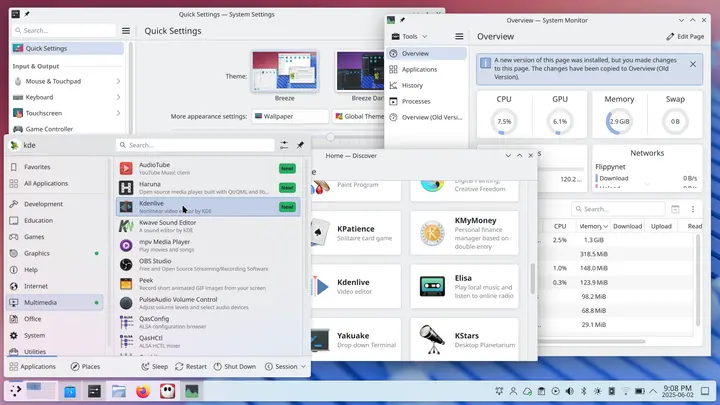
Another notable feature is caret text navigation, which enables a smoother typing experience by zooming in to where you type on the screen. Additionally, KRunner has been enhanced with fuzzy search capabilities, ensuring that even if users misspell an app's name, KRunner can still find it for them.
Plasma 6.5 includes numerous highly-requested features, starting with rounded bottom window corners for Breeze-themed windows. Users can now configure their theme to switch between light and dark versions based on the color scheme or time of day, and even choose whether their wallpaper should adapt accordingly.
The "Pinned clipboard items" feature allows users to save frequently used text into the clipboard, saving them from repeatedly copying and pasting. Furthermore, users can star their preferred clipboard items for easy access later on.
Another welcome addition is the ability to configure drawing tablets using System Settings' Drawing Tablet page. This new feature also warns users if they try configuring a tablet managed by a custom driver and hides the tablet page when no drawing tablets are connected.
The Flatpak Permissions page has been revamped into a general Application Permissions page, where users can configure apps' permissions, such as taking screenshots or accepting remote control requests.
Plasma's built-in Remote Desktop Protocol (RDP) server now allows sharing of clipboard content. Moreover, users no longer need to create separate remote desktop accounts; instead, their existing user accounts work seamlessly with the RDP client app.
The utility that monitors printer ink levels has been improved to notify users when it is running low or empty.
In terms of usability improvements, the System Settings' Wi-Fi & Networking page now displays detected wireless networks and allows direct connections from there. When sharing a Wi-Fi network's QR code, its password is visible for easy access.
The Network widget now shares passwords with guests and provides clear messages during wireless network detection or disabling.
To further enhance user experience, the notification system has been improved to include a button that allows users to view missed notifications while in Do Not Disturb mode. Plasma also warns users about potential speaker damage when keeping the "Raise maximum volume" setting active for prolonged periods.
Volume changes now un-mute all playback devices when the system is muted, ensuring consistent behavior between microphones and speakers.
Gamers can now access more relevant information about game controllers on System Settings' Game Controller page. The ability to toggle images on or off by clicking on grid items has simplified the setup of wallpaper slideshows.
Accessibility features have also seen significant improvements, including enhancements for visually impaired users, such as the Orca screen reader's improved description of the Caps Lock state and keyboard shortcuts on System Settings' Shortcuts and Autostart pages.
Visually sensitive users can now make use of a grayscale color filter to desaturate or remove colors system-wide. Plasma has been audited to prevent screen flashing that could trigger photosensitivity, with all discovered cases fixed.
The Zoom effect can be configured to jump to the text insertion point as it moves around the screen, making it easier for users to navigate.
In addition to playing a sound, Plasma now shows a system notification when plugging in a device. This feature aims to help people with hearing impairments but also provides flexibility for users to customize their experience.
Keyboard navigation has been enhanced throughout Plasma and its apps, providing users with greater control over their desktop environment.
KRunner's fuzzy matching capabilities allow it to find applications even if the user misspells their name. The search results are now ordered more intelligently, and KRunner starts providing results after just one character is typed.
Sticky Notes added to panels can be resized and have their background color changed from the context menu. When choosing a transparent background color, colored sticky notes' backgrounds disappear entirely.
On Wayland, users can re-order virtual desktops directly from the Pager widget, and reordering them in the Overview effect's grid view now updates the Pager widget accordingly.
Plasma's included apps have also seen improvements, with Discover, Plasma's software management app/app store, receiving a focus on performance and feedback. Users should notice faster launch times and more verbose feedback when Discover is slow.
Discover has gained support for flatpak+https:// URLs, allowing Install buttons on Flathub to open Discover automatically. Additionally, it can show users hardware drivers available for installation on operating systems that support this feature.
The Emoji Selector app now opens to a page showing all emojis instead of an empty "Recent" page and includes a search field that is always visible. Searching through the full set of emojis is also possible when there are no matches on the current page.
Spectacle, Plasma's screenshot/screencast utility, can now include in window screen recordings any popups created by the target window.
HDR content display has been improved with tweaks to the tone mapping curve used by KWin. Plasma 6.5 also implements support for an experimental version of the Wayland picture-in-picture protocol that promises to allow apps like Firefox to display proper PiP windows automatically.
The performance improvements include adding support for "overlay planes," which reduce CPU usage and power draw when displaying full-screen content on a compatible GPU.
Optimizing the splash screen code, re-arranging startup steps, and reducing login animation duration have all contributed to making Plasma 6.5 load faster and provide a snappier experience overall.
For a full change log, visit this page. You find the source code for Plasma 6.5.0 on this page.


