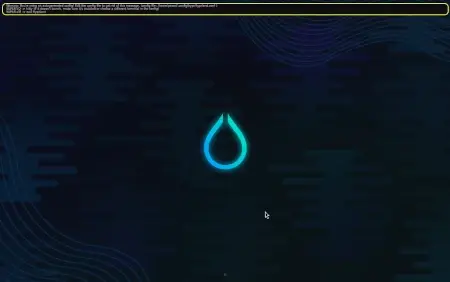
Hyprland now available in SparkyLinux
Hyprland has officially landed in SparkyLinux's testing branch. For those not yet acquainted with what makes Wayland different from older display servers like X11, Hyprland is an exciting newcomer. More precisely, it’s a dynamic tiling compositor manager that puts user freedom and modern aesthetics at the forefront.
It stands out for its independence; unlike some other options tied to specific frameworks (like wlroots or kwin), Hyprland operates on its own. Hyprland's independence not only eliminates external dependencies, but also cultivates an environment that allows users and developers to explore new frontiers without any limitations imposed by other code structures. And while it might seem like a technical detail, the ease with which this compositor's codebase is designed for expansion makes it incredibly accessible to anyone tinkering or looking to contribute.
Hyprland's features make it compelling and customizable, not just its uniform window tiling. Users can dive into settings for gradients on window borders, enjoy blur effects behind windows, run smooth animations, add subtle shadows, and explore other visual tweaks that give the desktop a personal touch. But beyond these looks-focused additions, there's functionality too.
If you're wondering about performance, especially gaming, it should be music to your ears: Hyprland includes support for tearing prevention, ensuring those graphics-heavy applications glide seamlessly across your screen without stuttering or flickering artifacts interrupting the fun. This focus on practical user needs keeps it grounded even as it gets creative with its options.
Getting started is straightforward if you're a Sparky Linux user already enjoying testing builds (version 9). Open up your terminal and run two simple commands: sudo apt update followed by sudo apt install hyprland. That gives you the core compositor along with an empty top panel, which is a minimal but functional setup.
For those wanting a bit more, there's also sparky-desktop-hyprland, which bundles Hyprland with essential desktop utilities for a smoother transition from other environments. Alternatively, Aptus users can find it in the AppCenter under Desktops; navigating to Hyprland and selecting it handles everything through GUI convenience.
Whatever route you choose, installing Hyprland on Sparky Linux means stepping into an increasingly mature Wayland experience. It’s designed not just for power users but also welcomes anyone curious about a different kind of desktop interaction—so if you haven't tried tiling yet, now might be the time to explore what this compositor can offer. Feedback is always welcome as Hyprland continues its active development journey on SparkyLinux.
For more information, visit the official announcement below:
Hyprland
There is a new desktop available for Sparkers: Hyprland What is Hyprland? Features: – All of the eyecandy: gradient borders, blur, animations, shadows and much more