Goverlay 1.7.3 released
Goverlay 1.7.3 is out now, which marks another step forward in development for this widely used gaming overlay tool. However, things are slightly different than you might expect if you're using the native or AppImage builds.
There's some platform-specific news to mention first: because Flathub required changes to where files could be stored ($HOST_XDG_DATA_HOME/goverlay/), the developers had to pull back on certain planned features. This meant that for this specific release, GoOverlay 1.7.3 is pretty much the same as version 1.7.2 if you're running it through Flatpak.
But things feel different inside the app itself, which is especially true for users who go with native or AppImage installation. Let's see what's new there:
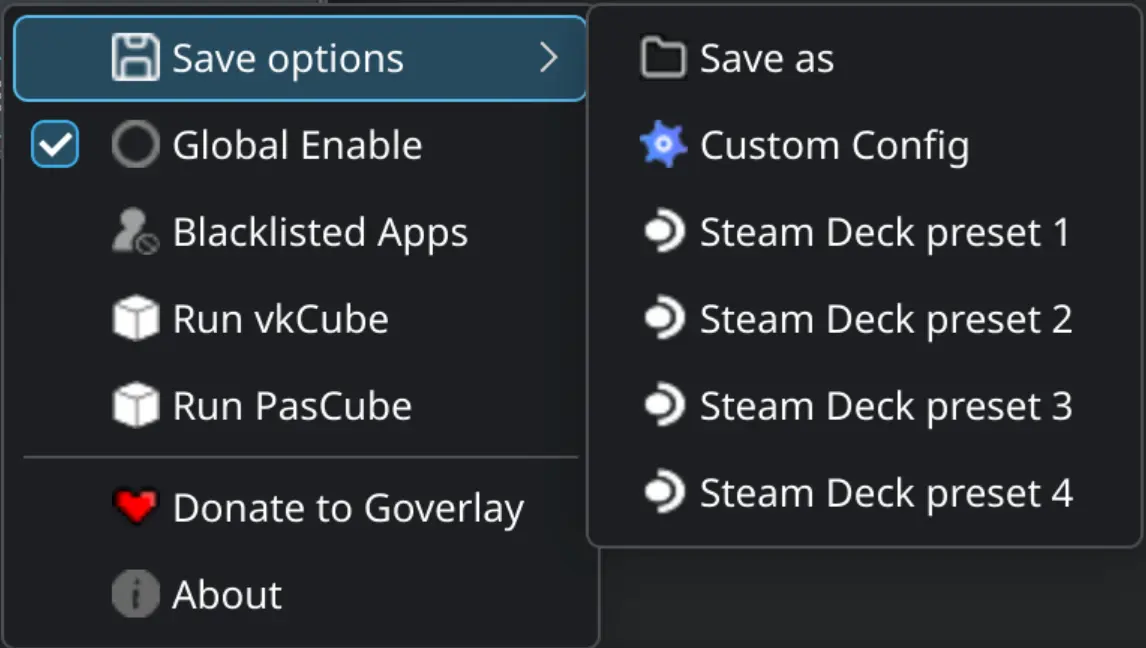
You'll find some welcome refinements to existing features alongside this release. The developers added MangoHud and vkBasalt configuration "Save As" options, so you can now save unique settings tailored specifically to each game.
Also fixed is that annoying bug where games kept running in Steam after you closed the overlay itself from a game's menu, which should stop happening entirely going forward.
A key underlying shift involves compliance with Linux standards: they fully embraced and implemented the XDG Base Directory specification. This means GoOverlay respects the standard locations for storing configs, logs, etc., specifically XDG_CONFIG_HOME/goverlay/ (for user-level settings) and XDG_DATA_HOME/goverlay/. These are now properly set up.
As part of that standardization, they also put in place automatic OptiScaler installation via FGMOD. You don't need to do anything special; just launch the overlay as usual, and it will handle getting everything ready with its new features like startup dependency checks and helpful desktop notifications for updates or downloads.
Release Goverlay 1.7.3
Hey Linuxers, this is a very small update, Flathub denied the use of $HOST_XDG_DATA_HOME/goverlay/ , so i have to revert the code and use the standart flatpak sandbox for fgmod.