Bazzite Linux has released version 43.20260210 with several notable updates, including a fresh kernel and improved graphics stack, which promise smoother gameplay on both desktops and handheld devices. The new kernel includes a scheduler upgrade that promises lower latency for CPUs that support it, making window switching snappier when playing games. Additionally, the Mesa graphics driver has been updated to improve Vulkan driver support for newer GPUs, reducing "unsupported OpenGL version" warnings when launching older titles through Lutris. Bazzite users can easily upgrade their system by running a simple rebase command in the terminal using the helper script provided by the developers.
Bazzite Linux 43.20260210 – What the New Build Brings to Gamers and Everyday Users
Bazzite Linux 43.20260210 lands with a fresh kernel, updated graphics stack and a handful of tweaks that claim smoother gameplay on everything from a desktop rig to a handheld. This article walks through the most noticeable changes, points out where the update actually matters, and tells you exactly how to roll your current install forward without pulling your hair out.
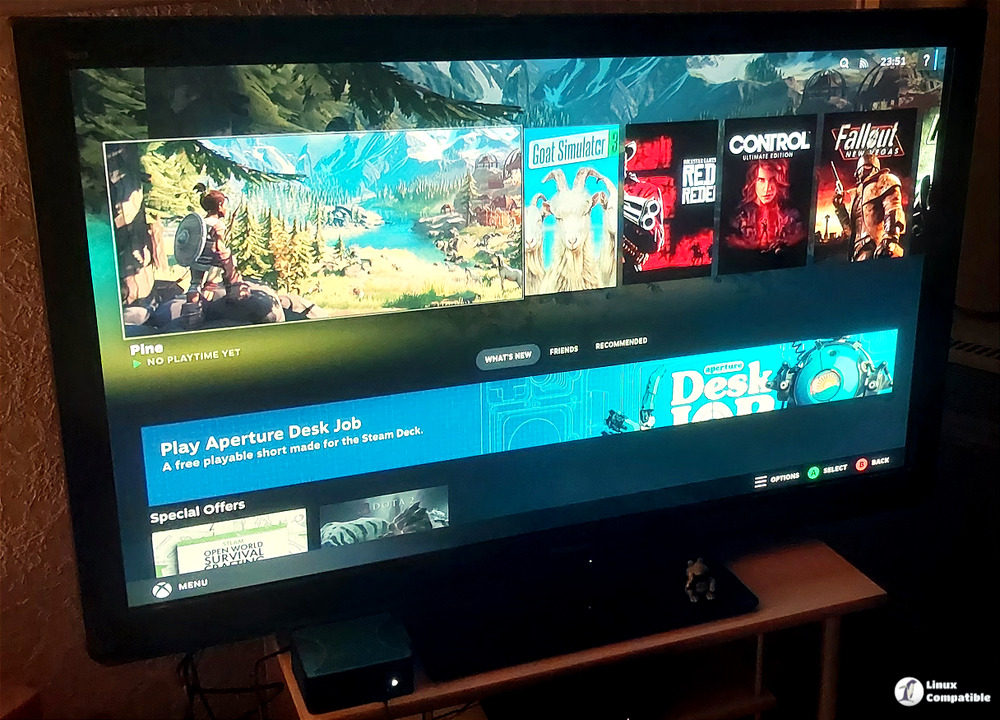
Kernel and Core Packages
The heart of any Linux distro is the kernel, and Bazzite now ships with 6.17.7‑ba25 plus a new firmware bundle dated 20260110‑1. The jump from the previous 6.16 series isn’t just a number; the newer scheduler (scx‑scheds 1.0.20‑1) promises lower latency on CPUs that support it, which you’ll feel as snappier window switching when a game is fighting for cycles with your desktop environment. If you’ve ever watched a Steam title stutter while a background browser tab loads, this is the sort of under‑the‑hood work that can actually smooth things out.
Gaming Stack Improvements
Mesa moves from 25.3.3‑2 to 25.3.4‑1 and SDL3 jumps to 3.4.0‑3. In practice those incremental bumps mean better Vulkan driver support for newer GPUs and fewer “unsupported OpenGL version” warnings when you fire up older titles through Lutris.
Gamescope gets a fresh build (ba147‑1.bazzite) that includes better handling of HDR output on monitors that actually support it. If you’ve ever tried to enable HDR in GNOME only to end up with washed‑out colors, the updated Gamescope should finally respect the monitor’s EDID and keep the contrast where it belongs.
Desktop Environment Tweaks
GNOME jumps from 49.3‑1 to 49.4‑1 while KDE stays on 6.5.5‑1, so you can stick with your preferred shell without being forced into a new release cycle. The most useful change is the addition of the Bazaar GNOME extension, which now monitors VRR (variable refresh rate) and will pop up a tiny overlay when the display’s refresh rate changes – handy for those 144 Hz panels that flip between 60 Hz and 120 Hz depending on content.
KDE users get a subtle performance bump thanks to the updated libdrm (2.4.131‑1). It isn’t headline material, but it reduces the occasional “screen flicker”
Nvidia Driver and Flatpak Sync
The proprietary driver package moves from 590.48.01‑1 to 580.95.05‑1 for LTS users. The change is intentional: Bazzite’s maintainers decided to keep the long‑term branch a step behind the bleeding edge, which means fewer unexpected regressions after a kernel upgrade. However, the real snag lies in the Flatpak Nvidia runtime – a recent commit (ad77e11) finally synchronizes it with the driver version. If you’ve ever tried to launch a Steam Deck‑style Flatpak game on a desktop and got a “missing libGL” error, this fix should stop that from happening. The downside is a slightly larger download size; the extra libraries add about 200 MB to your system cache.
How to Upgrade Your System
For anyone already running Bazzite, the upgrade path is deliberately simple. Open a terminal and run the helper script with the “rebase stable” argument if you’re on the latest branch, or specify the exact image tag (43.20260210) for a pinpointed roll‑forward. The command looks like this: bazzite-rollback-helper rebase 43.20260210. The script checks that your current bootloader points to the right EFI entry, pulls the new ostree commit and then triggers a reboot. Because it validates the presence of the helper script before launching, you won’t end up with a half‑installed system if something goes sideways.
# For this branch (if latest):
bazzite-rollback-helper rebase stable

# For this specific image:
bazzite-rollback-helper rebase 43.20260126
Bazzite 43.20260210 feels like a genuine maintenance release that actually matters to gamers who also use their machines for everyday tasks. The kernel scheduler upgrade, Mesa bump, and HDR‑aware Gamescope are the highlights; the Nvidia Flatpak sync finally stops a class of frustrating launch errors. If you’re already on Bazzite, the one‑liner rebase is all the hassle you’ll need to enjoy these improvements.
You can download the Bazzite 43.20260210 installation images from here.


