Ardour 9.2 Released – Bottom Pane Fixed, MIDI Note Chase Added
The newest Ardour version arrives as a quick‑fix update that finally restores the broken bottom pane in the editor and introduces handy MIDI tools for producers who love long drones or need to duplicate notes on the fly.
New Features
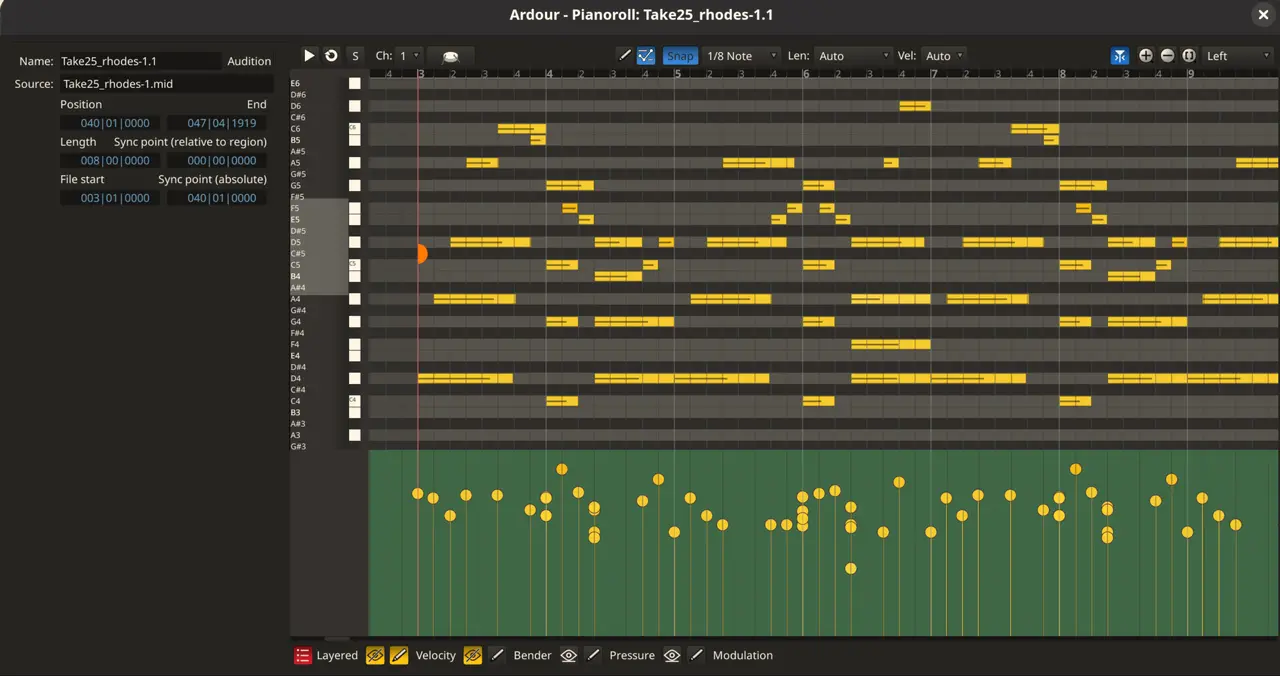
MIDI note chasing lets a track’s current position start a long note when playback begins, which solves an annoyance many users hit with sustained synth pads. The feature is toggleable per track through its header menu and globally in Preferences MIDI, giving flexibility for both small projects and full‑blown live sets. The duplicate shortcut (Ctrl/Cmd‑D) now places the copied notes immediately after the last one, respecting the session’s snap grid when enabled. Because the new notes are pre‑selected, transposing them with arrow keys is as quick as a single keystroke.
Improvements
Dragging several regions from the source list into the editor at once cuts down on repetitive clicks. Zoom‑to‑session behaves sensibly even while recording in an empty session, preventing that odd “zoom out and back in” glitch. Pitchbend values are shown in their true range (–8192 to 8191) instead of a misleading 0‑16384 scale, which helps when comparing hardware controllers. MIDI CC lanes now display channel and controller numbers inline, so spotting the right knob is faster than guessing. Minor preference tweaks make searching for specific settings a one‑sentence operation rather than scrolling through pages. The auto‑return icon’s consistency with other icons keeps the UI feeling tidy.
Audio editing got a practical boost: two mono files of identical length can be merged into a stereo track by dragging them onto a newly created stereo track – perfect for quickly pairing left‑and‑right stems without opening separate projects.
Fixes
The bottom pane’s intended behavior when changing selections is restored; users who had been stuck with a frozen pane after moving tracks now see the interface react correctly. Crashes that occurred when dragging both ends of a range simultaneously or pressing shortcuts too early at startup are gone, improving stability for sessions that start right after clicking a project folder. A notorious issue where automation values were corrupted after cutting or deleting notes has been corrected, so editing a mix no longer produces phantom fades.
Real‑world users report the new updates as “a relief.” For instance, one producer who upgraded to 9.0 and immediately started experiencing bottom‑pane freezes during live recording found that the pane now follows the selection changes smoothly in 9.2. Another noticed that after a driver update for his MIDI controller, note chasing no longer missed long pads, keeping the drone steady across tracks.
Windows users will appreciate the change to how Ardour handles thread priority when interacting with MIDI devices; it stops crashes that used to happen right after opening a project from Explorer. On macOS, sessions now open reliably from Finder instead of requiring a double‑click inside the application.
The 9.2 hotfix brings stability and new workflow tools without adding bloat. For those who have been waiting for the bottom pane to behave, or need quick note duplication, it’s worth updating now.


